
 My Shelter Pro - Fonts and Animations
Fonts
To change a font setting, click the SET button next to the font. You will then use a standard Windows font dialog box to choose and set a different font. For each setting the Font properties (font, font-size, font-bold) are modifiable at user discretion. Note that the only allowed font-size settings are 8 or 9 point.
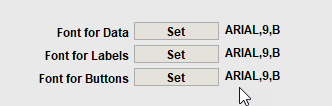
To access this feature, select System/My Shelter Pro from the main menu.
- Font for data alters the font used in the various text boxes and dropdown boxes throughout Shelter Pro.
- Font for labels alters the font used in the various labels throughout Shelter Pro.
- Font for buttons alters the font used in the various buttons and tabbed views throughout Shelter Pro.
Half-height title bars
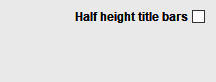
This controls the height of a title bar on the Windows in Shelter Pro.
- Half-height sample

- Full-height sample

Animation and Animation speed
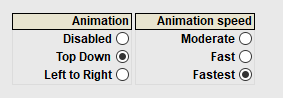
Animation controls the 'movement' of screen loads. These don't have any affect on Shelter Pro functionality other than the appearance of windows as they become visible. Disabled will turn off animations. Top Down will cause windows to load from the top of the screen down to their visible position. Left to Right will cause windows to load from the left of the screen down to their visible position.
Animation speed controls the time of screen loads. These don't have any affect on Shelter Pro functionality other than the appearance of windows as they become visible. This setting is only in effect when Animation is not set to Disabled. Moderate will be the slowest animation speed. Fast will be a faster animation speed than Moderate. Fastest will be teh quickest animation speed setting.
Next Topic
Click -> My Shelter Pro - Event Colors
Comment or report problem with topic