
 Case View - Deleting a medical item
Case View - Deleting a medical item
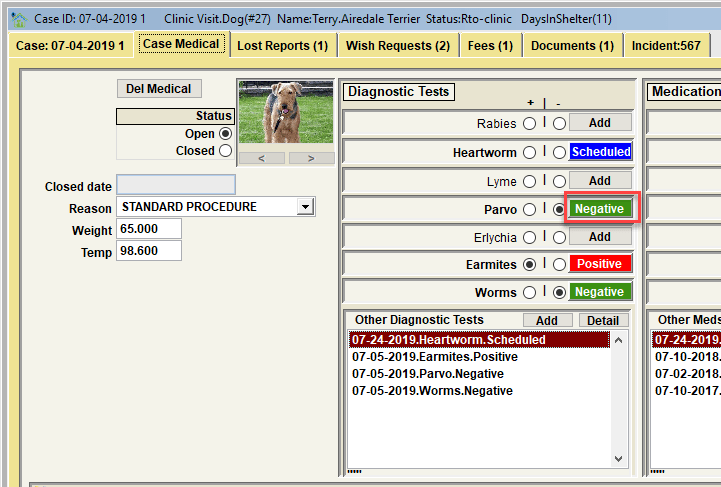
It is possible to delete a medical item if appropriate. This is a two-step process. In our example, we will demonstrate deleting the 'parvo' test that was added.
Step 1 would be to open the item by clicking the button next to 'Parvo'. This will cause the detailed parvo test record to become visible.
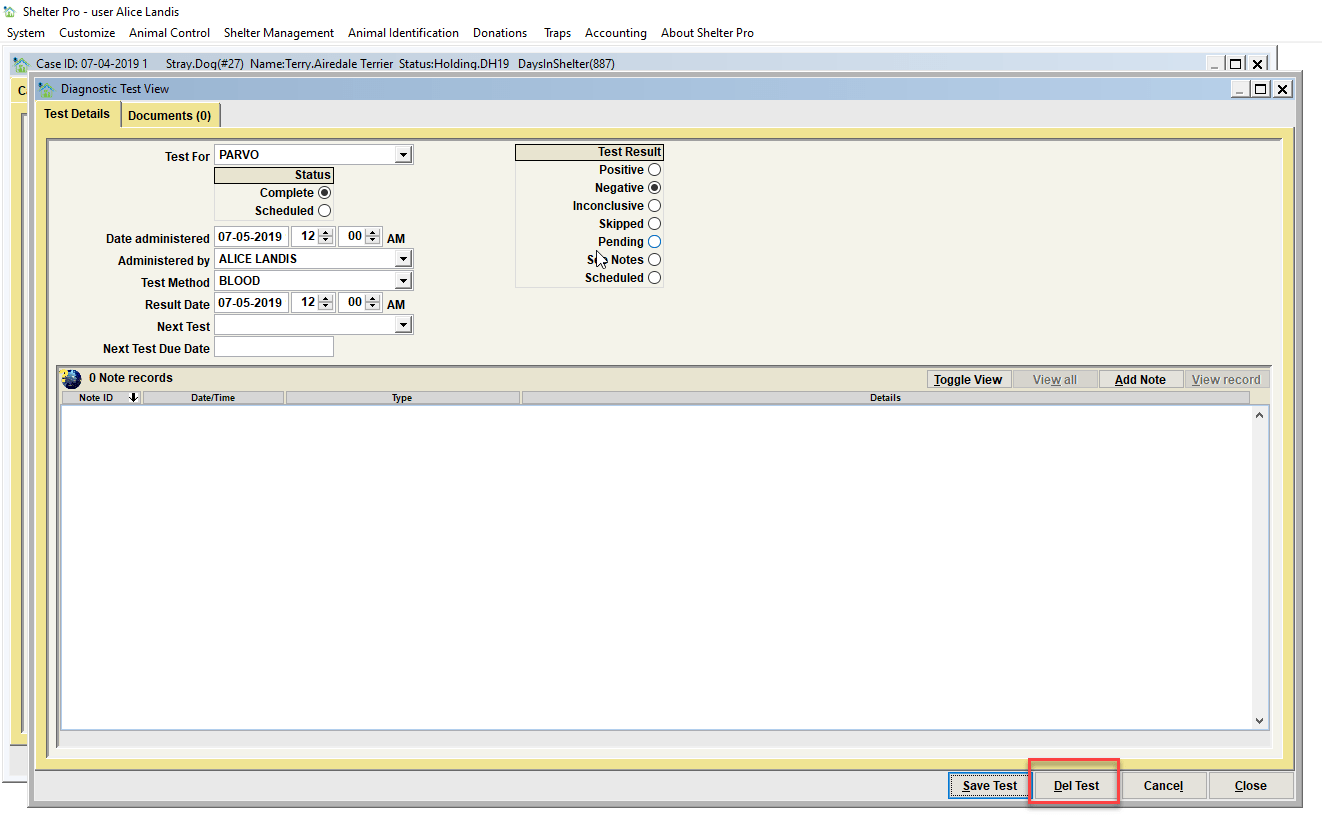
To complete the delete, click the 'Del Test' button on the parvo test record.
Next Topic:
Comment or report problem with topic