
 Wish List Request
Wish List Request
The Wish List Request window displays detailed information about the person wishing to adopt an animal, and descriptions of animals that would make a good 'match'.
As shelter animals arrive and are entered as cases, each open case shelter pet's profile information is automatically compared with each Wish List Request to determine potential matches. On the case view's Wish Requests tab (Case View - Wish Requests), the system will notify and display any possible matches that exist when a shelter case status is ADOPTION AVAILABLE.
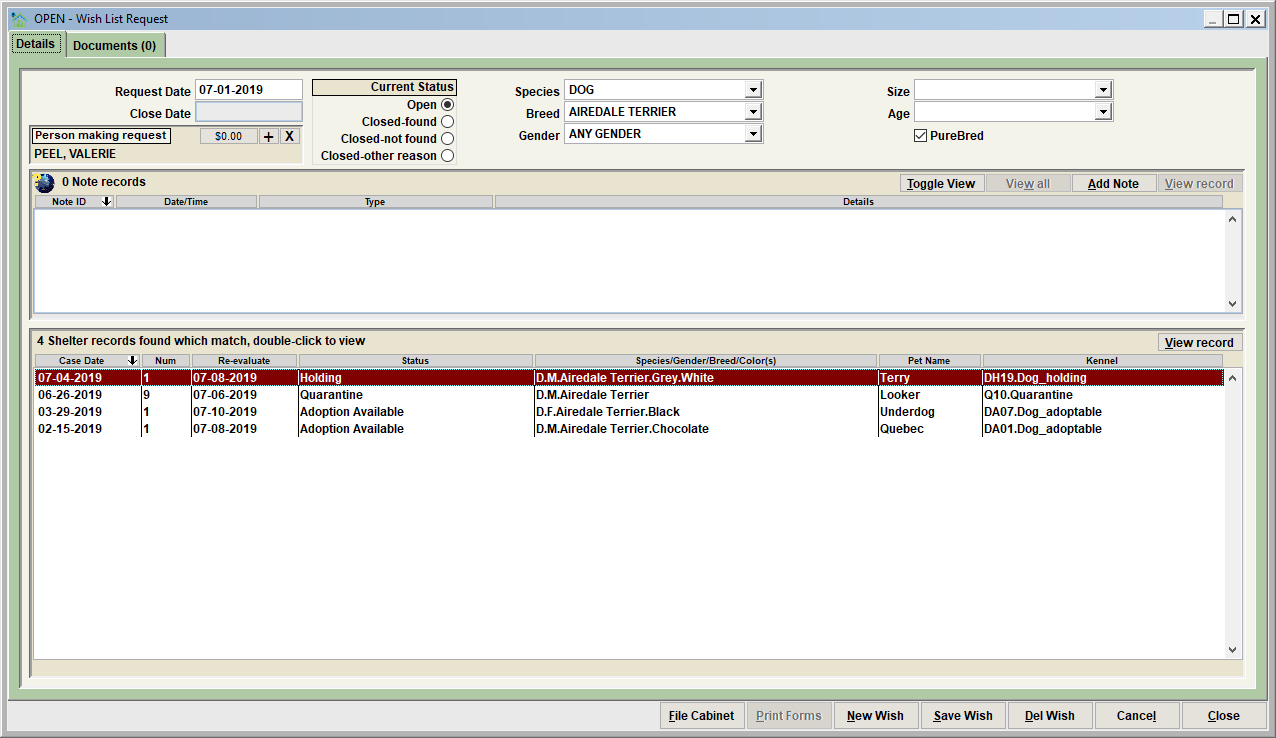
Data elements of a wish list request
• Request Date – this is day that the request became active. Typically this would be the day the request was received from the potential adopter.
• Closed – this is day that the request was closed and active monitoring was disabled.
• Person making request – this is a link to the person who is the potential adopter.
• Current Status – the importance of the status is if the request has been intentionally posted as open or closed. Note that closing a request will disable the automatic monitoring of the request comparisons to shelter case pets. In other words, closed means that Shelter Pro stops looking for the pet among the sheltered pet population processed by the shelter.
There is an option in Shelter Pro to have wish list requests automatically expire after a set number of days. This is a customization setting for the Shelter Management module. If an open request has expired, you would see 'AUTOMATICALLY EXPIRED' in the title of the Wish List Request View.
• Species, Breed, Gender, Size, Age, Purebred – these are profile items that the potential adopter is 'wishing' to adopt. These data elements are used to compare the wish list request to shelter pets to monitor for potential matches.
• Notes – any notes that are relevant to the request can be added by clicking the 'Add Note' button.
The activity buttons

The activity buttons on a wish list request are these:
• File Cabinet – retrieve/view existing Wish List requests.
• Print Forms - prints any forms relating to the wish list request.
• New Wish - creates a new wish list request.
• Save Wish – save the current record to the database.
• Del Wish – deletes the request from the database.
• Cancel – undo the changes made since the Wish Request was last saved.
• Close – exit the Wish List Request View.
Possible matches

This window shows all shelter cases which are potential matches for the Wish Request. The example below indicates there are four shelter pets which are matches for potential adoption.
Wish List Request - closing a wish list request
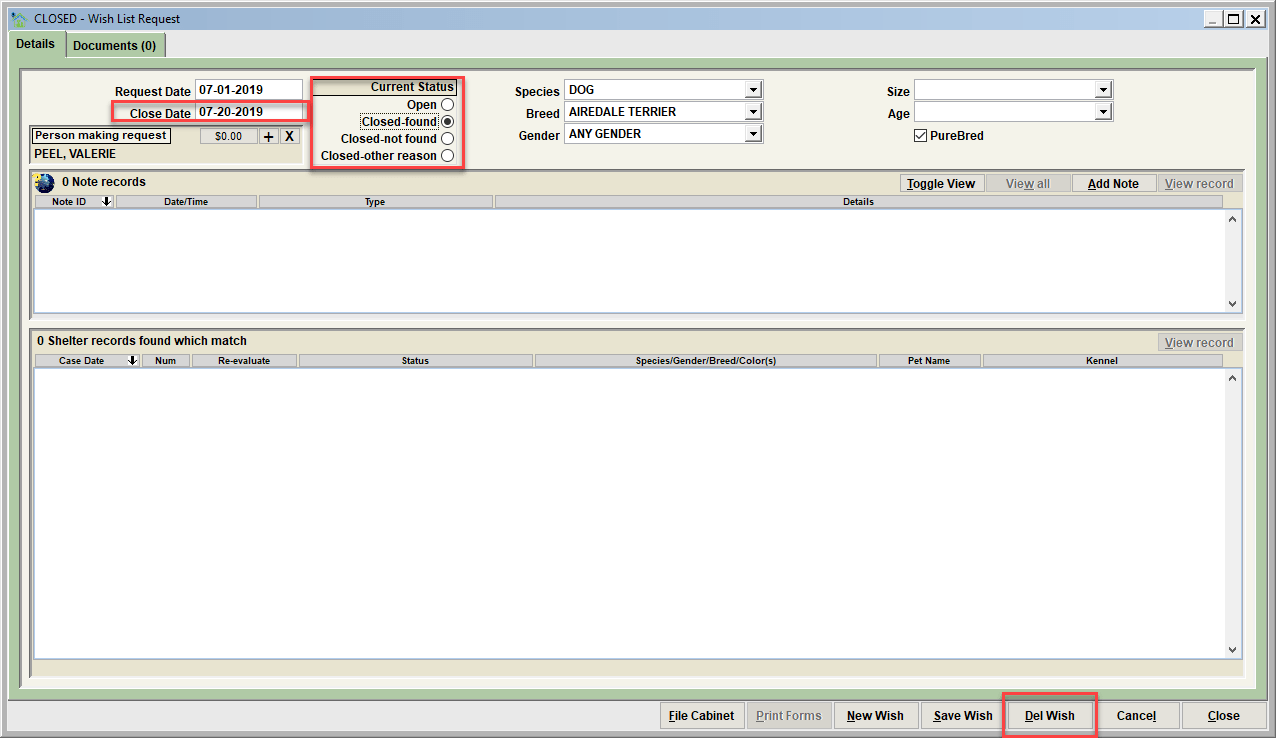
When the Wish List Request is no longer valid (an animal was found, or enough time has passed that the search has been abandoned), there are three ways to remove the Wish Request.
- Change the status to something other than Open. The advantage to this method is the history of the Wish Request is kept, however the report is no longer monitored against shelter case pets.
- Click the Del Wish button. This deletes the Wish Request from the database completely as if it never existed.
- Let the open wish list request auto-expire. Note that there is a setting found under CUSTOMIZE/SHELTER MANAGEMENT/PROCESS which determines how many days an open wish list request is treated as 'active'. After those days are passed, the wish list request will be treated as 'expired' and will no longer be monitored.
Wish List Request File Cabinet
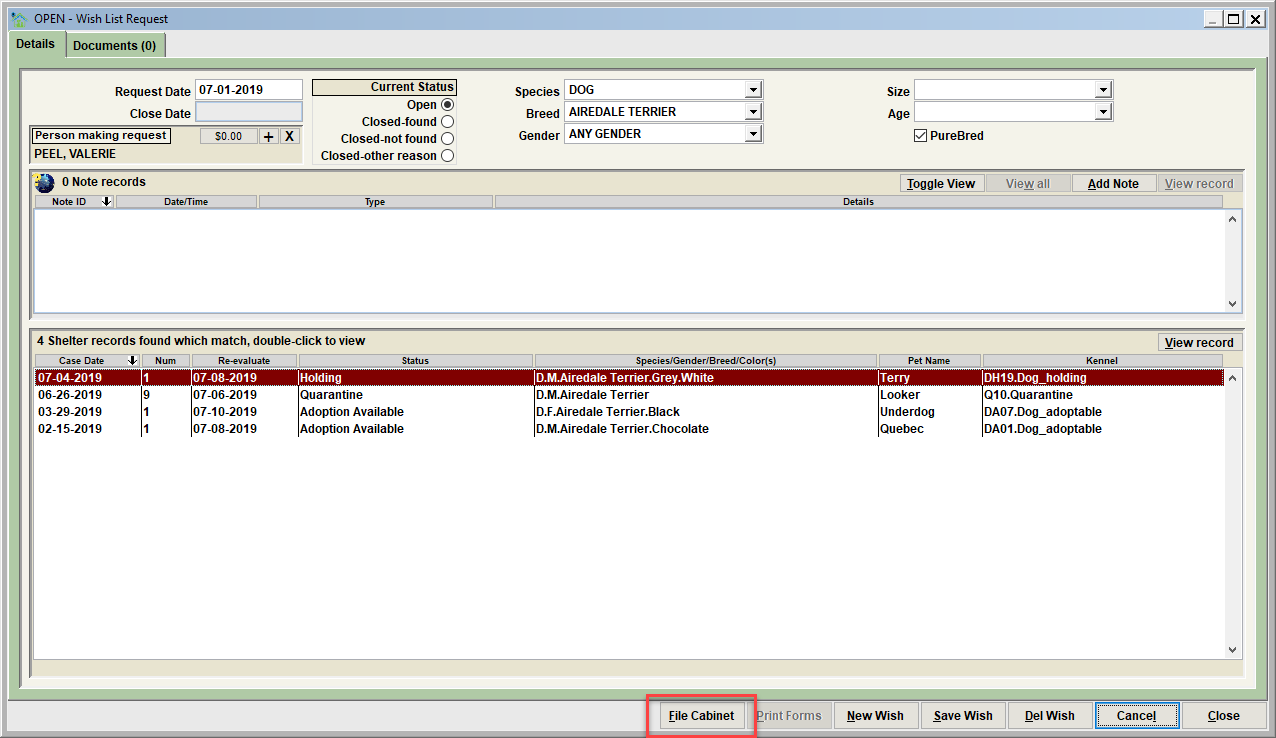
To access the Wish List Request File Cabinet, simply click "File Cabinet" on the Wish List Request view. The file cabinet lists all Wish List Requests on the database. To access an existing wish list report, double-click on the report, or click on the report, then click on View record.
Next Topic:
Comment or report problem with topic