
 Posting a vaccination record using Case Medical
Posting a vaccination record using Case Medical
This topic covers how to add a vaccination record to an animal while using the 'Case Medical' feature as a result of administering a vaccination to an in-shelter pet.
Quick Reference
- Locate the shelter case record for the animal
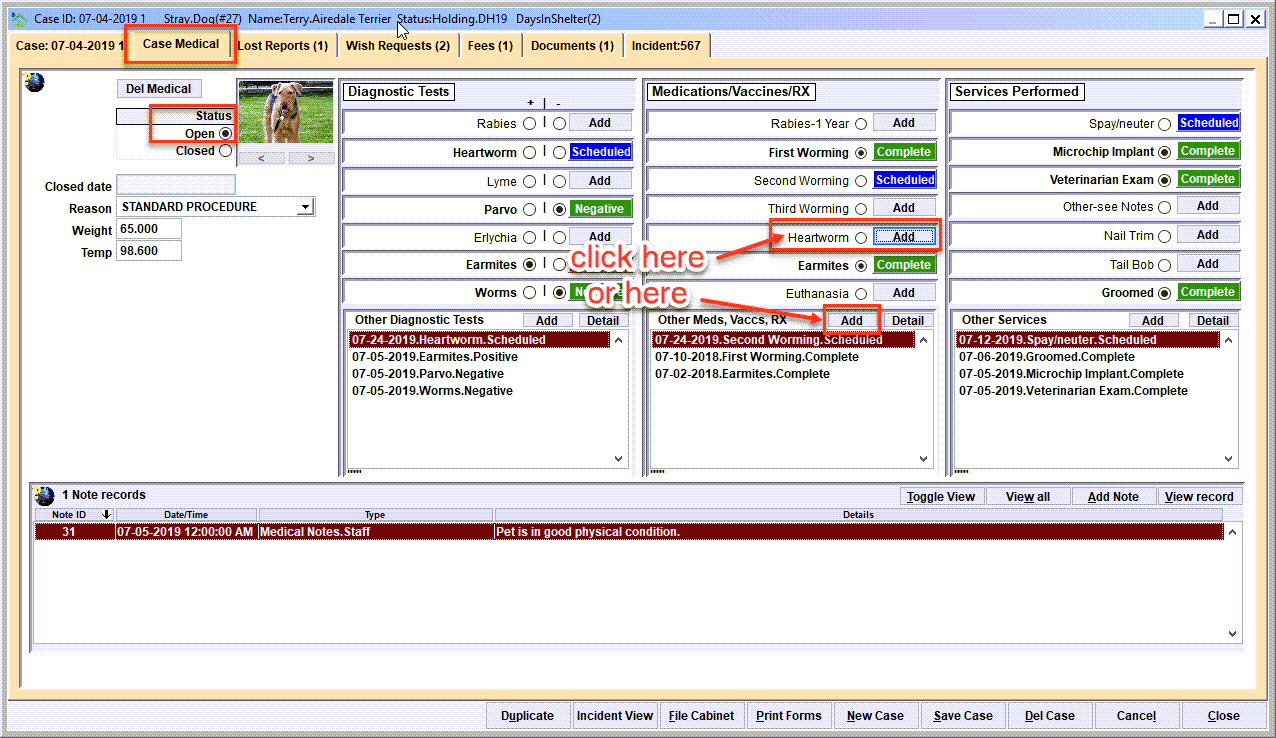
From the main menu, click Shelter Management/Case File Cabinet. Search for the open case record for the animal using the search options and open the case record. Then click on the 'Case Medical' tab. It is assumed that the pet has an 'open medical' record for the case. - Under 'Medications/Vaccines/RX', add the vaccination record
The vaccination will be one of the 'quick picks', or use the 'Add' button next to 'Other meds/vaccs/rx'. - Enter the details about the vaccination.
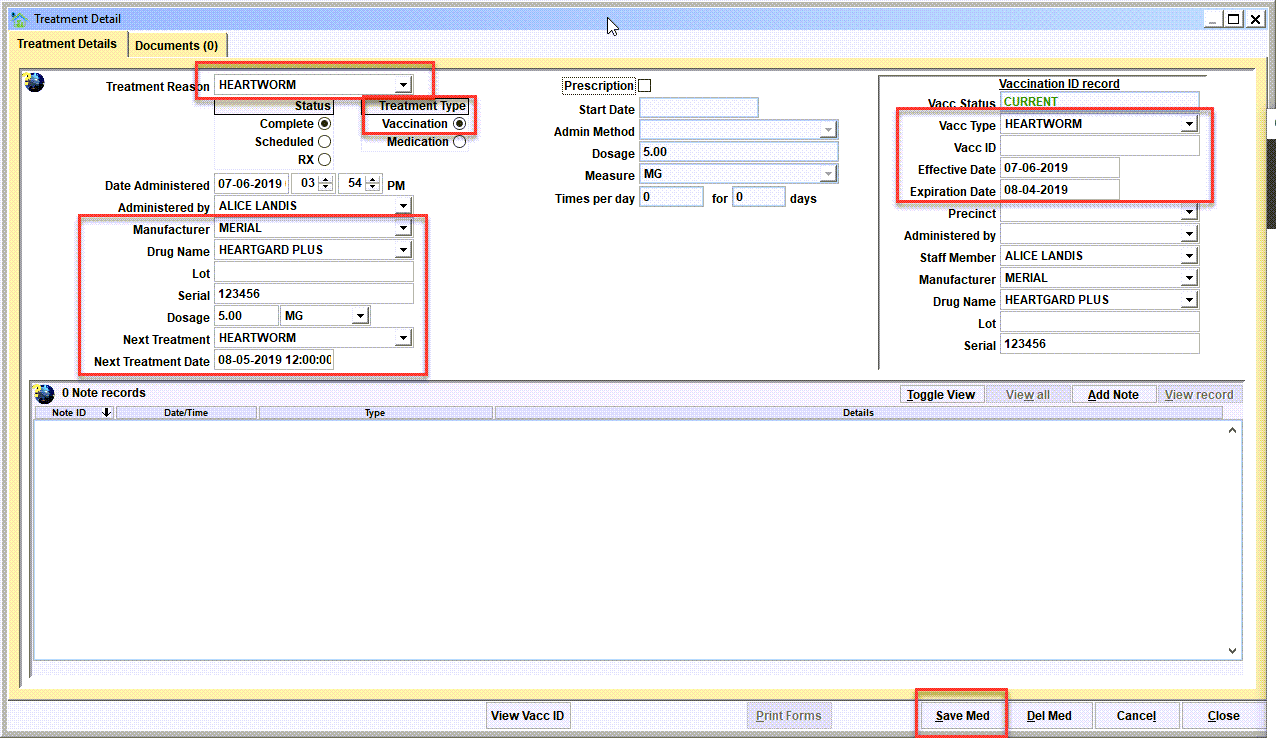
Make sure the 'treatment type' is set to 'Vaccination', not 'Medication'. The left side of the data elements will focus on the drug administered. The right side of the data elements will focus in the identification of when the vaccination will expire and any identifier of the vaccine, such as a rabies certificate number. After completing the data entry, click 'Save Med'.
Step 1 - Locate the shelter case record for the animal
From the main menu, click Shelter Management/Case File Cabinet. Search for the open case record for the animal using the search options and open the case record. Then click on the 'Case Medical' tab. It is assumed that the pet has an 'open medical' record for the case.
Step 2 - Add the new vaccination record
Enter the various data elements about the vaccination, then 'Save Med'.
Next Topic
Comment or report problem with topic