
 Customize Reports
Customize Reports
Use this tab to customize the general appearance of printed forms produced by Shelter Pro.
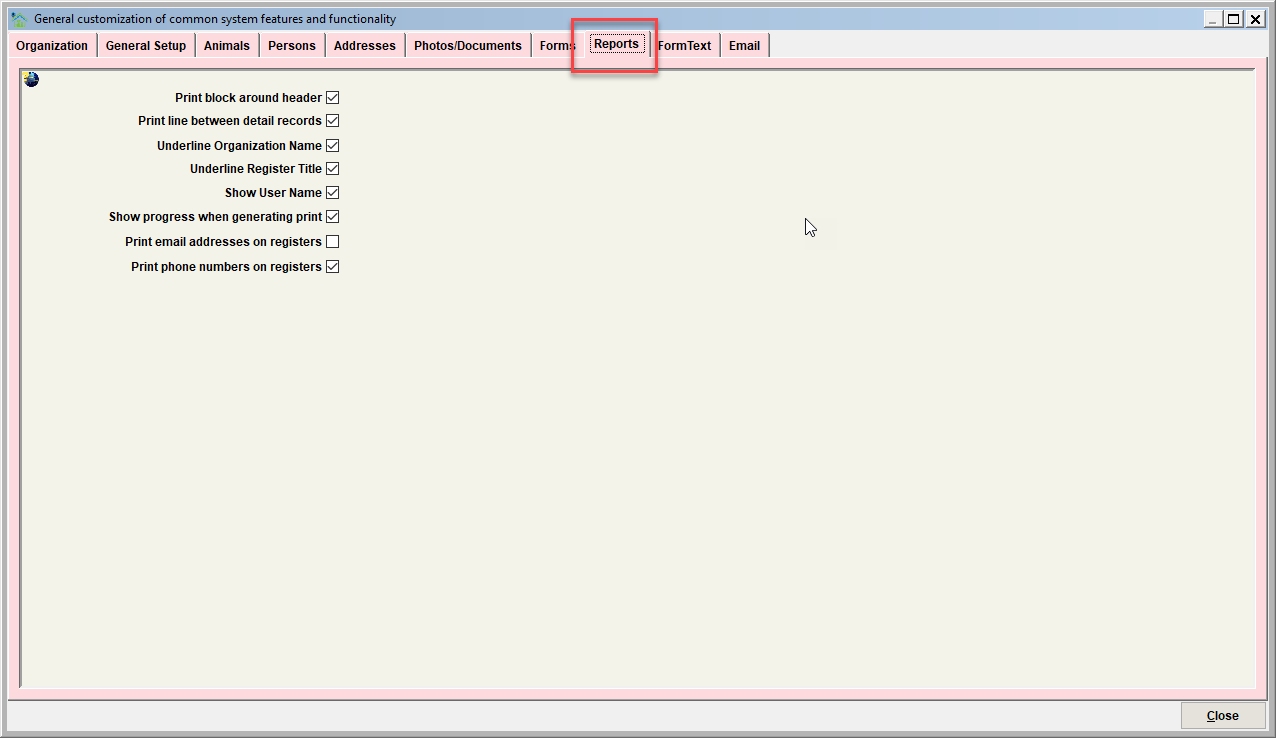
Print block around header
Turn this switch on to print a rectangular frame around report headers.
Print line between detail records
Turn this switch on print a divider line between detail records on reports. This can enhance readability. It will also use a bit more ink.
Underline Organization Name
Turn this switch to underline the organization name printed on reports.
Underline Register Title
Turn this switch to underline the report title printed on reports.
Show user name
Turn this switch on to print the user name who generated a report in the report header.
Show progress when generating print
Turn this switch on to show a progress meter when generating a report.
Print email addresses on registers
Turn this switch on to include a person's email address on registers where detailed person information is included (such as a person's address).
Print phone numbers on registers
Turn this switch on to include a person's phone numbers (home, cell) on registers where detailed person information is included (such as a person's address).
Next Topic
Comment or report problem with topic