
 Customize Drop downs (Animal Control)
Customize Drop downs (Animal Control)
This tab defines the settings which control the posting of a animal control incident, citation, and bite case records.
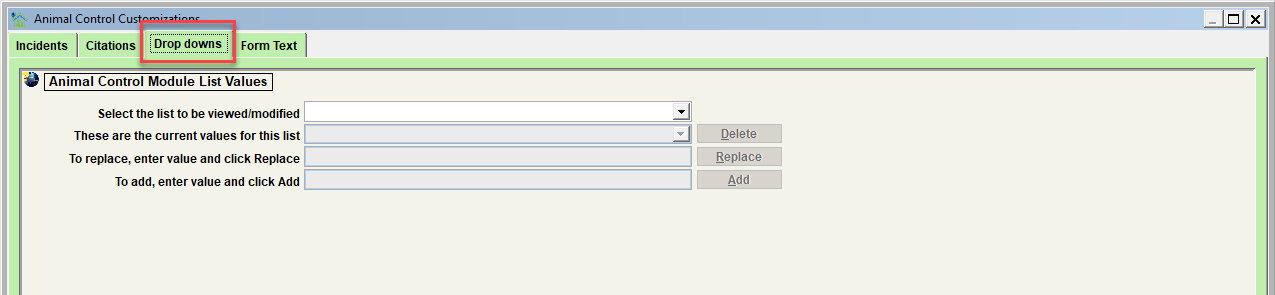
Animal Control Module List Values
Use this feature to modify various descriptor values for this module. Values can be added, deleted, and/or replaced. Follow the instructions on the screen to complete each of these functions.
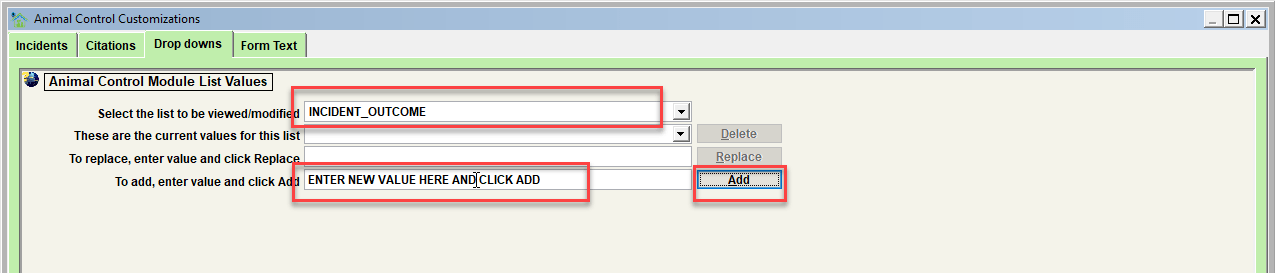
The specific lists which can be modified include:
| List to be modified | Description |
|---|---|
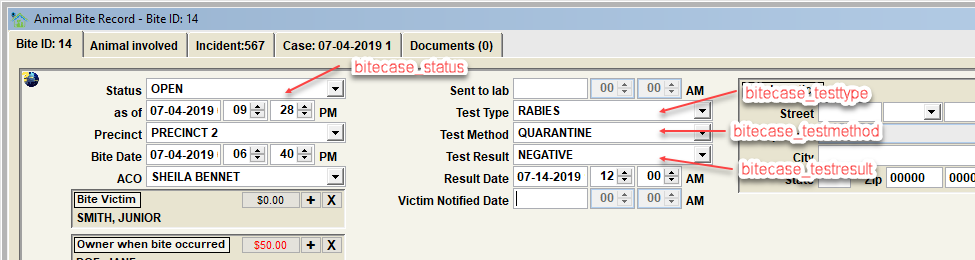
| BITECASE_STATUS | Status selections on a bite case record |
| BITECASE_TESTTYPE | Test type selections on a bite case record |
| BITECASE_TESTMETHOD | Test method selections on a bite case record |
| BITECASE_TESTRESULT | Test result selections on a bite case record |
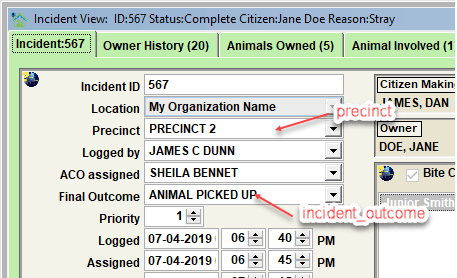
| INCIDENT_OUTCOME | Final Outcome selections for an incident. Any value with 'PENDING' in the first 7 characters will cause the incident status to autoset to 'Pending'. Any other non-blank value will cause the incident status to autoset to 'Complete'. |
| CITATION_ESCALATION | Collar type selections for an animal |
| PRECINCT | Precinct selections for an incident. Note that this list is NOT incident record specific. The PRECINCT list is used on all records where a precinct value can be specified. |
| NOTE_TYPE_INCIDENT | Note type selections when a note is added to an incident record |
| NOTE_TYPE_CITATION | Note type selections when a note is added to a citation record |
| NOTE_TYPE_BITE | Note type selections when a note is added to an bite |
| NOTE_SOURCE | Note source selections when a note is added to a record. Note that these are used system wide and are not specific to any given record type. |
| NOTE_COMMUNICATION | Note communication selections when a note is added to a record. Note that these are used system wide and are not specific to any given record type. |
Tip - Some list values in Shelter Pro cannot be altered in any way. Protecting certain values is necessary because if they were to be altered, basic functionality within Shelter Pro would be jeopardized. A simple example of this is the species value of DOG. If you attempt to change the protected value, you will see a message stating:
Important: this value is reserved, it cannot be deleted or replaced.
Visualizing the various lists on the Bite Case View.
Visualizing the various lists on the Incident View.
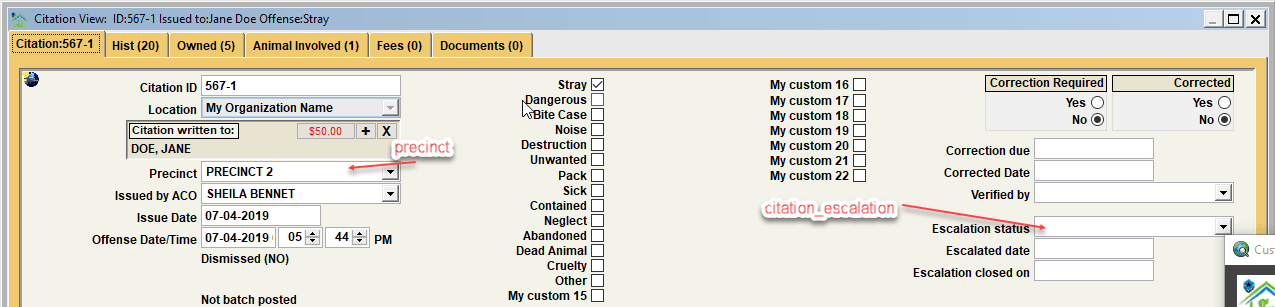
Visualizing the various lists on the Citation View.
Next Topic
Comment or report problem with topic