
 Customize Donations
Customize Donations
This window allows you to enter processing parameters for a Donation. These settings can be modified according to the needs of your organization.
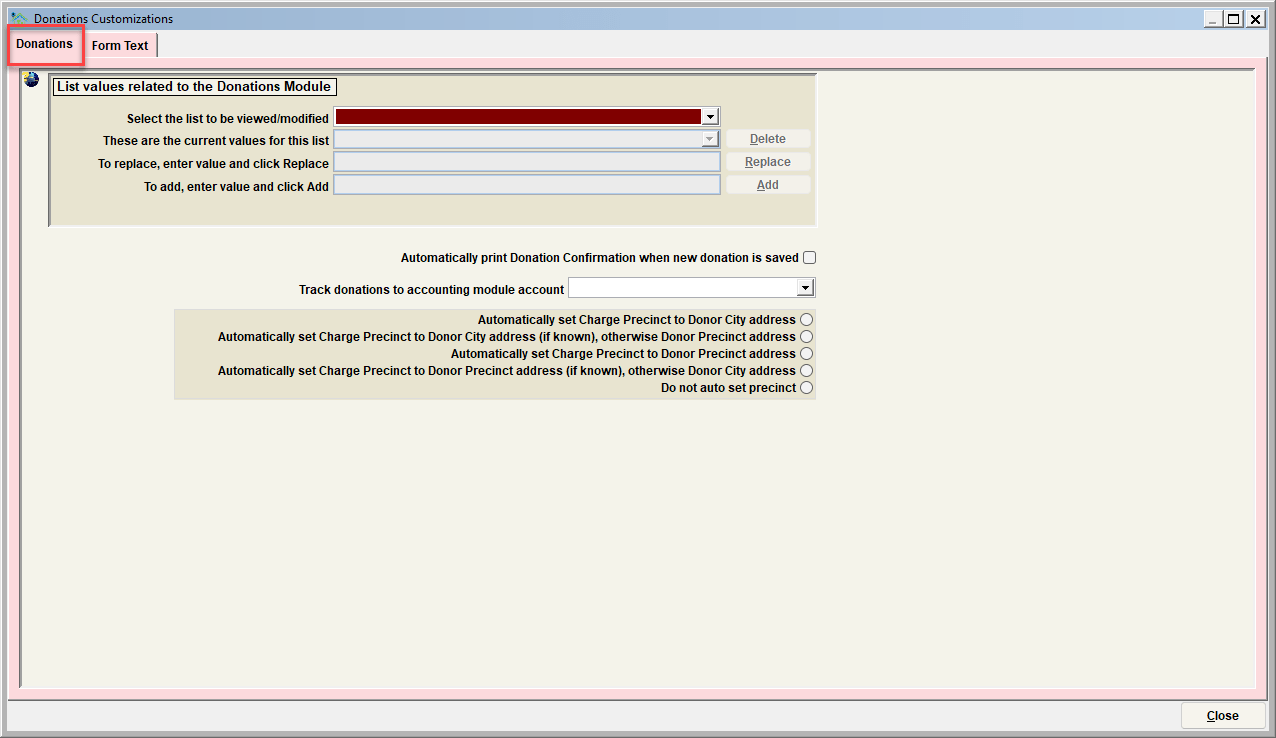
List of values related to the Donations Module:
Use this feature to modify various descriptor values for this module. Values can be added, deleted, and/or replaced. Follow the instructions on the screen to complete each of these functions.
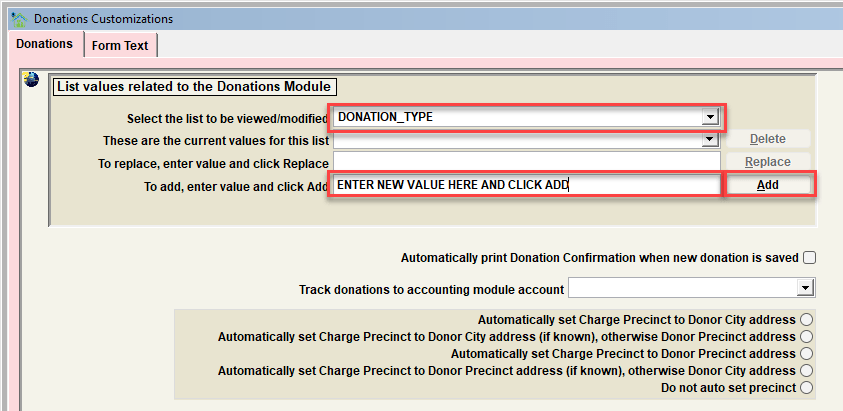
Select the list to be viewed/modified
Use this feature to modify various descriptor values for this module. Values can be added, deleted, and/or replaced. Follow the instructions on the screen to complete each of these functions.
The specific lists which can be modified include:
| List to be modified | Description |
|---|---|
| DONATION_TYPE | Type of Donation Received. (Pledge,Food item, Fund Raiser, Monetary, Gift in Kind...) |
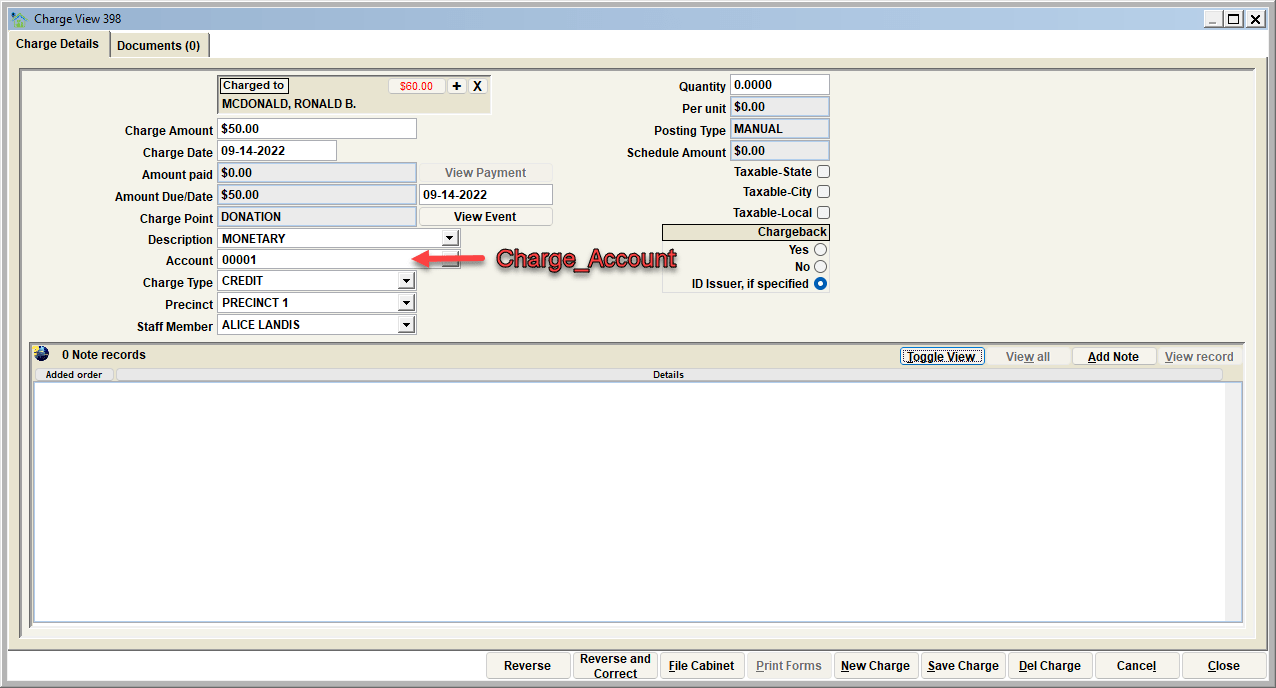
| CHARGE_ACCOUNT | Charge account references the account types through the account module known to the organization |
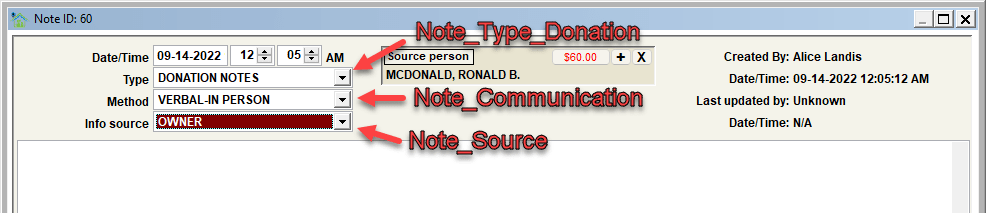
| NOTE_TYPE_DONATION | Note type selections when a note is added to a donation |
| NOTE_SOURCE | Note source selections when a note is added to a record. Note that these are used system-wide and are not specific to any given record type. |
| NOTE_COMMUNICATION | Note communication selections when a note is added to a record. Note that these are used system-wide and are not specific to any given record type. |
Visualizing the various lists on the Donation View.
.png)
Visualizing the various lists in the Charge View
Visualizing the various lists in the Donation Note view
Other Customization Features
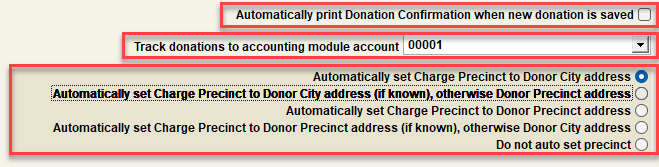
Automatically Print Donation Confirmation when New Donation is saved
When this checkbox is checked, once a new donation is saved, it will automatically print a donation confirmation.
Track donations to the accounting module account
You can select a specific account within the accounting module through which new donations will be tracked. The monetary donations will be added to the selected master account in the accounting module.
Automatically set charge precinct to ...
Choose from the following values to automatically set the charge precinct to a specified value.
- Automatically set charge precinct to donor city address.
- Automatically set charge precinct to donor city address (if known), otherwise, donor precinct address.
- Automatically set charge precinct to donor precinct address.
- Automatically set charge precinct to donor precinct address (if known), otherwise donor city address
- Do not auto-set precinct.
Next Topic
Comment or report problem with topic