
 Donation - Details
Donation View - Donation Details
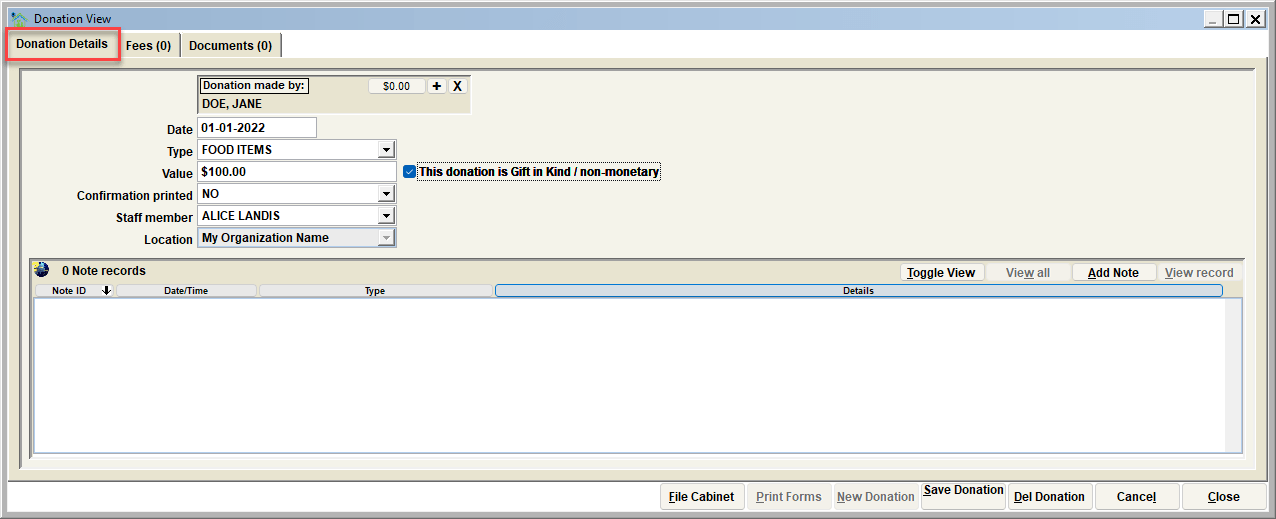
The Donation Details show the details of a specific donation.
The Donation
%20New.png)
The data elements of the donation view include the following:
o Donation Made By: - The name and identifying information of the donor
o Date - The Date of the donation
o Type - The type of donation received
Pro Tip:
The type of donation can be customized to the needs of the organization.
o Value - The value of the donation received. Both monetary or gift-in-kind/non-monetary.
o Confirmation Printed - Status on whether or not a confirmation receipt has been printed.
o Staff Member - This is the employee who recorded the donation.
o Location - This indicated the location the donation was received.
Monetary vs. Gift in Kind/Non-Monetary
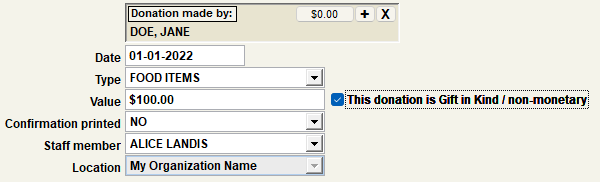
When entering a new donation, the user has the option to specify the donation as either a Monetary or Gift in Kind/Non-Monetary donation. To do this, select the checkbox that appears to the right of the donation value once a value is entered.
IMPORTANT
Donations specified as Gift in Kind/Non-Monetary will appear on a donation register report but will not be calculated towards the total monetary value of the donations collected by the animal shelter.
Notes
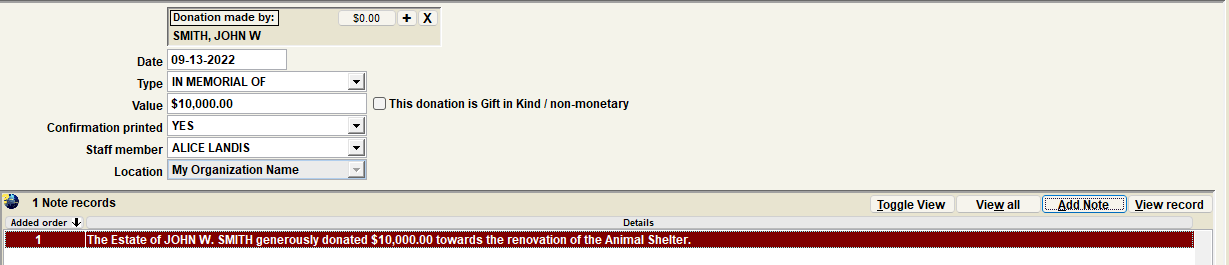
The list at the bottom of the Donation View will show any previous/historical notes specific to the selected donation
Next Topic
Comment or report problem with topic