
 Editing a custom page
In this topic, we will demonstrate modifying the content of a page on the site.
IMPORTANT - Microsoft Word is required
Microsoft Word is used to edit and format the site's custom pages. With that in mind, it is required that the system must have Word installed in order to edit pages. Also, having a good understanding of using Word is necessary and assumed. The help content within Shelter Pro does not include training for Word. That can be obtained by using the 'help' documentation included with MS Word.
Microsoft Word has many features that can be utilized to format pages, which include but are not limited to:
- Selecting a font for page content, including font size, color, etc.;
- Using common formatting such as underlines, bold, italic, etc;
- Inserting pictures and graphics into a page;
- Inserting hyperlinks to other pages and sites on the world-wide web;
- Inserting hyperlinks to send an email;
- Utilizing tables to format data that is best shown in a table.
Editing a custom page
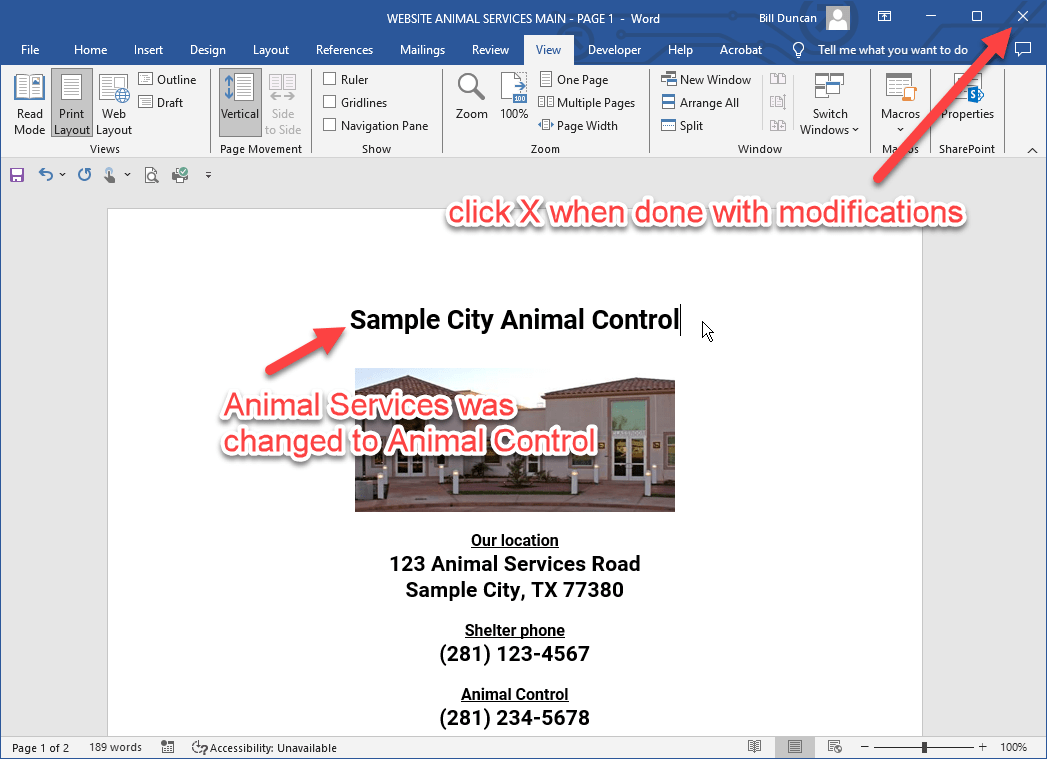
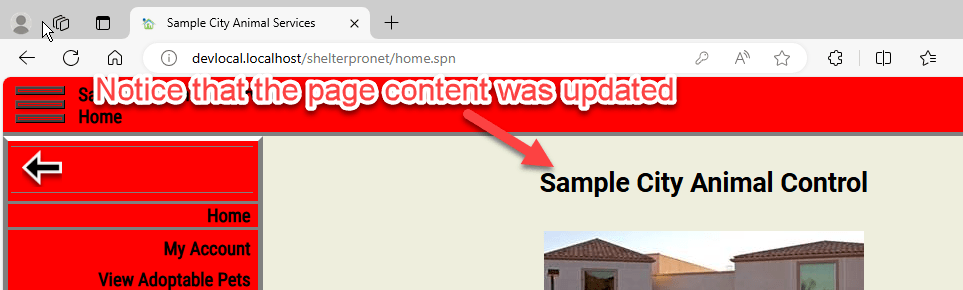
In this example, we are going to show how to update the text on our sample home page. Specifically, we will change the organization name from "Sample City Animal Services" to "Sample City Animal Control". This is how the page appears prior to this modification.
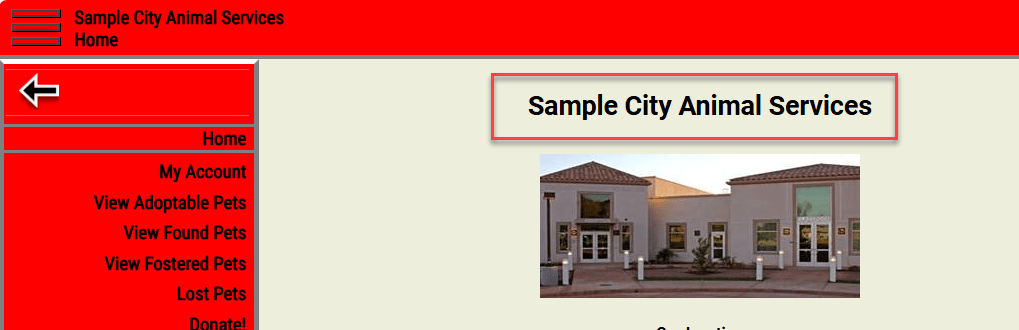
Step 1 - click Edit page
Use this button to edit a page's content in Microsoft Word.

When Word is loaded with the custom page, you may notice a Word icon blinking in the Windows task bar. Click the icon to make the Word document visible on your computer.

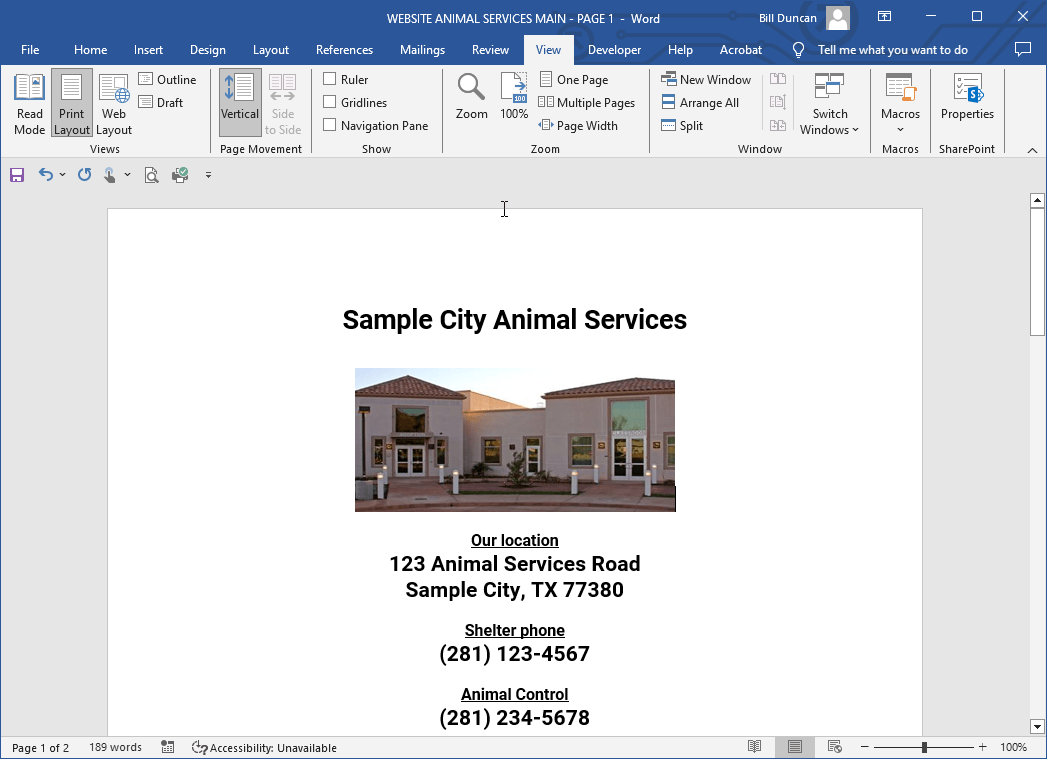
Step 2 - modify the page content
- Modify the page content as desired;
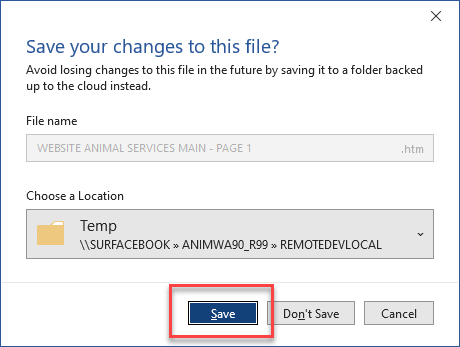
- Click the 'X' to close the Word session. Be sure to select 'Save' upon exiting the Word session.
Step 3 - publish
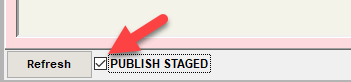
- Check the 'Publish Pending - ready to publish' check box. It will change to "Publish Staged" indicating that the next browser refresh will update the site content;
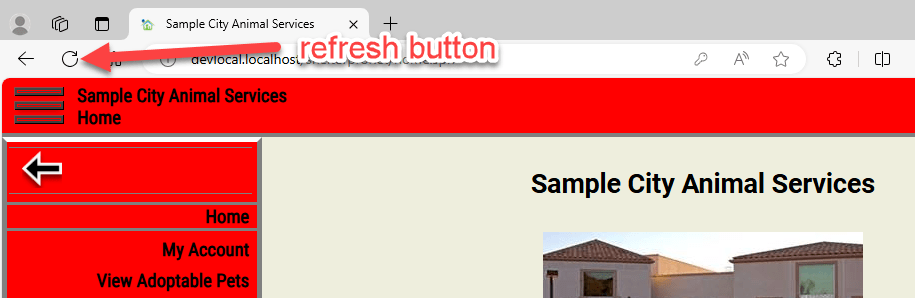
- Go to the web browser (Edge, Chrome, etc) and click the refresh button and wait while the site content is rebuilt (it might take several seconds);
- Observe the modification(s).
Comment or report problem with topic