
 Report Generators
Report Generators
Each event type includes its own Report generator. These are used to create printable reports needed by typical animal services agencies. There are a wide variety of reports which a pre-built into Shelter Pro. With this in mind, the best way to gain deep knowledge of the report generators is to use them with your own data which you're familiar with. The various file cabinets can be found under each of the main menu for each of the modules.
IMPORTANT
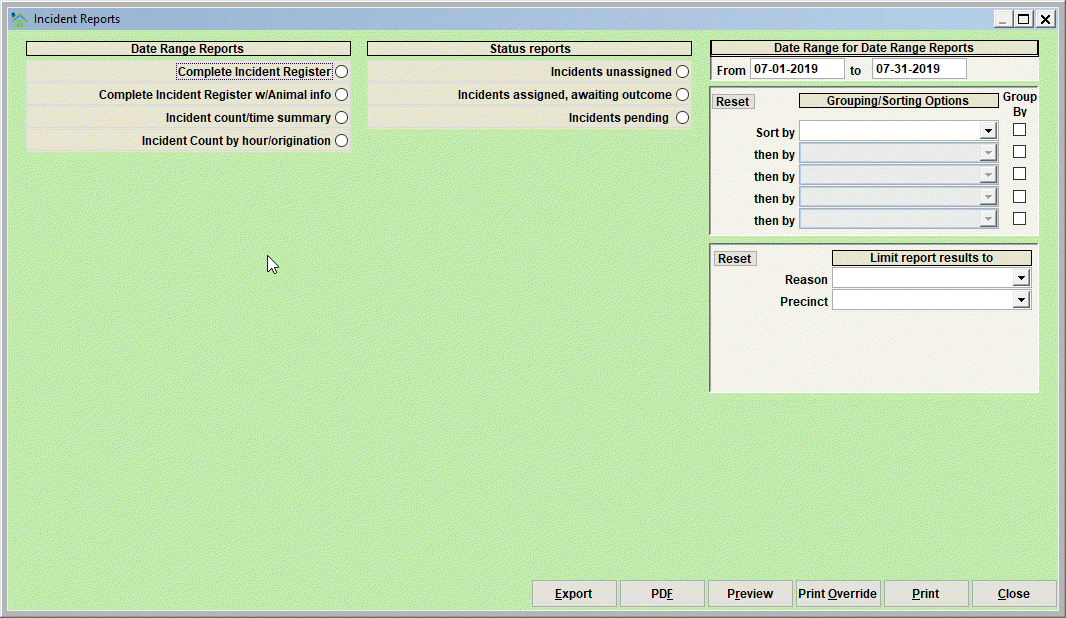
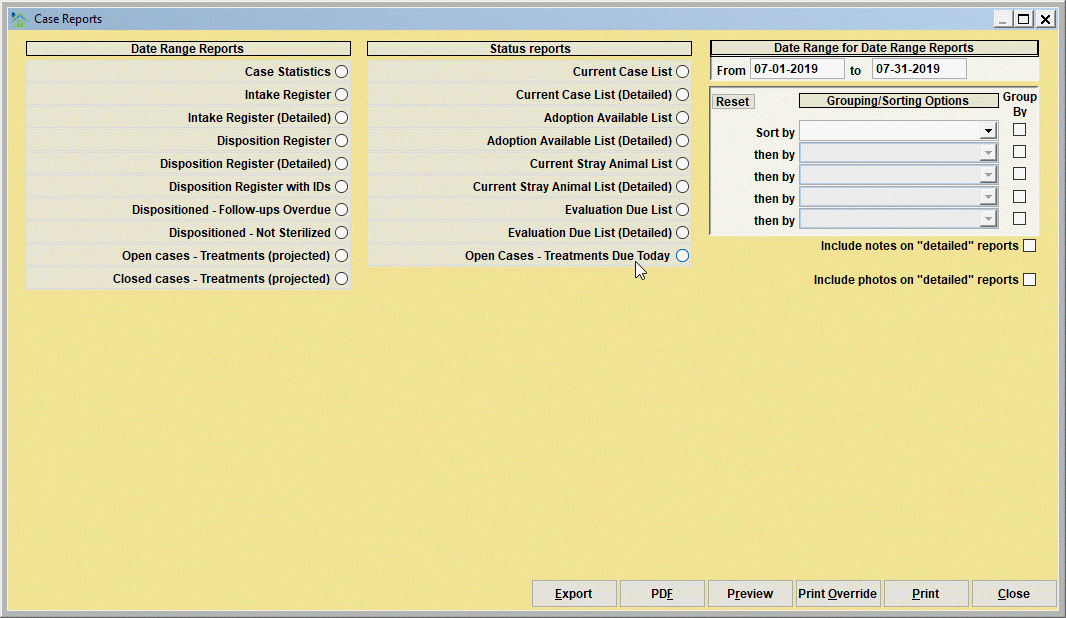
Each of the modules has it's own report generators. The two samples below highlight the Animal Control Module and Shelter Management Module menus. Recognize the other modules (Animal IDs, Donations, Traps, Accounting) all have their own report generators. Check the menus on your Shelter Pro to find these following the same navigation samples shown below.
Take a look at this sample for The Animal Control Module:
Similarly, notice the report generators available with the Shelter Management Module.
Date Range Reports
Date Range Reports will include records that were posted during a specified date range. In our example, only records that were posted during 2019 (01/01/2019 to 12/31/2019) would be included in any of the selected date range reports.
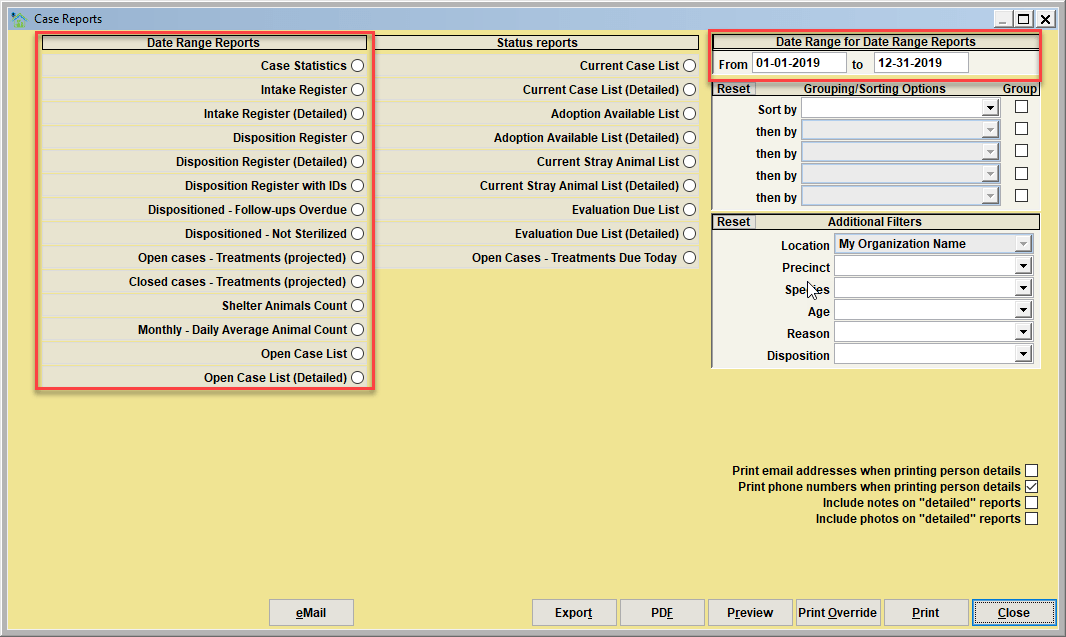
Example - if one of the 'Intake Register' reports is selected, the report would include shelter case records with an intake in 2019. If one the 'Disposition Register' reports is selected, the report would include shelter case records with a disposition date in 2019.
Status Reports
Status Reports will select records based on the current (as in right now) status of the record. They do not limit records by the specified date range.
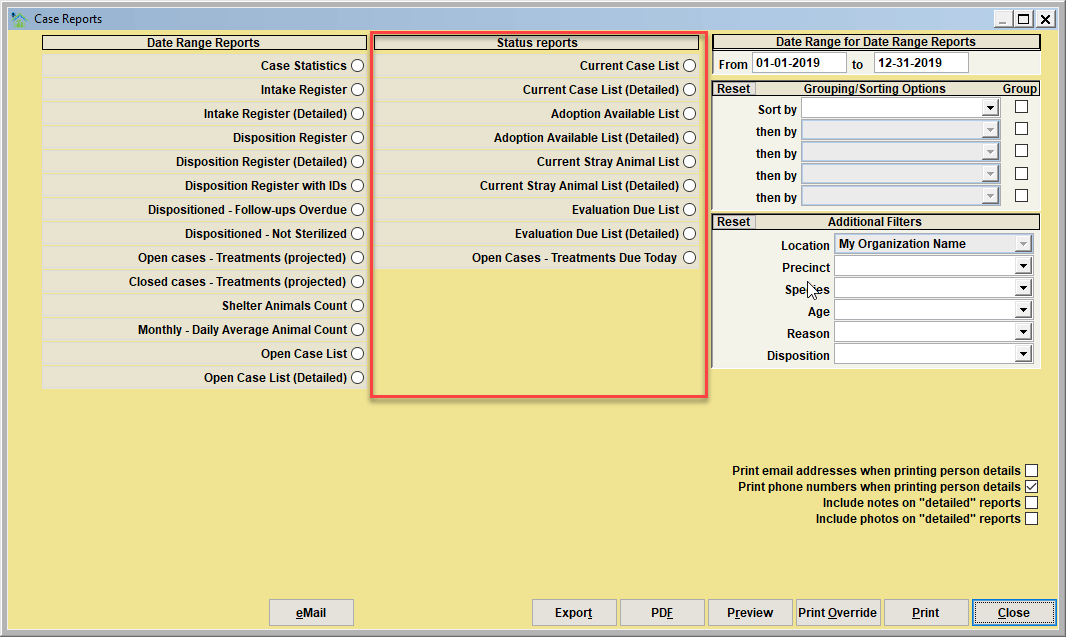
Example - if one of the 'Current Case List' reports is selected, the report would include shelter case records with an 'open' status, regardless of intake date. The 'Adoption Available' lists would include shelter case records with a status of 'ADOPTION AVAILABLE'. The 'Evaluation Due' list would include shelter case records with an evaluation date that is due/overdue when the report is run.
Grouping/Sorting Options
Use the 'grouping/sorting options' to specify how the report is to be grouped (and sub-totaled if appropriate), and the sort order of the records within each group. Note that check box next to each grouping indicates if the report generator shoudl page break when a group change occurs in the report. Grouping/Sorting is supported for up to 5 layers.
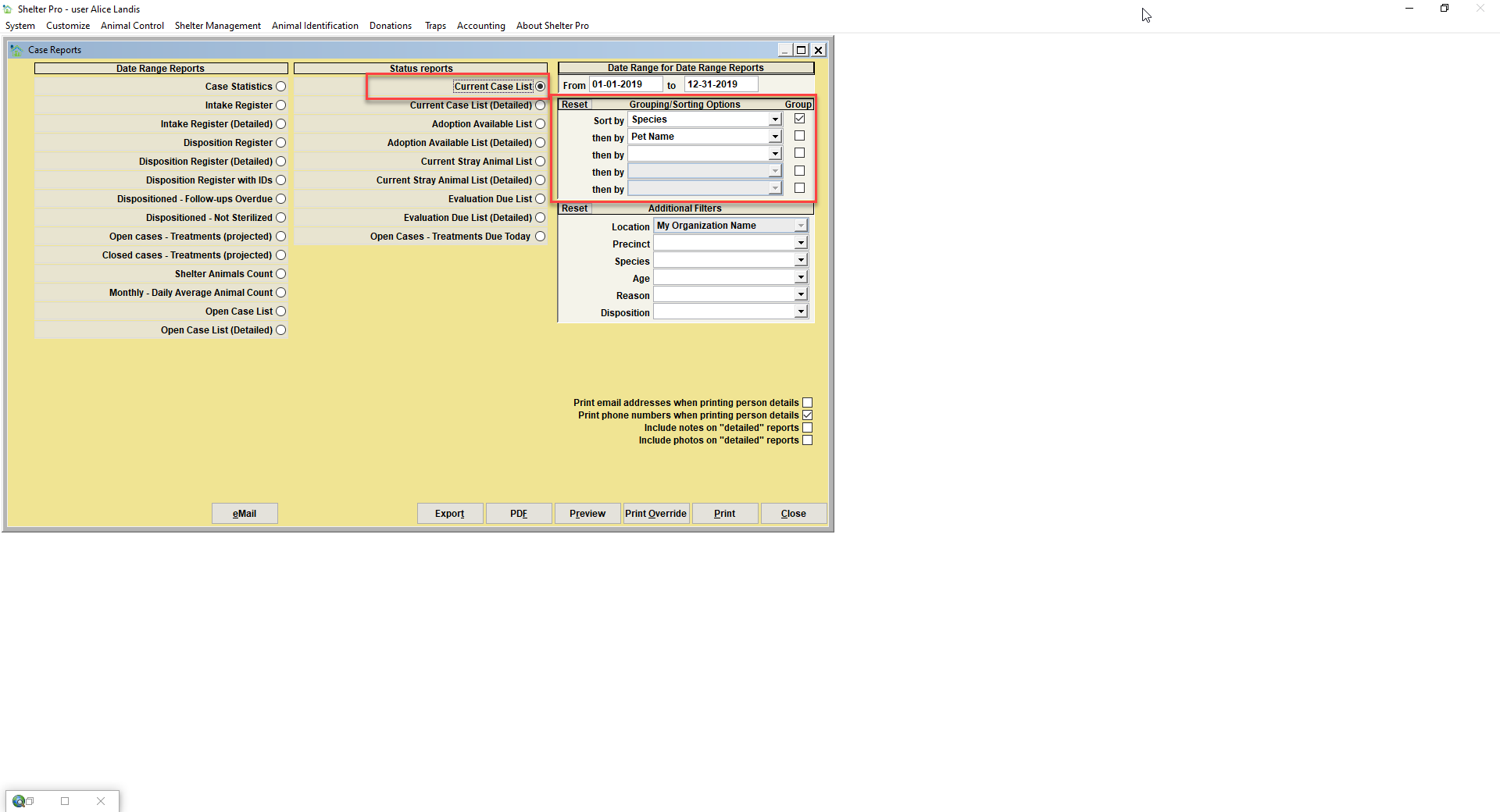
In our example, the 'Current Case List' report would be generated. The report records would be grouped by species (e.g., CAT, then DOG, then HORSE). Subtotal counts of records in each group would included. Within each group, the records would be ordered by pet names.
Additional Filters
Use the 'Additional Filters' to further limit the records to be included in the report.
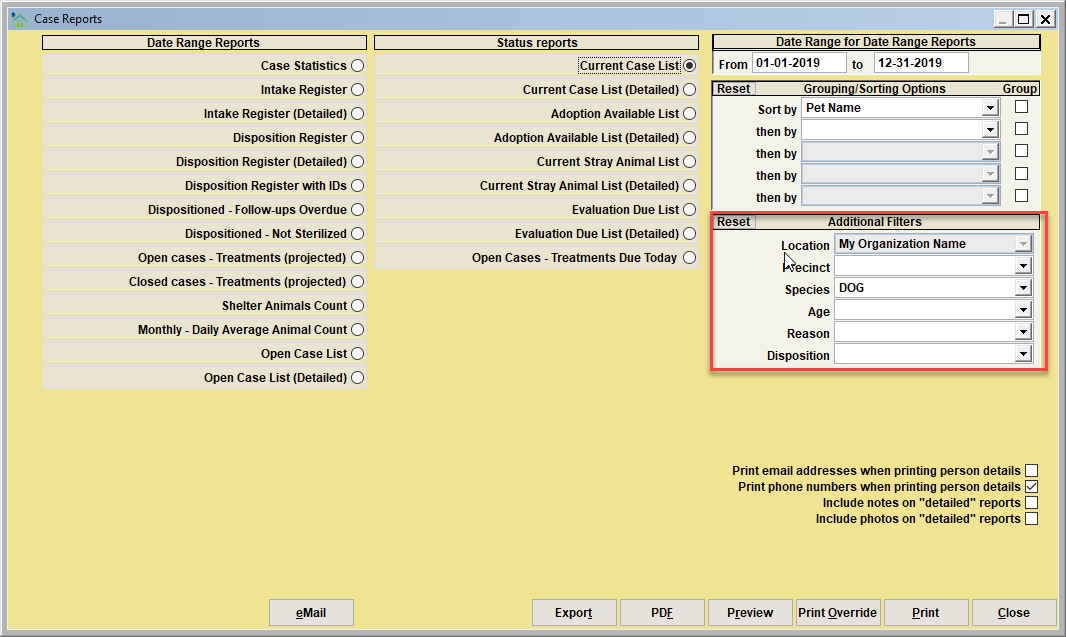
In our example, the 'Current Case List' report would be generated. The report records would be sorted by pet name. Note that it will not be grouped by pet name as the 'group' check box is not marked. The report will only include DOG records due to the additional filter.
Other optional items
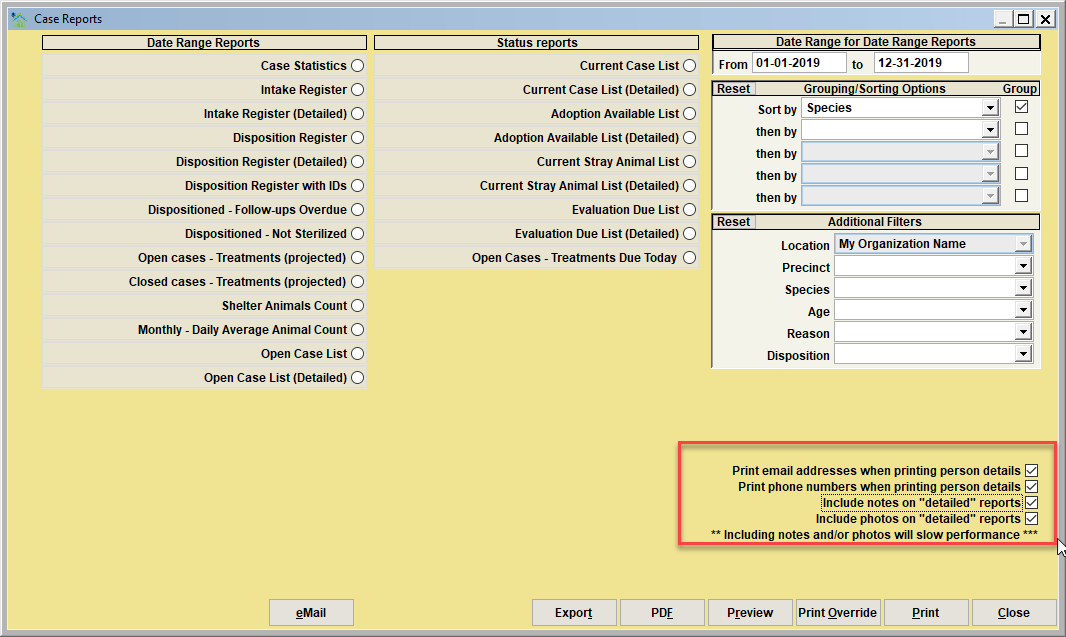
These choices indicate other content that should be included/excluded in the generated report(s).
Next Topic
Comment or report problem with topic