
 Notes and Narratives
Notes and Narratives
Shelter Pro supports many types of notation records for recording a wide variety of user notes with each of the primary event records.
VERY IMPORTANT LEARNING
Shelter Pro is a multi-note system which means that multiple, independent notes can be added to an event record as needed.
Notes include spelling and grammar checking. Microsoft Word is required.
Another feature is note templates. These can be defined via Shelter Pro's Customize feature so that templates can be easily inserted and completed by users.
Example
The example below is taken from the Animal Control Module's Incident View. Notice the 2 note records which are attached to the sample and how each note shows the initial content of the note.
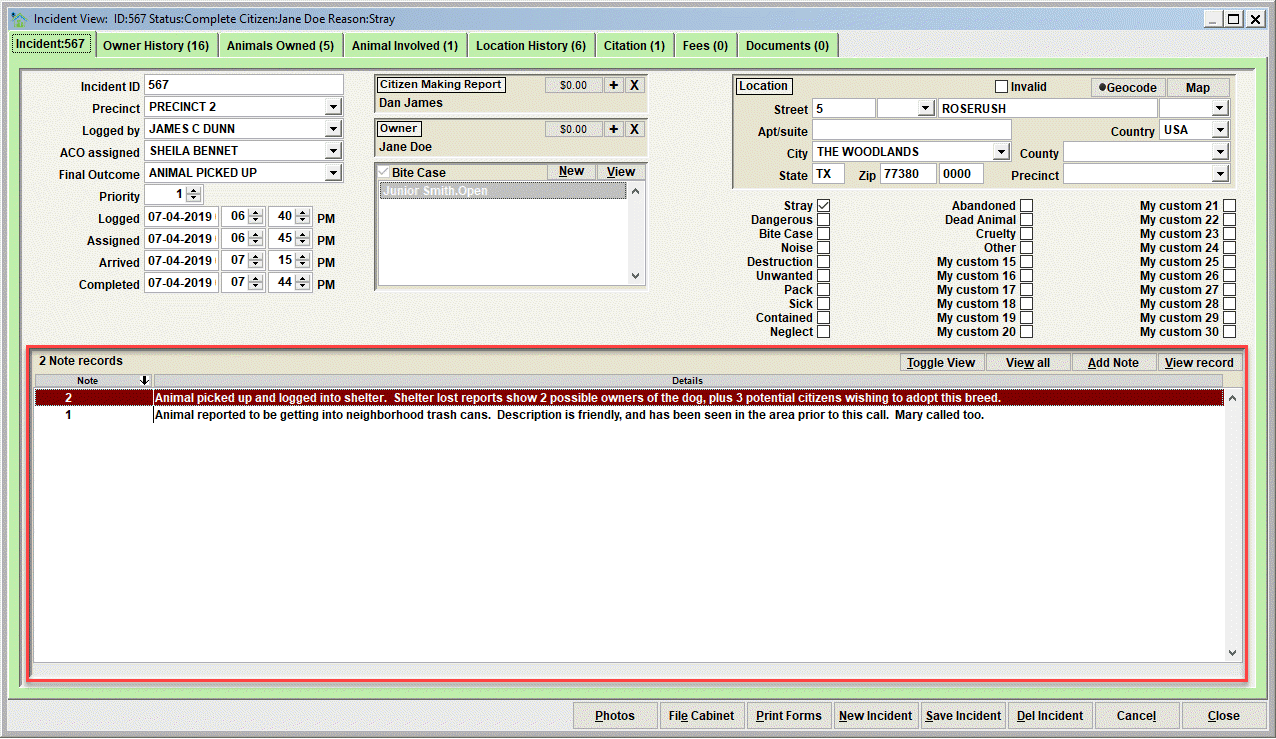
Also notice the buttons
- Toggle View will cause the will cause the note list to show different content in the list box as it toggles between the detailed versus short view.
- View all will cause ALL notes attached to the record to be shown in a sub-window for easy reading of any/all notations added to the event record on one screen.
- Add Note - click this to add a new note to the event record.
- View record - click this to view the selected note record in the list. You can also trigger View Record by double-clicking any note in the list.
Next Topic
Comment or report problem with topic