
 Viewing/editing a note
Viewing and editing a note
When a note record is opened the note content can be view/edited.
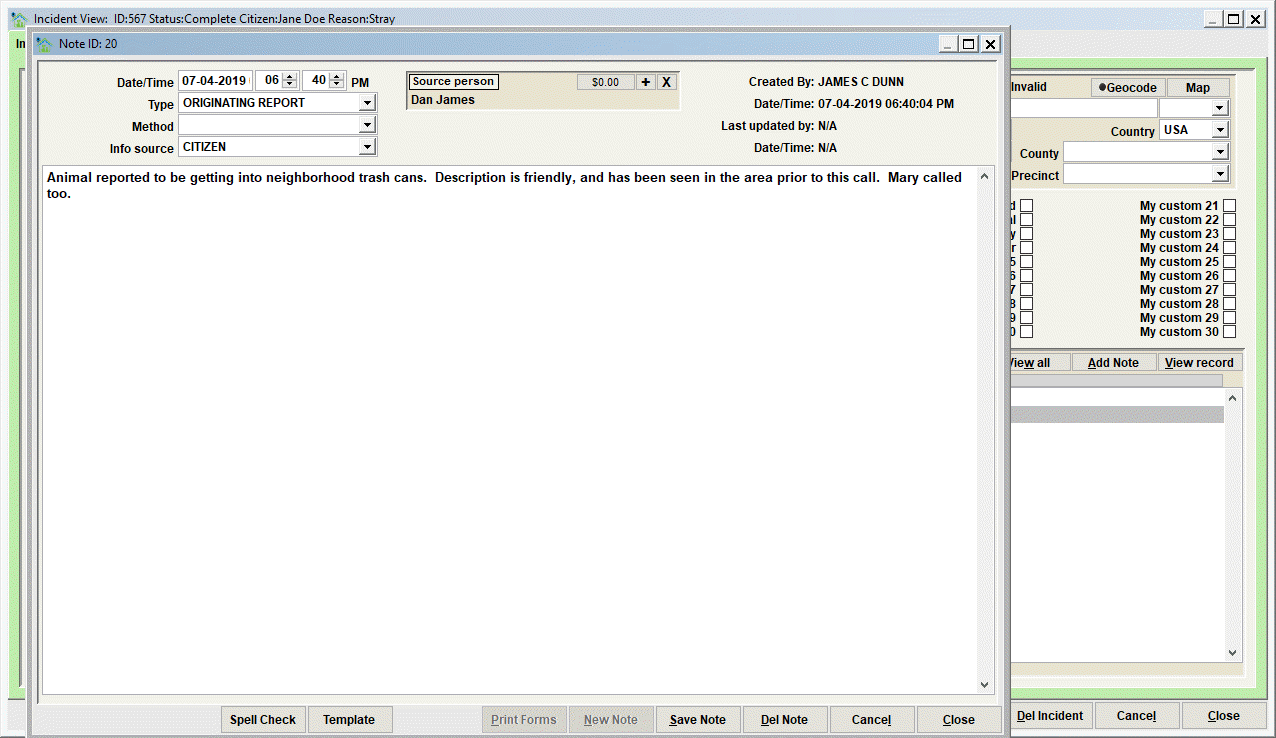
Note record data elements
- Date/Time will contain the date/time the note was added. It can be modified by the user. Notice however that the Date/Time under 'Created by' is auto-set by the server and cannot be modified.
- Type will contain the 'categorization' of the note specified by the user. Note types are customizable at the discretion of your organization.
- Method notates how the note content was received by the user. Selections like VERBAL-IN PERSON or VERBAL-PHONE CALL would be some common examples.
- Info Source notates who the note content was received from. Selections like CITIZEN, or OWNER, or ACO would be some common examples.
- Source Person is used to connect the person from the PERSON DATABASE who supplied the note information.
- Created By specifies the Shelter Pro user who created the note.
- Date/Time specifies the server time stamp when the note was created.
- Last updated by specified the Shelter Pro user who last updated the note.
- Date/Time specifies the server time stamp when the note was last modified by the Last updated user.
Note record command buttons
Note records have the following command buttons to assist in working with note records:
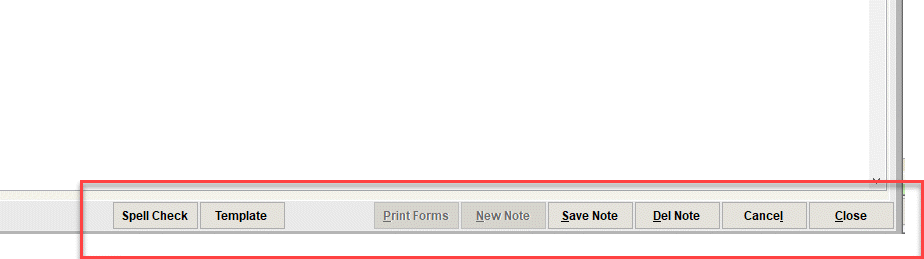
- Spell Check will load the note content into Microsoft Word and initiate the spell and grammar checking function. When Word is exited, the corrected note content will be transferred back the note record in Shelter Pro.
- Template will show a sub-window where any defined note template can be selected and inserted into the note window. The user can then complete the note template with any relevant content.
- Save Note will cause the note to be posted (updated) on the database.
- Del Note will delete the note from the database.
- Cancel will 'undo' any unsaved changes to the note.
- Close will close the Note View and return to the previous Window where the note record was opened.
Next Topic
Comment or report problem with topic