
 Command buttons
Command Buttons
Shelter Pro makes extensive use of command buttons to help with key functions and navigation. Take a look at this screen sample which was taken from the Case View under Shelter Management. Note the buttons shown:
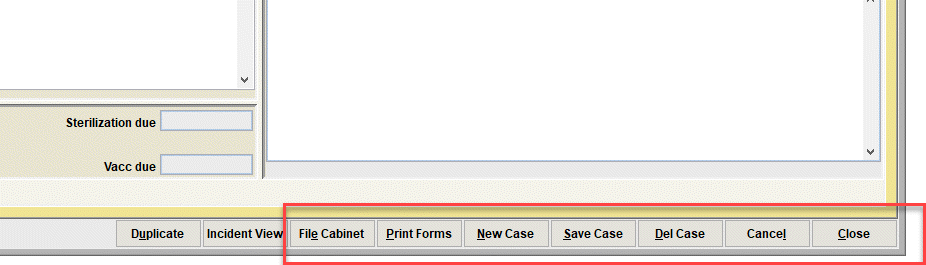
- File Cabinet - this button will open the 'File Cabinet' where we can search and retrieve other records for the particular event type (shelter case records in this example);
- Print Forms - this button will open the Print Forms window where we can select and print forms for this particular event type (shelter case forms in this example);
- The 'New' button - this button launches the creation of a new event. In our Shelter Management Case example, this would create a new case for the intake of an incoming animal;
- The 'Save' button - this button causes the software to perform any validation processes on the data record (missing data elements or relational/invalid conditions) and show those for correction. If there are no validation conditions, the record is then posted to the database;
- The 'Del' button - this button will cause the record to be deleted (removed) from the database. Note that deleted means gone, and not reversible. Also, it's common for many users to be restricted from deletion to protect critical data. You'll know this if you receive a message upon clicking DEL;
- Cancel - this button causes any unsaved changes to be undone. Note that once a record is SAVED, the cancel button will not 'undo' previous changes in the same way common word processing tools support repetitive undos;
- Close - this button closes the currently window and returns you to any previously opened windows or the main menu.
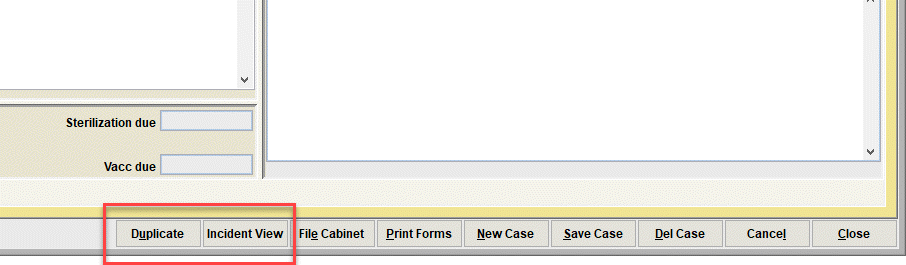
On some event windows, there will be other support buttons which are specific to the particular event type. In our sample above, which is a Shelter Management Case record, note the buttons shown:
- Duplicate - this button is specific to Case records and causes the open record to be 'cloned' thus creating a new record with identical data elements;
- Incident View - this button is specific to Case records and would open the Incident View under the Animal Control Module when the shelter case record is linked to an animal control officer's incident.
Next Topic
Comment or report problem with topic