
 Searching the Animal Database
Searching the Animal Database
IMPORTANT LEARNING
Before adding a new animal, search the animal database first to make sure the animal does not already exist.
Having the same animal on the database multiple times is possible, but not desirable because one animal can be linked to several items. If the same Fido is on the database twice, and each occurrence is linked to two or more separate events, the Event History will not reflect his entire history properly as the historical records could be linked to either of the two Fido animals.
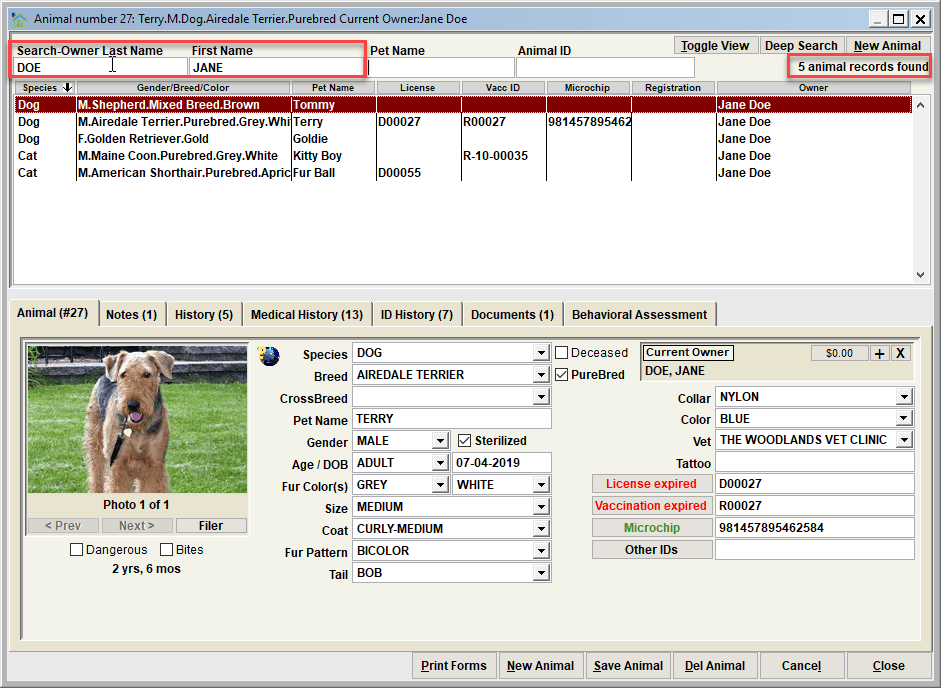
Owner name search
To perform a search of the animal database for a particular owner, enter the last name, first name search fields, pressing enter or tab after each one.
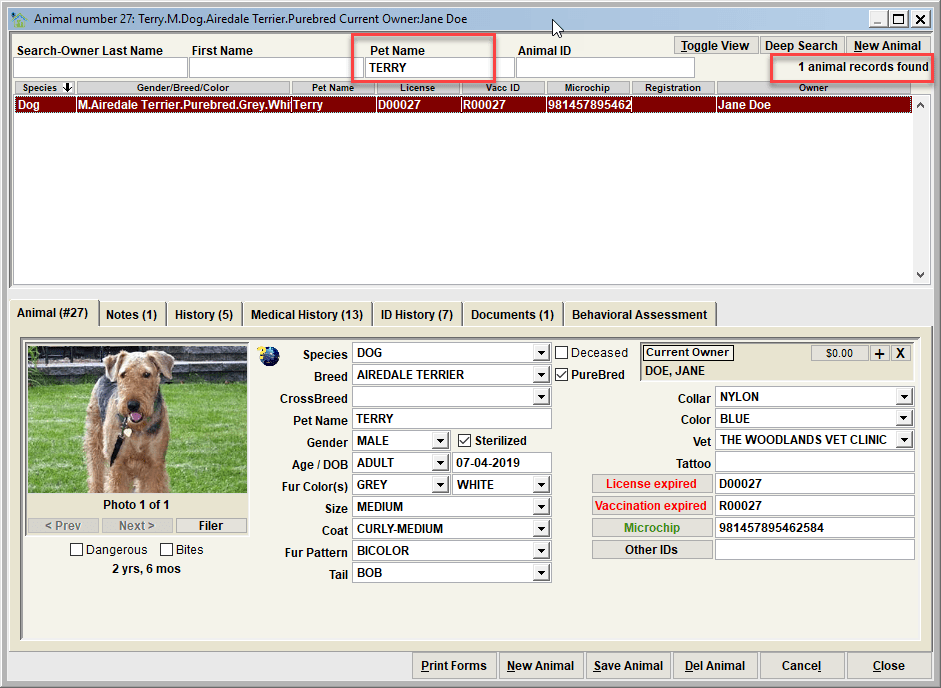
Animal Pet Name search
To perform a search of the animal database for a pet name, enter the value in the Pet Name and press enter.
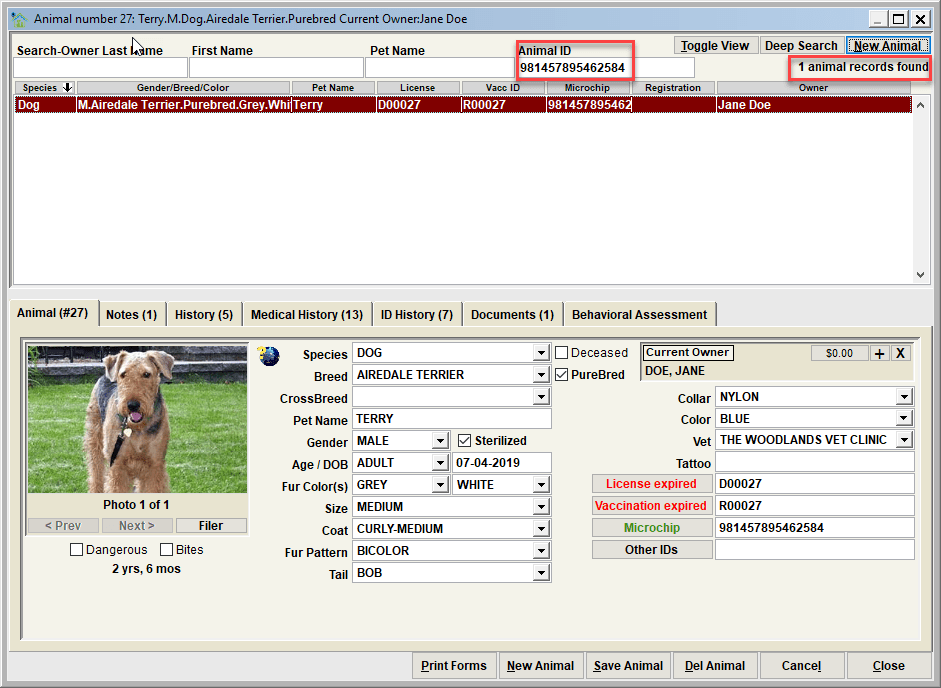
Animal ID search
To perform a search of the animal database for a particular ID (such as microchip, or a license/tag number, or the animal's system assigned number), enter the value in the Animal ID and press enter.
Next Topic
Comment or report problem with topic