
 Deep Searching the Animal Database
Deep Searching the Animal Database
In some instances, you may need to perform a more rigorous search using criteria beyond quick search. To do this, click the Deep Search button.
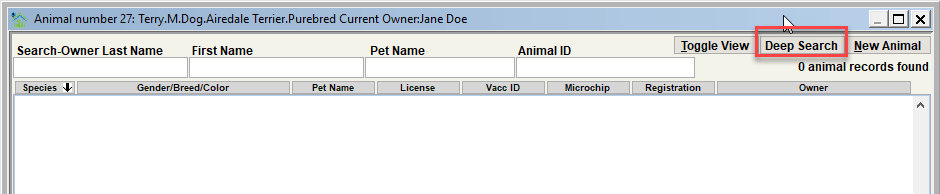
On the Animal Database Deep Search window, you will notice the search criteria options are more extensive beyond the simple last name, first name, pet name, animal ID search found on the Animal View.
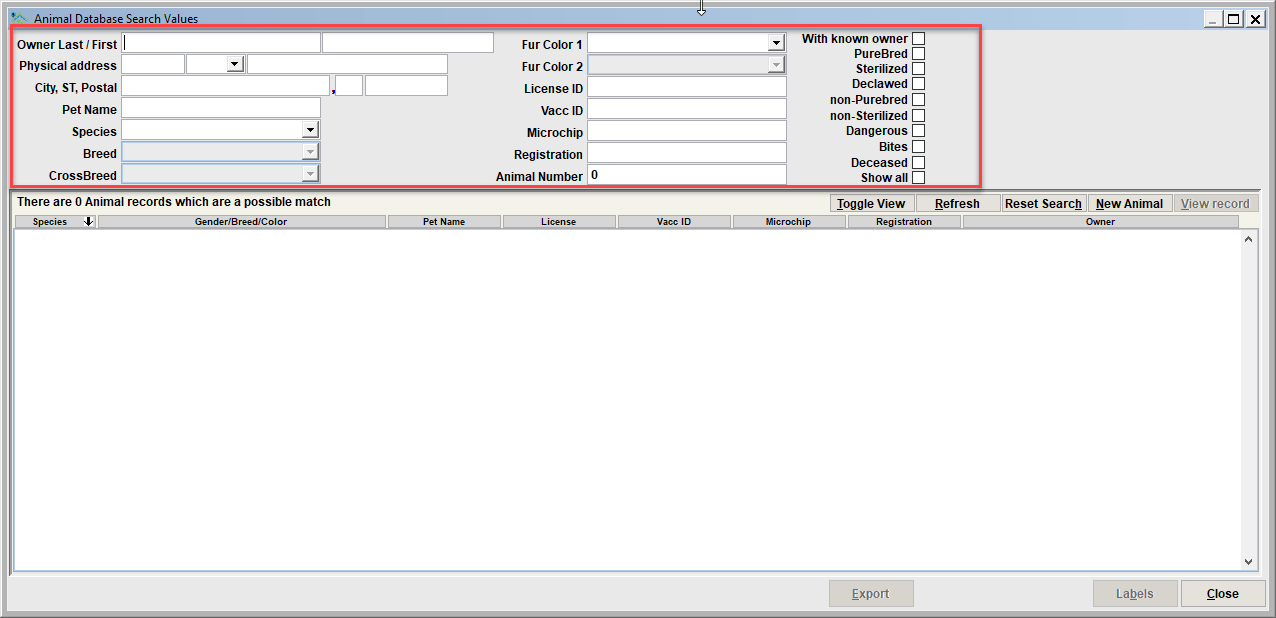
You will be able to search on additional items such as
- address
- species, breed, fur colors
- solely license IDs, or Vacc IDs, or Microchip IDS, or Registration/Other IDs
- the various indicators such as purebred, sterilized, dangerous, bites, etc.
When using Deep Search, if the animal record you are seeking is found simply double-click it or click the View Record button. This will bring the record up for viewing the Animal Database view.
Buttons
Reset Search will clear the search criteria so that different search criteria can be entered.
For convenience, there is also the New Animal button. If after using deep search the record is still not found and you decide to add a new animal, click New Animal. You will be returned to the Animal Database view with a newly added record.
Next Topic
Comment or report problem with topic