
 Animal Record - Photos
Animal Record - Photos
Animal record photos can be connected and viewed via the 'Photo Filer'. Click the 'Photo Filer' button to initiate adding or removing a photo(s).
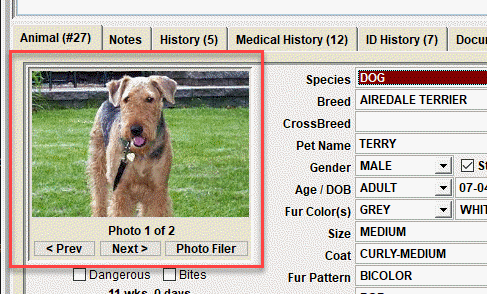
After clicking 'Photo Filer', the images that are connected will be shown on this screen.
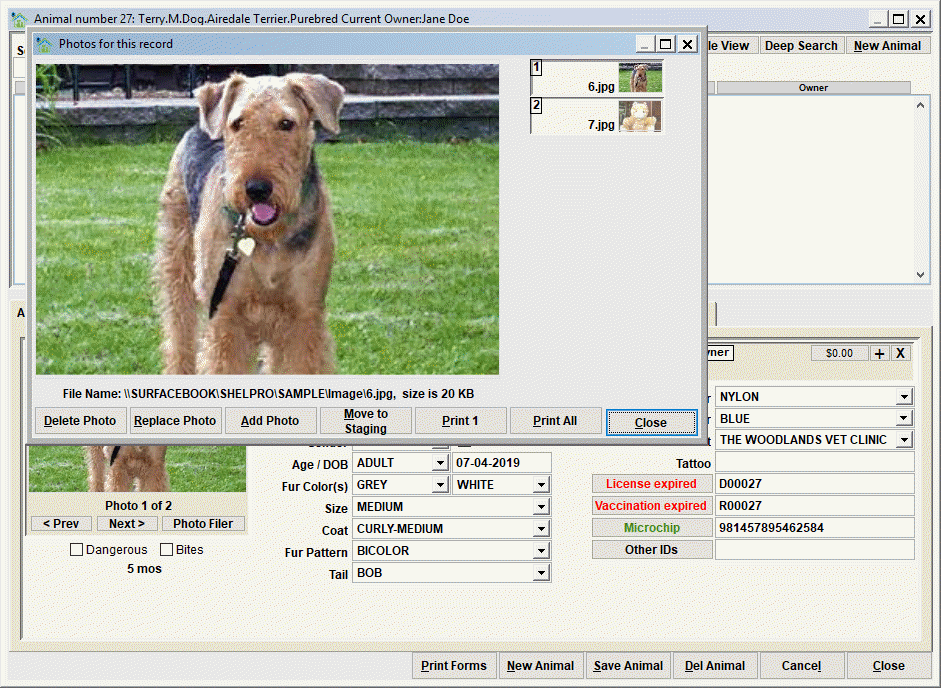
Delete Photo will permanently delete the currently viewed photo. The photo will not be reusable, so be sure to understand this before deleting a photo.
Replace Photo will allow you to replace the currently viewed photo with a different photo.
Add Photo will allow you to add a new photo to the record.
Move to Staging should be used to move the photo file to the staging folder so that it can be re-linked to a another record, or the photos can be re-ordered (using Add Photo) once they are all Moved to Staging.
Print 1 will print the currently viewed photo.
Print All will print all the photos linked to the record.
Close will exit the Photo Viewer.
Tip - An understanding of the photo staging folder and how it works with linking photos is beneficial in making your Shelter Pro easy to use. See this discussion topic for more info My Shelter Pro - Staging Folders
The thumbnails
Notice the thumbnail views of each photo. Simply click each thumbnail to show the photo in the larger photo viewer.
Next Topic
Comment or report problem with topic