
 Case View - Lost Reports
Case View - Lost Reports
The Lost Reports tab will show how the shelter pet compares to open/non-expired lost animal reports. The first list will show lost reports which are categorized as a 'potential match'. The second list shows lost reports which are categorized as 'non matches'.
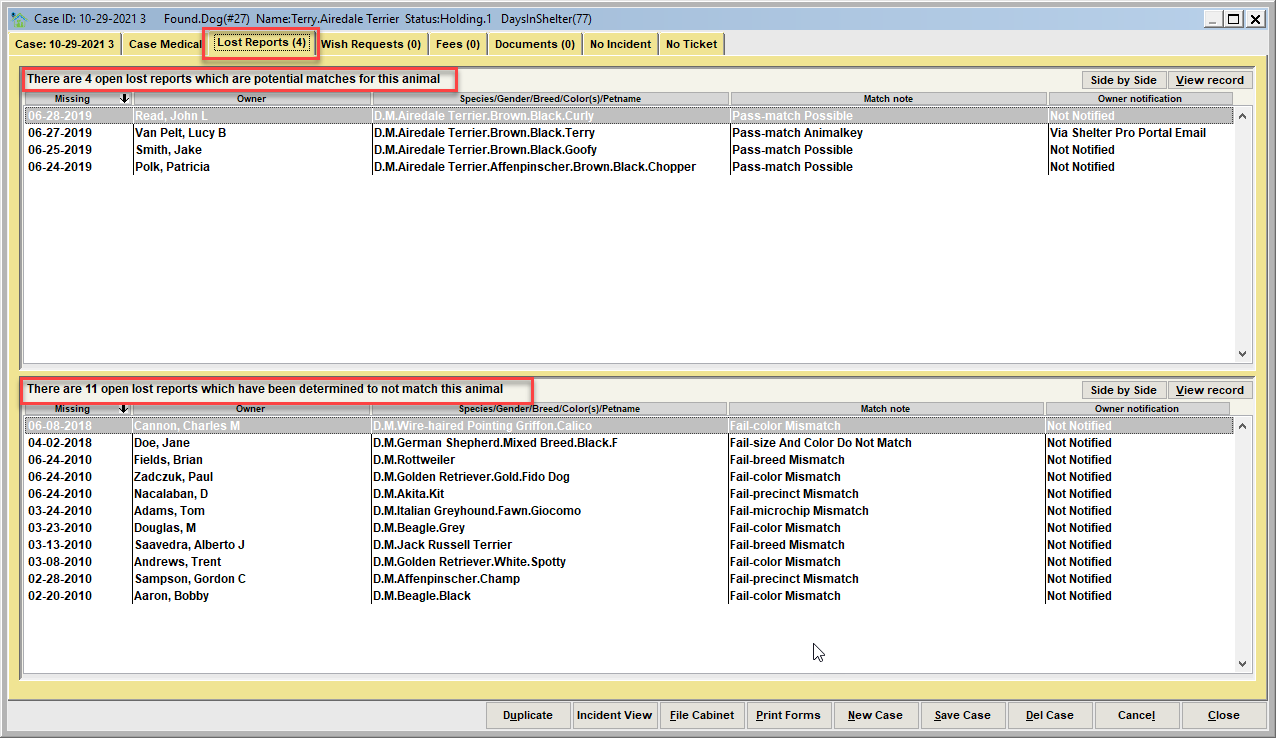
Each row in the list will show the lost pet's missing date, owner name, pet description, match note, and owner notification.
Match Note
The match note is a short description of why the comparison of the lost report to the shelter/case animal are considered a potential match, or a non-match.
Owner Notification
For potential matches, the owner notification indicates if the owner has been notified about the potential match to determine if the shelter pet is their lost pet.
Automated notifications via Shelter Pro Portal
For customers who use Shelter Pro Portal, owners have the ability to self-report their pet as lost using their portal account. When this occurs, the portal will actively monitor the comparison results of the lost animal to incoming shelter pets. If/when potential matches are found, the portal will automatically email the owner of the potential match(es).
Next Topic:
Comment or report problem with topic