
 Case File Cabinet
Case File Cabinet
For an overview of File Cabinets and their usage, click File Cabinets
To lookup existing Case Records, from the main menu select Shelter Management, and then select Case File Cabinet. You will use the Case File Cabinet search features to locate and work with previously created cases.
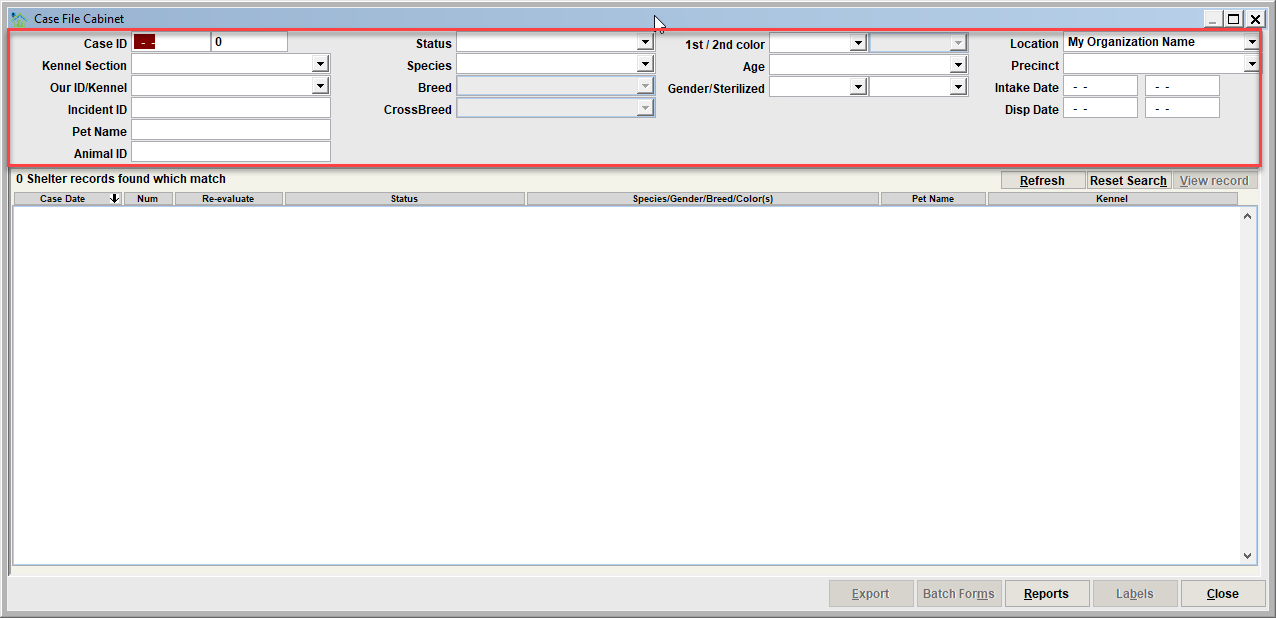
Cases can be searched and retrieved by specifying an almost unlimited number of combinations of search filters.
- A unique Case ID that is assigned to the Case
- A Kennel Section and/or Kennel ID
- An Incident ID (Animal Control module record)
- A Pet Name
- An Animal ID (note this filter will search ALL Ids including the animal's number, microchips, license tags, etc.)
- A Status (All Open Cases, All Closed Cases, Holding, Adoption Available, Adopted, Return to Owner, Evaluation Due, Follow-ups, etc)
- Limiting to a species, breed, fur colors, age, gender, sterilized/not sterilized
- Precinct
- Limiting to the Intake Date Range or Disposition Date Range
Results list
The results of a search, including the count, will be shown the results list.
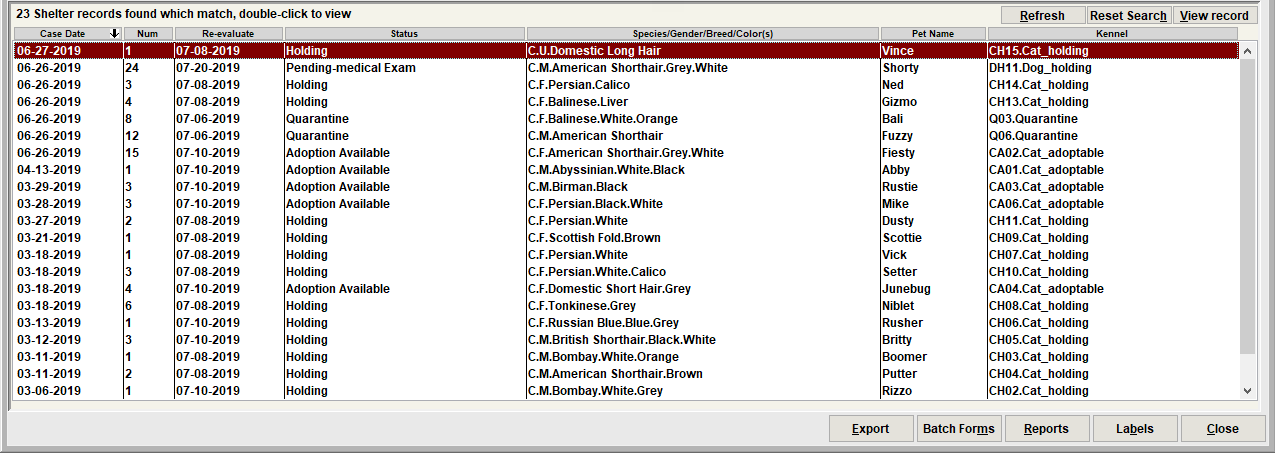
To view a case, select the record in the list then click view record. Or double-click the case in the list. The shelter case will be loaded and will pop up on the screen.
Tip - sorting the results by a column
Notice that the results list can be resorted by any of the columns by clicking the column header.
Resetting the filters
Use Reset Search to clear the search filters back to empty values. You can then re-enter search filters to start a new search.

Batch Forms
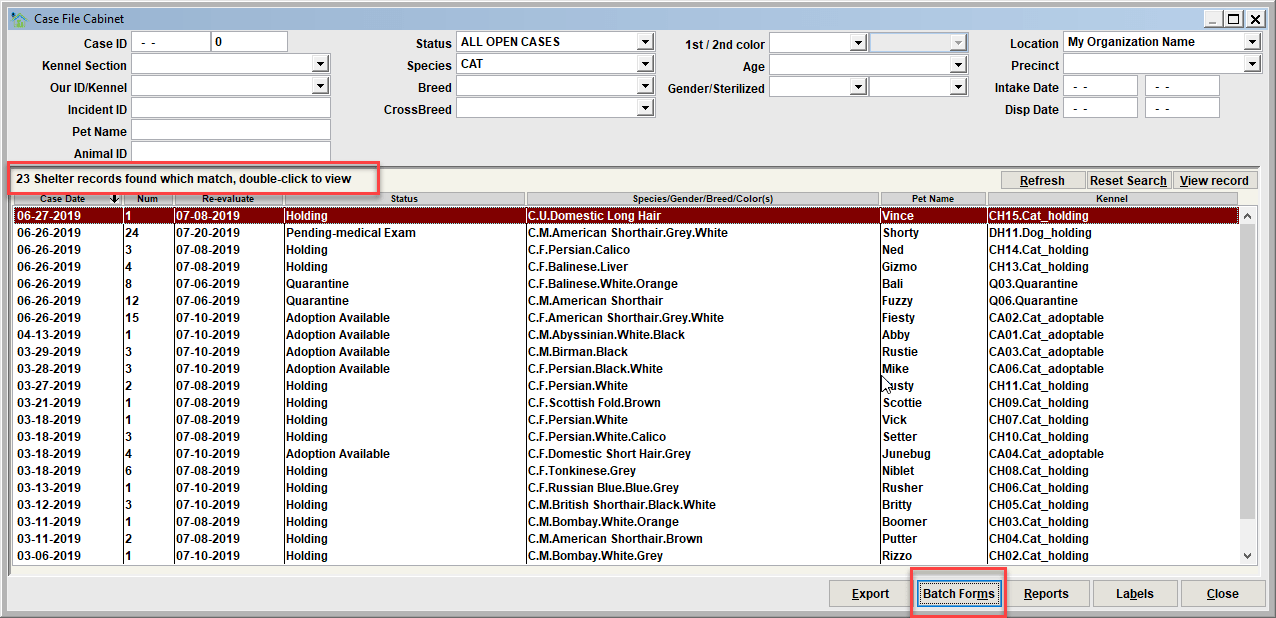
Batch Forms will allow you to print a group of forms, one for each record in the results list, and in the order of the results list. In our example, using the Batch Forms function would result in printing 23 forms. When the button is clicked, you will select the form(s) to be printed, and click the Print (or Preview) button.
Here is a sample of the Case Forms menu. The selected forms will print in the same order seen in the File Cabinet view.
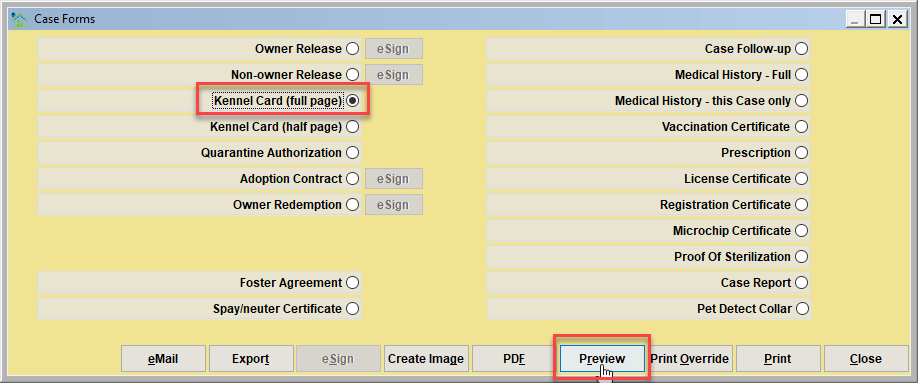
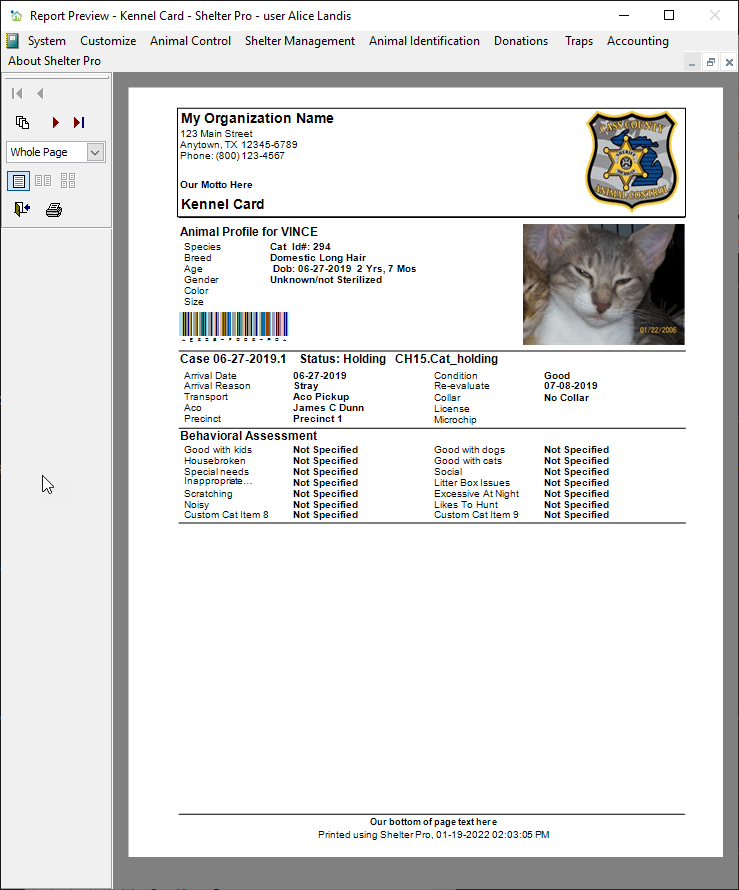
Here is a preview of the kennel cards. Note that there would be 23 individual forms in this match.
Next Topic:
Comment or report problem with topic