
 Lost Reports File Cabinet
Lost Animal Report File Cabinet
For an overview of File Cabinets and their usage, click File Cabinets
To lookup existing Lost Animal Reports, from the main menu select Shelter Management, and then select Lost Animal Report File Cabinet. You will use the File Cabinet search features to locate and work with previously created lost reports.
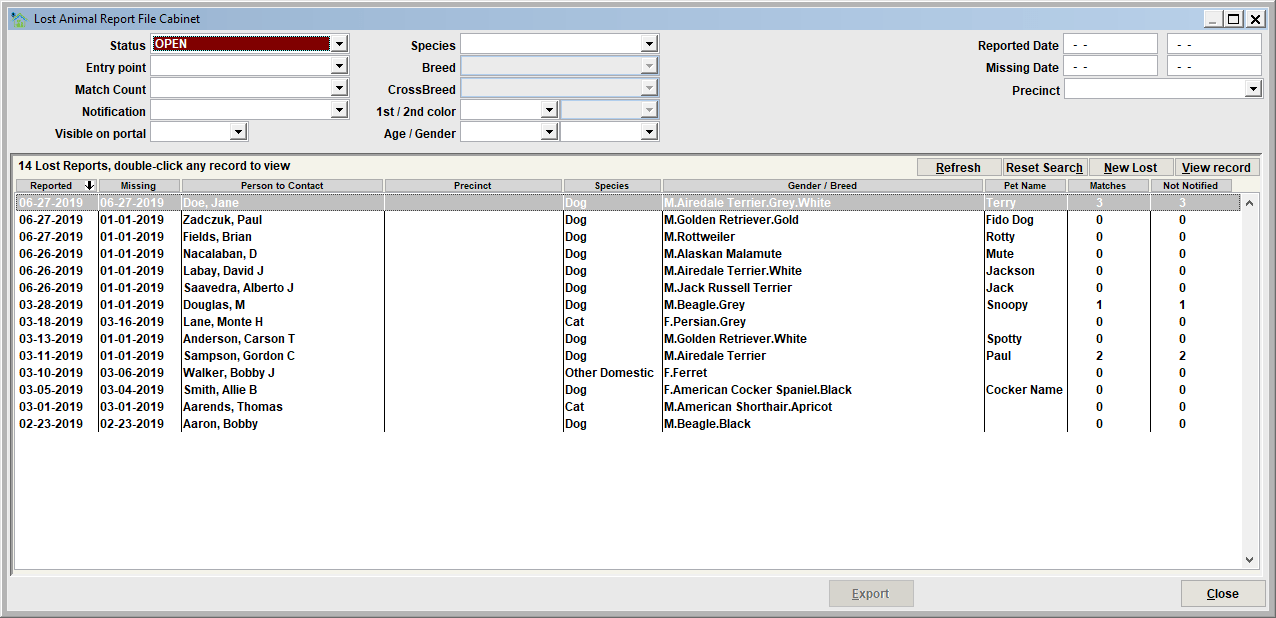
Lost Reports can be searched and retrieved by specifying any number of combinations of search filters.
- Status, including Open / Not Expired, Closed or Expired, Expired
- The Entry Point (such as 'Staff', or 'Shelter Pro Portal')
- Match Count filters on lost report and the number of shelter case potential matches that exist for the lost report
- Notification is the method that was used to notify the owner of a potential match
- Visible on portal is used to filter on lost reports which are visible to the public on Shelter Pro Portal
- Species, breed, color, gender is used to filter on specific details about any of the lost animals
- Reported Date, Missing Date, Precint is used to filter on specific details about any of the lost reports
File Cabinet Results list
The results of a search, including the count, will be shown the results list.
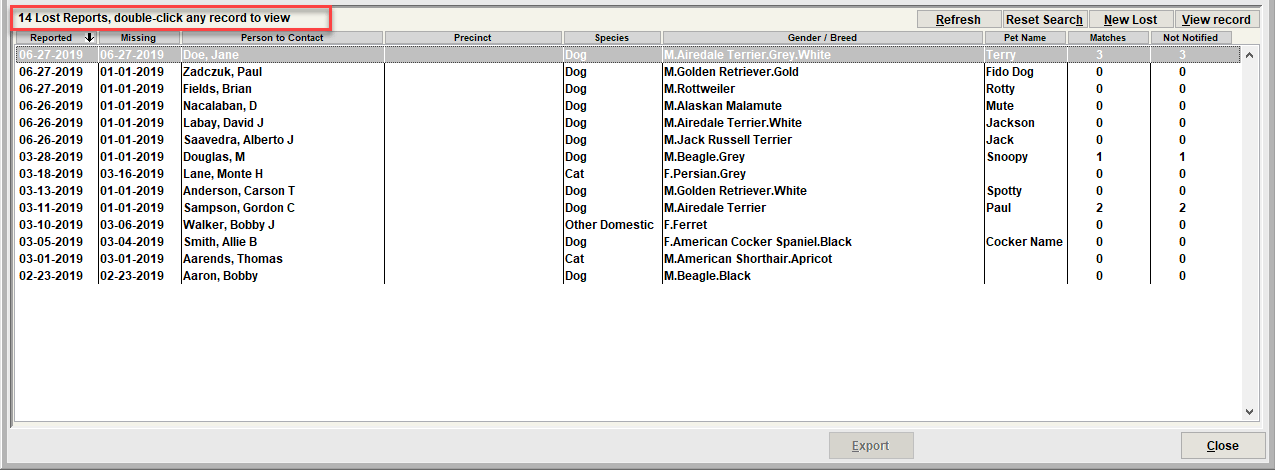
To view a lost report, select the record in the list then click view record. Or double-click the lost report in the list. The lost report will be loaded and will pop up on the screen.
Tip - sorting the results by a column
Notice that the results list can be resorted by any of the columns by clicking the column header.
Resetting the filters
Use Reset Search to clear the search filters back to empty values. You can then re-enter search filters to start a new search.

Next Topic:
Comment or report problem with topic