
 Case View - Linked Animal
Case View - The 'linked' animal
Each shelter case must have one (and only one) animal linked to the case. This will be the animal that was sheltered for any particular case. 'Link' means the animal exists on Shelter Pro's animal database, and the animal is attached to the shelter case record.
It is not possible to link more than one animal to a case. Each animal that is taken in and dispositioned must be linked to its own independent case. This is necessary so that statistics and reporting can accurately count and list each case/animal record. It is also necessary as each animal will have a separate disposition (adopted, return to owner, rescued, etc.) which may be different for each pet.
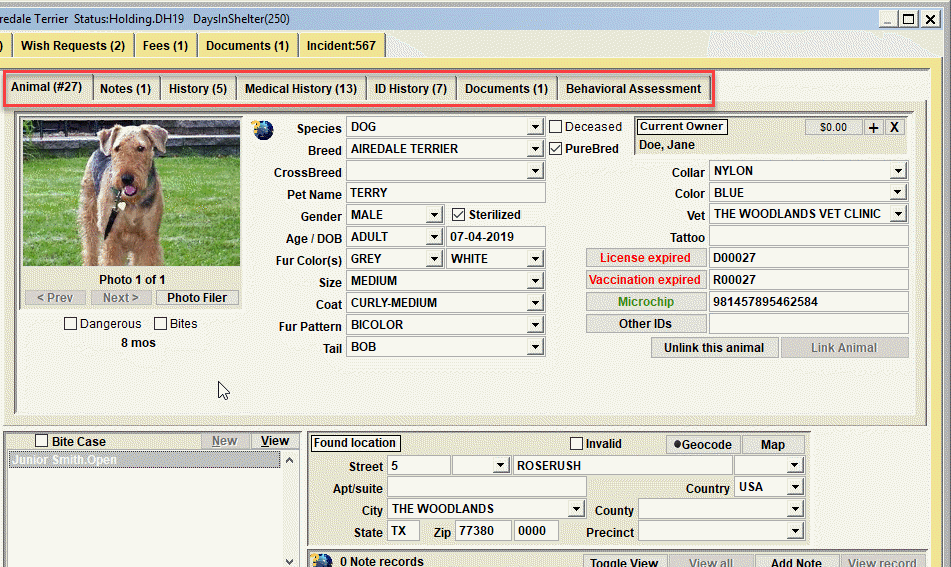
When creating a 'New' case
When creating a new case via the 'New Case' button, by default the case will create a new, empty animal record. You will fill in the various values for the animal (species, breed, gender, etc.). When the case record is saved, the newly created animal will be added to the database and linked to the shelter case.
New Case - duplicate animal handling
When a 'new case' is created and initially saved, Shelter Pro will use the entered animal data to scan the animal database and notify you if the 'new animal' already exists. If the animal already exists, the existing animal will be auto-connected to the case.
For example, if a microchip is entered for the new animal, when SAVE is clicked Shelter Pro will scan the existing animal records for the microchip and if found, it will auto-connect the existing animal to the case. Another example, if there is an 'owner at intake', when SAVE is clicked Shelter Pro will scan the 'animals owned' by the owner looking for a match on the species and pet name. If found, it will auto-connect the existing animal to the case.
Correcting a linked animal
If the animal linked is not the correct animal, it is possible to detach an animal by simply clicking the 'Unlink this animal' button. Shelter Pro will then display a prompt to verify the animal will become detached from the case record. Select Yes to confirm the unlink. It will then be necessary to 'Link' a different animal to the shelter case using the 'Link Animal' button.
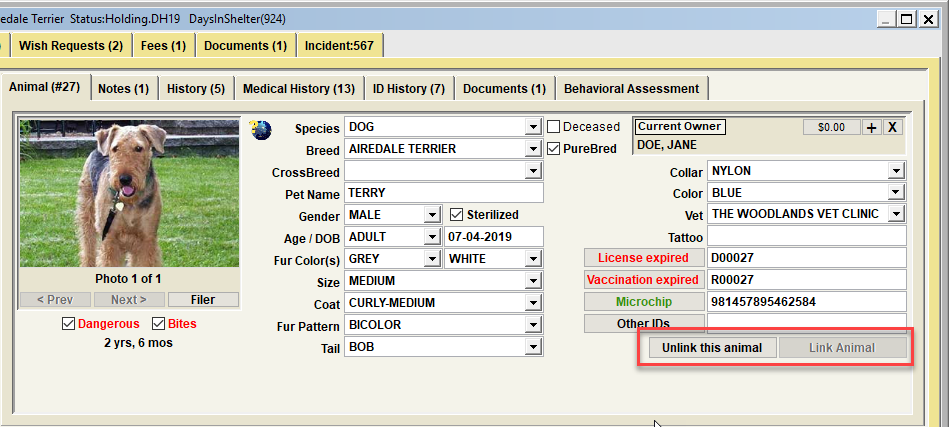
The next step would be to link the correct animal from the animal database. This is done by clicking the 'Link Animal' button which will take you to the Animal Database Deep Search. On the deep search, you will search the animal database to locate/position the correct animal, or click the 'new animal' button to create a new animal record from scratch and attach it to the case record.
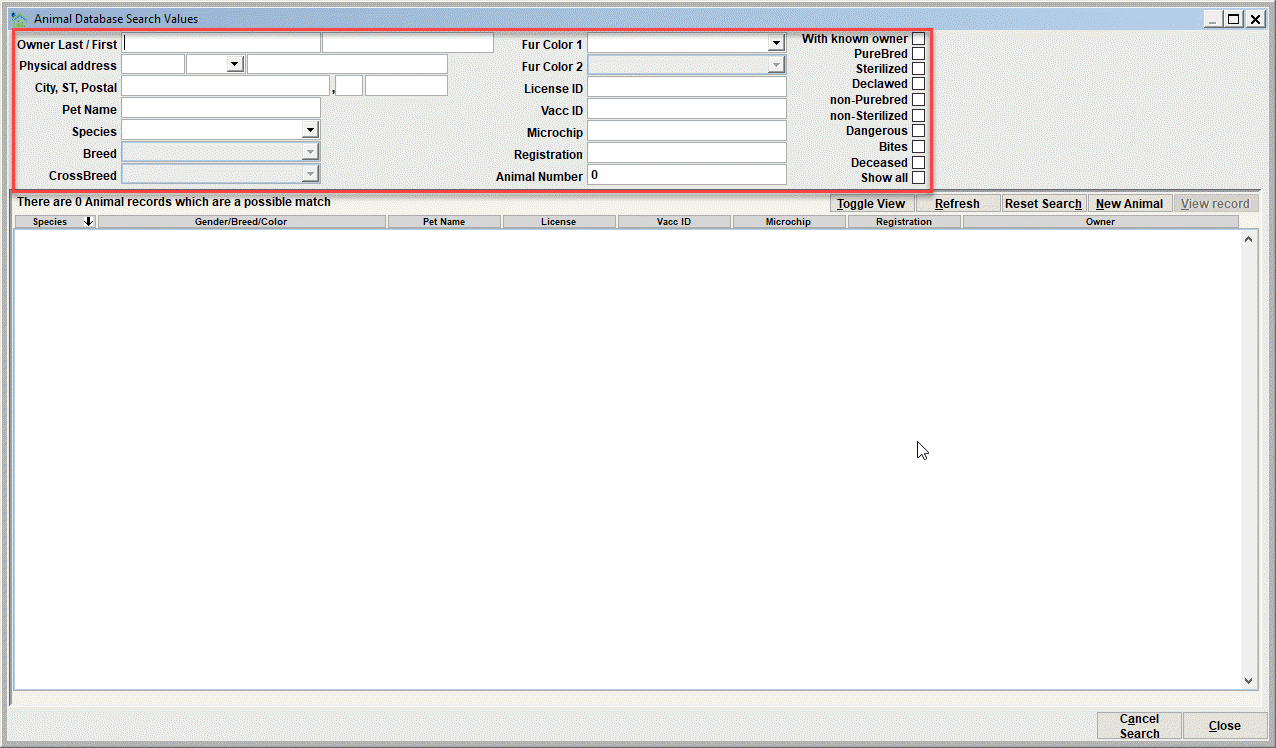
Once positioned to the desired animal in the Animal Database view, click Close on the Animal Database and you will return to the Case View. Upon return, the animal will automatically be linked to the case.
Next Topic
Comment or report problem with topic