
 Case View - Animal Details
Case View - Animal Details
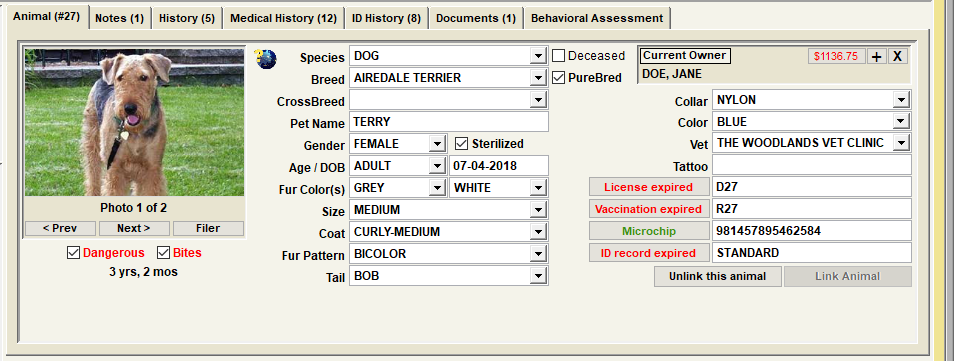
Animal Details include various data elements that are descriptive of an animal. These include the items shown in our sample, including Species, Breed, Crossbreed, Gender, Size, Collar, Pet Name, License, Vacc, Microchip, Registration, Purebred, Sterilized, Dangerous, etc.
For more in depth discussion on every animal tab, click this link. Animal Record
Tip - Animal Identification Module Integration
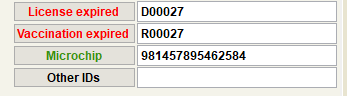
Notice that the animal's records from the Animal Identification Module are accessible from this view. This is one of the many integration features in Shelter Pro as the Animal Control and Animal Identification Modules are 'talking' with each other. To see the details behind a record, click the button. In the example, clicking on 'License Expired' would open the last license record that was posted for the pet.
Animal Notes
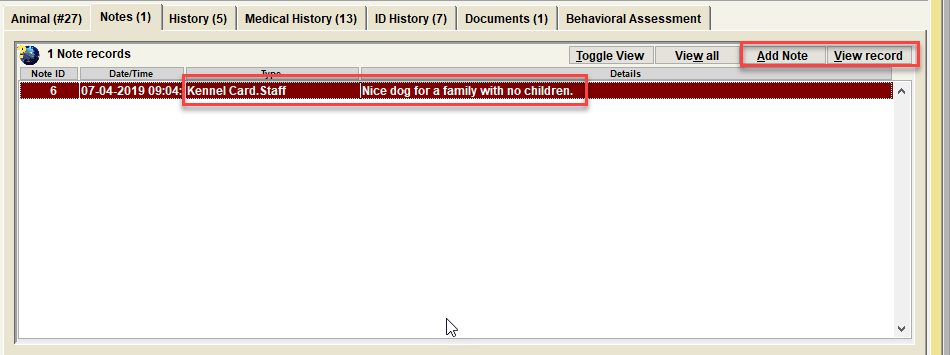
Notes are optional. The are used to provide deeper details about the particular record entered on the database. With notes you'll find there are varying note types which are specific to any particular event type. Animal notes will be accessible from any record where the animal is linked (such as an animal control incident record, or a lost animal report, etc.). In other words, these notes 'follow' the animal wherever the animal shows up throughout the database.
For an animal, some common note types would include 'Animal Notes', 'Owner Statement', 'Kennel Card', etc. There may be additional note types defined on your Shelter Pro as note types can be extended using Shelter Pro's Customize features.This list can be modified via the customizable dropdown list NOTE_TYPE_ANIMAL.
For an overview of notes in Shelter Pro, click Notes and Narratives
Next Topic:
Comment or report problem with topic