
 Case View - Lost Animal Reports Non-matches
Case View - Lost Animal Reports Non-matches
The Non Match list will show lost reports that are considered not a match to the shelter/case pet. The example below indicates there are eleven lost reports which are not potential matches.
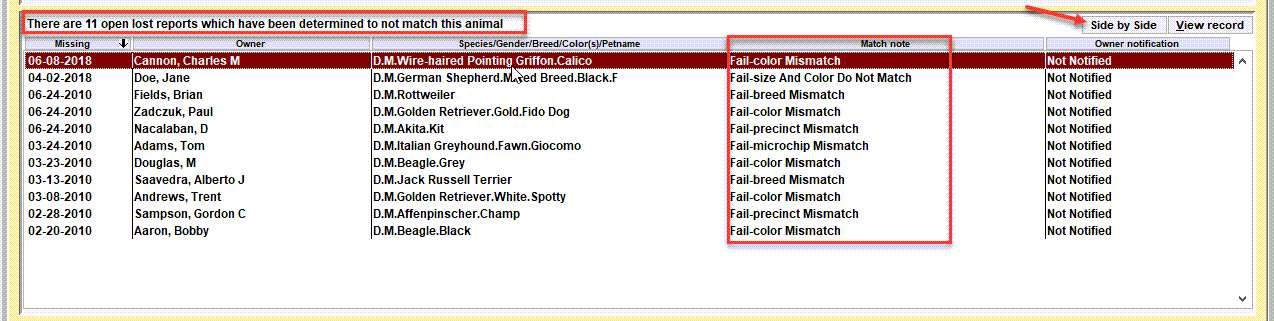
Match Note
The match note is a short description of why the comparison of the lost report to the shelter/case animal are considered a non match. Notice in the example how each note indicates 'Fail...' in the notation along with a description of the dominant failed test. Note there will likely be more than one failure when viewing the side by side results.
Owner Notification These notations are indicating if the owner has been notified that their lost pet is potential match for the shelter/case pet. For non-matches, it would be typical for this list to show 'Not notified'.
Side By Side non-match example
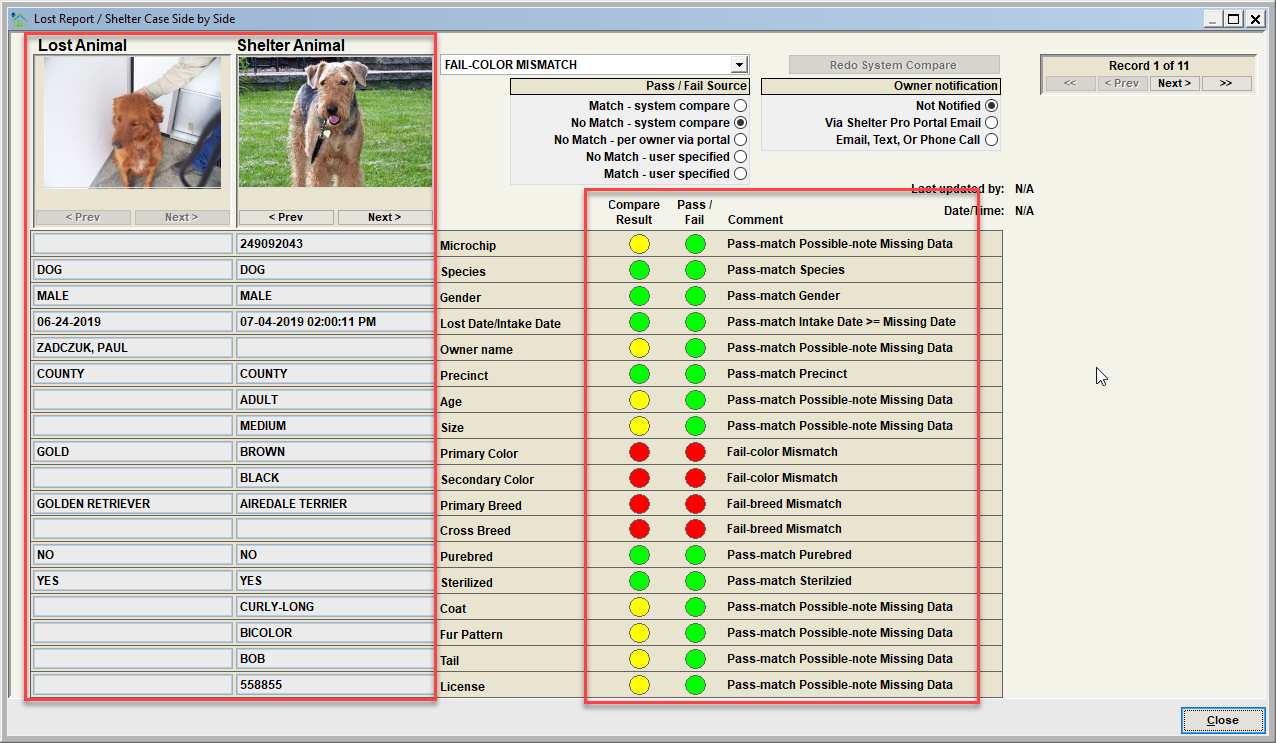
Notice how the side by side is showing each comparison that is done to determine the match possibility between a lost animal report and a sheltered pet. In this example, one or more of the comparison results show a 'Fail' (notice the red items). Therefore, this lost animal report and the shelter pet are viewed as a non-match.
Lost Animal
This column shows the lost report data elements the shelter pet is being compared with.
Shelter Animal
This column shows the shelter/case pet data elements.
Compare Result, Pass/Fail, Comment
These columns document the comparison result for each data element comparison that Shelter Pro performs.
Next Topic:
Comment or report problem with topic