
 Posting a other ID record under the animal
Posting a Other ID/Registration record under the animal
Quick Reference
- Locate the animal
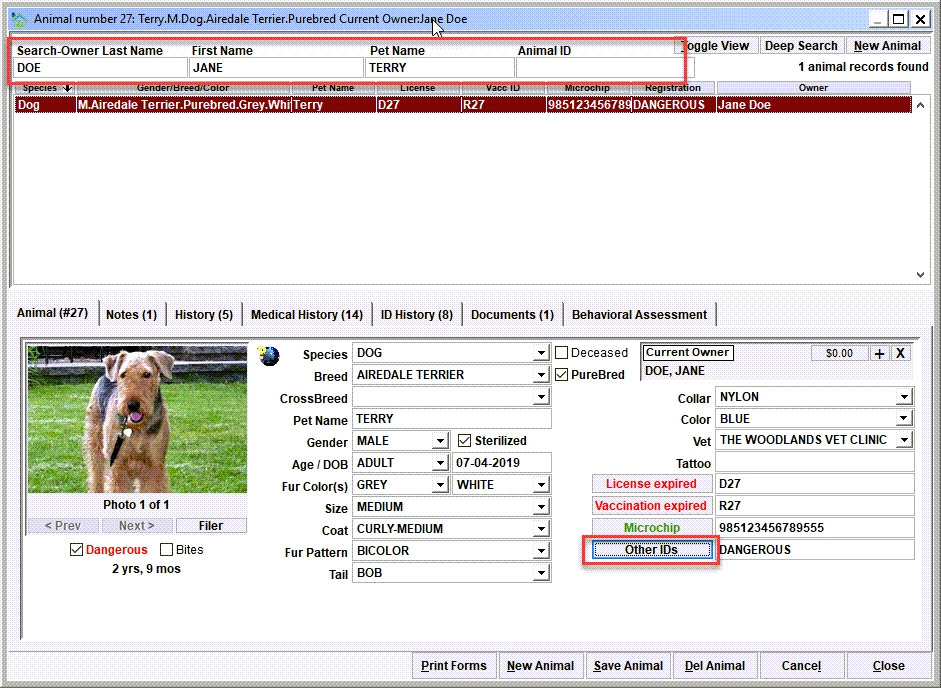
From the main menu, click Animal Ids/Animal Database. Search for the animal using the search options at the top of the screen. Click the 'Other IDs' button - This will open the Other ID/Registration view. If there is any previous record history for the animal, the view will show that previous record.
If the animal does not exist, click 'New Animal' to add a new animal record. Note that it may also be necessary to attach the 'Current Owner' of the animal if creating a new animal record. - Click the 'New Reg' button
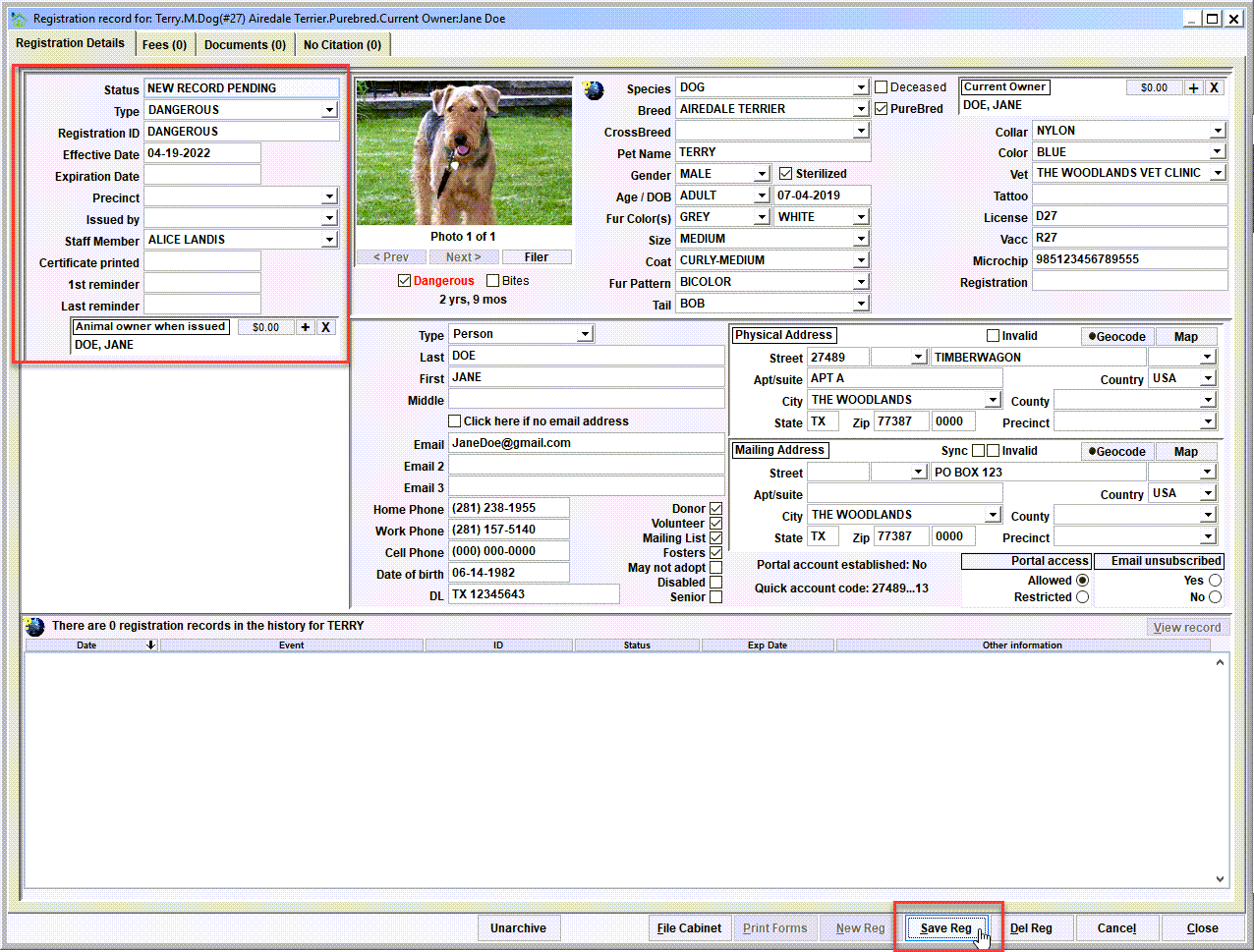
This will create a new Other ID/Registration record for the pet. Enter the various data elements about the Other ID/Registration, then 'Save Reg'.
Step 1 - Locate the animal
From the main menu, click Animal Ids/Animal Database. Search for the animal using the search options at the top of the screen.
In this example, the search specified last name DOE, first name JANE, pet name TERRY. Notice that one animal record was found and is displayed in the search results. If the animal does not exist, click 'New Animal' to add a new animal record. Note that it may also be necessary to attach the 'Current Owner' of the animal if creating a new animal record.
Click the 'Other IDs' button - This will open the Other ID/Registration view. If there is any previous record history for the animal, the view will show that previous record.
Step 2 - Add the new Other ID/Registration record
Click the 'New Reg button - This will create a new Other ID/Registration record for the pet. Upon clicking 'New Reg', notice how the Other ID/Registration record data elements are blank, and data entry can begin.

Enter the various data elements about the Other ID/Registration, then 'Save Reg'.
Next Topic
Comment or report problem with topic