
 Customize Organization
Customize Organization
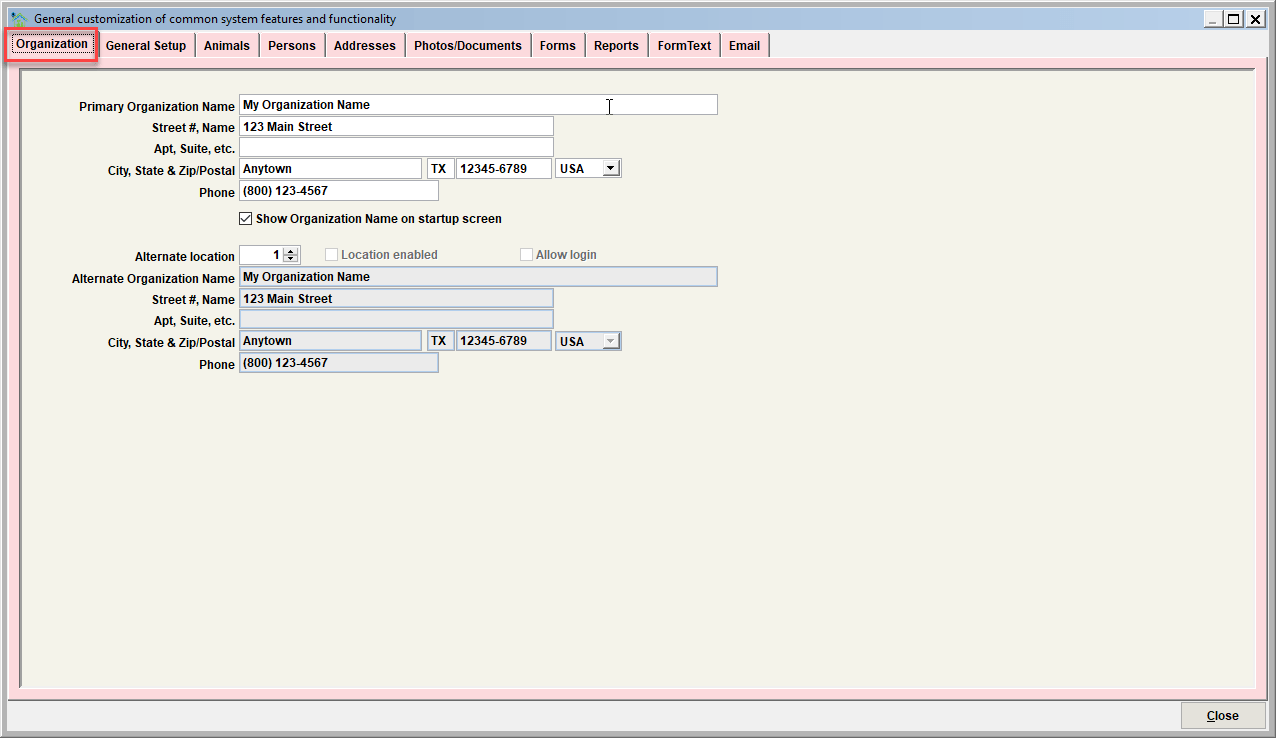
Organization Name and Address
Enter your organization’s name, address (street # and name, city state, zip), and primary phone number exactly as you would like it to appear on letters, reports and forms.
Show organization name on startup screen
This determines if the organization name will show on Shelter Pro’s login screen.
Alternate location
Use this if your organization is multi-location. Typically this would be the case if the organization operates with physically separated locations around a metropolitan area. Increasing the alternate location value to 2 would indicate your organization operates from 2 separate locations. Location 2 would have it's own 'alternate' organization name, address, and phone.
Tip - Using Shelter Pro's User Administration feature, a user can be associated to these separated location so that when a particular user logs in, the system automatically knows which 'location' to record newly created records under.
Next Topic
Comment or report problem with topic