
 Customize General Setup
Customize General Setup
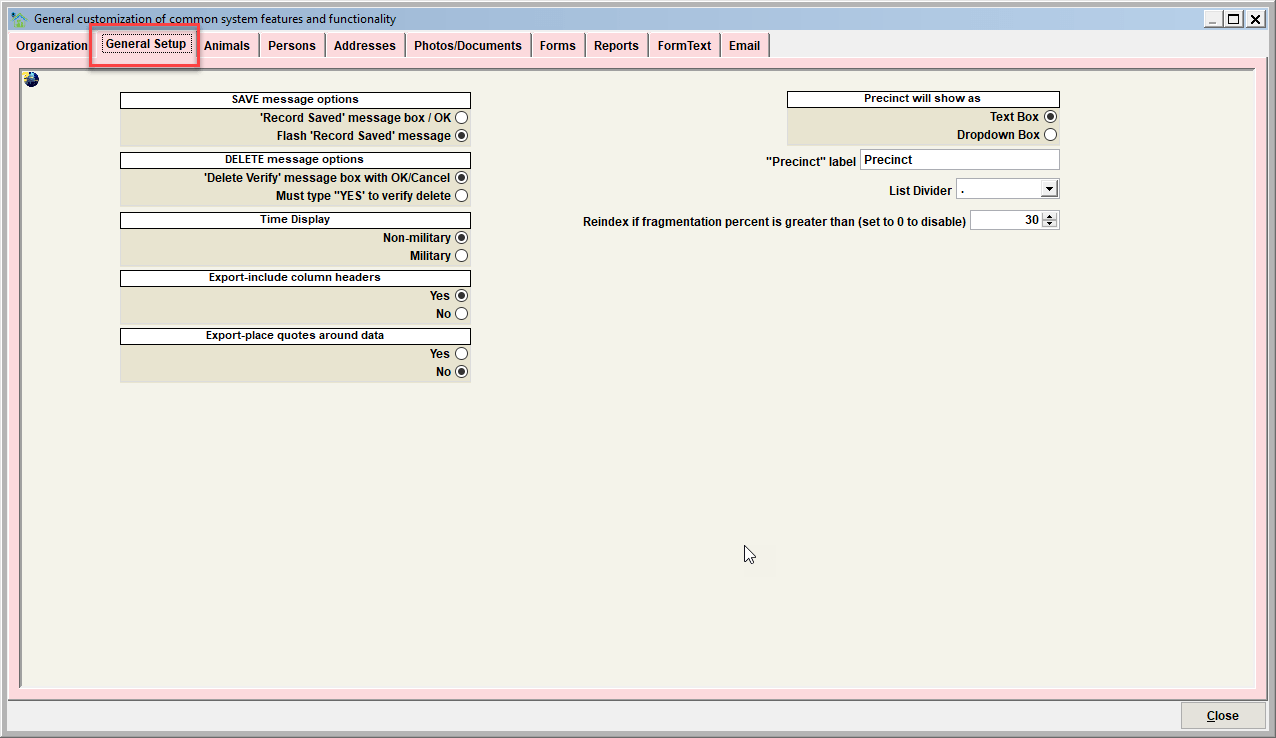
Save Message Option
This switch will determine if the Save message will appear as a window screen or a flash message.
- Record Saved message box/OK will force the user to click an OK box acknowledging the save occurred.
- Flash Record Saved message (recommended) will 'flash' a message the record was saved. This option is meant to speed the data entry process while using Shelter Pro.
Delete Message Option
This switch determines the steps/clicks a user must follow to delete a record.
- 'Delete/Verify' message box with OK/Cancel will show a message box which the user must select an OK option to complete the deletion.
- Must type "YES" to verify delete (recommended) is the best method to slow a user down during a deletion. This reduces (does not eliminate) the potential of a user accidentally deleting a record.
Tip Using Shelter Pro's User Administration It is possible to disable a user's ability to delete records on a module by module basis.
Time Display
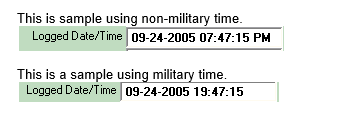
This switch determineS how time values will appear on screens, forms, and reports.
- Non-military time uses the A.M./P.M. format.
- Military time is displayed and entered using 24 hour day format.
Export - include column headers
This switch determines if column headers are included on data exports.
- Yes (recommended) includes column headers.
- No does not include column headers.


Export - place quotes around data
This switch determines if quotes (") are included around each data element.
- Yes includes quotes.
- No (recommended) does not include quotes.


Precinct will show as
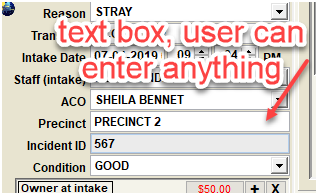
This switch determines the data entry method of precinct data.
- Text box will allow users to type in a precinct value.
- Dropdown box (recommended) will allow users to select a precinct from a predefined/customized list of your organizations recognized and allowed precincts.
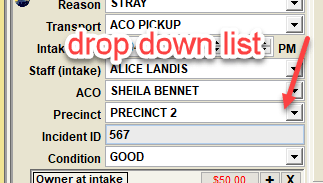
Tip - to define a preset/recognized list of your organizations precincts, see CUSTOMIZE/GENERAL INFORMATION/ADDRESSES to modify the PRECINCT list.
Precinct Label
Precinct tag on windows, forms, reports - This field should be set to the terminology your facility uses to describe a Precinct (Municipality, Zone, Township, City, District, etc).
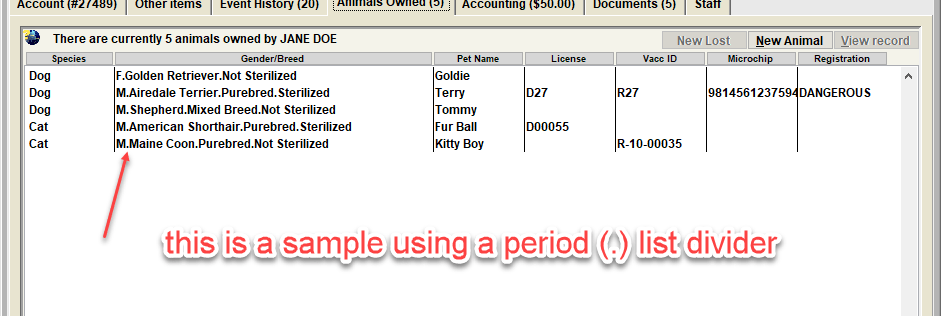
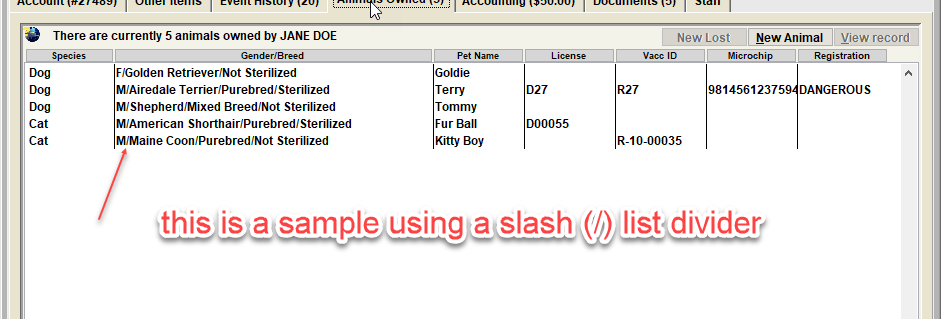
List divider
This setting determines the literal value that is used to separate data elements in lists throughout Shelter Pro.
Reindex if fragmentation percent is greater than...
When using the Database Optimize feature, this value determines if reindexing on a particular index is only done if sql server determines the fragmentation percentage to be greater than this value. Setting this to zero (0) will cause the optimize to ignore an indexes fragmentation percentage.
Next Topic
Comment or report problem with topic