
 Customize Animals
Customize Animals
The Animals tab defines the settings which control the posting of an animal record. This includes Animal Record List Values, and Animal Behavioral Assessment values.
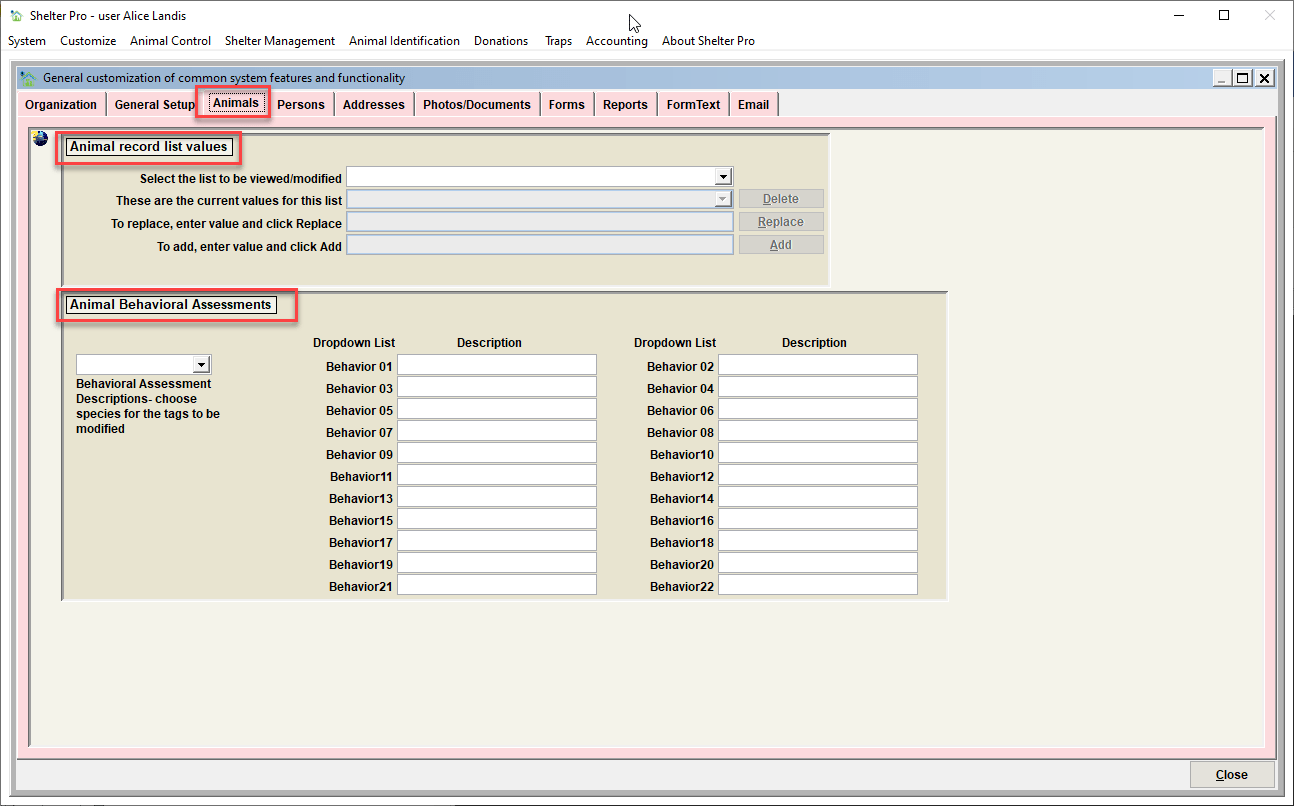
Animal Record List Values
Use this feature to modify animal descriptor values. Values can be added, deleted, and/or replaced. Follow the instructions on the screen to complete each of these functions.

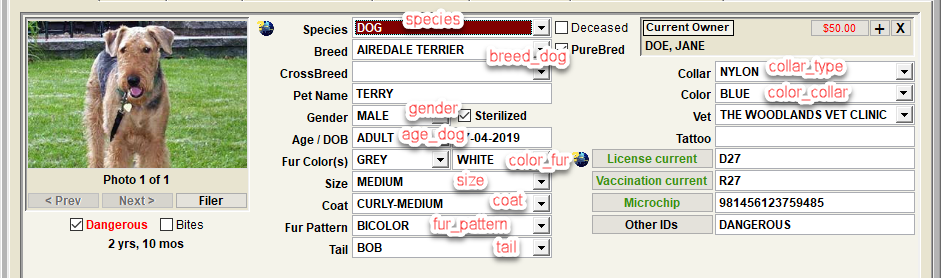
The specific lists which can be modified include:
| List to be modified | Description |
|---|---|
| AGE_CAT | Age selections when an animal species is CAT |
| AGE_DOG | Age selections when an animal species is DOG |
| AGE_OTHER | Age selections when an animal species is not DOG or CAT |
| BREED_DOG, BREED_CAT, BREED_etc | Breeds selections associated with each defined SPECIES |
| COAT | Coat selections for an animal |
| COLLAR_TYPE | Collar type selections for an animal |
| COLOR_COLLAR | Collar color selections for an animal |
| COLOR_FUR | Fur color selections for an animal |
| FUR_PATTERN | Fur pattern selections for an animal |
| GENDER | Gender selections for an animal |
| SIZE | Size selections for an animal |
| SPECIES | Species selections for an animal. Note that adding a new breed will cause an associated 'BREED_' list to become recognized, and enables a list of species specific breeds to be defined. |
| TAIL | Tail selections for an animal |
| NOTE_TYPE_ANIMAL | Note type selections when a note is added to an animal record |
| NOTE_SOURCE | Note source selections when a note is added to a record. Note that these are used system wide and are not specific to any given record type. |
| NOTE_COMMUNICATION | Note communication selections when a note is added to a record. Note that these are used system wide and are not specific to any given record type. |
Tip - Some list values in Shelter Pro cannot be altered in any way. Protecting certain values is necessary because if they were to be altered, basic functionality within Shelter Pro would be jeopardized. A simple example of this is the species value of DOG. If you attempt to change the protected value, you will see a message stating:
Important: this value is reserved, it cannot be deleted or replaced.
Visualizing the various lists on the corresponding record.
Animal Behavioral Assessments
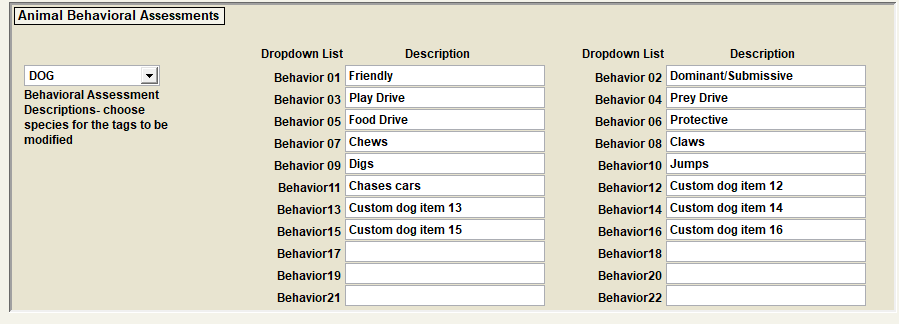
Use this feature to modify and customize animal behavioral assessments that are specific to your organization. Notice in this sample the defined behavioral assessment 'categories' for a DOG.
Behavioral assessments can and will vary by species.
The assessments done for a DOG can be materially different than the assessments done for a CAT, or a HORSE, etc.
The Labels
The labels define each behavioral assessment. In this example, notice that BEHAVIOR 01 is defined as 'Friendly', BEHAVIOR 02 is defined as 'Dominant/Submissive', etc.
Hiding unused assessments
Also note that BEHAVIOR 17 thru 22 are blank indicating they are not being utilized. Leaving a particular label as blank will cause that behavior category to be 'hidden' in the Shelter Pro setup.
Defining the list values for an assessment category
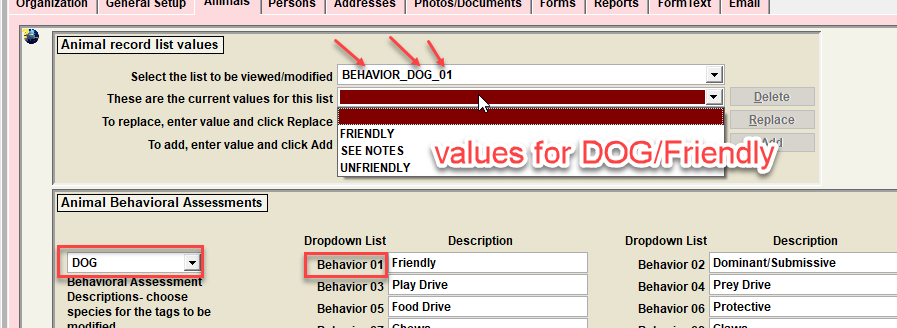
Each behavioral category, by species, has its own distinct list values that can be selected during an assessment. To understand how these are defined, we will be using species DOG and BEHAVIOR 01 (Friendly).
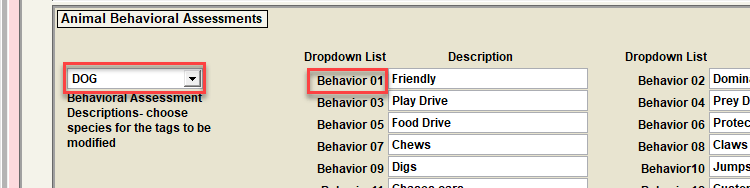
To define the list specific to DOG/FRIENDLY, notice the list to be modified is BEHAVIOR_DOG_01. The defined selections for this list include FRIENDLY, SEE NOTES, UNFRIENDLY. Note that values for this list can be added, deleted, or replaced as needed for your particular needs.
Next Topic
Comment or report problem with topic