
 Customize Persons
Customize Persons
The Persons tab defines the settings which control the posting of a person record.
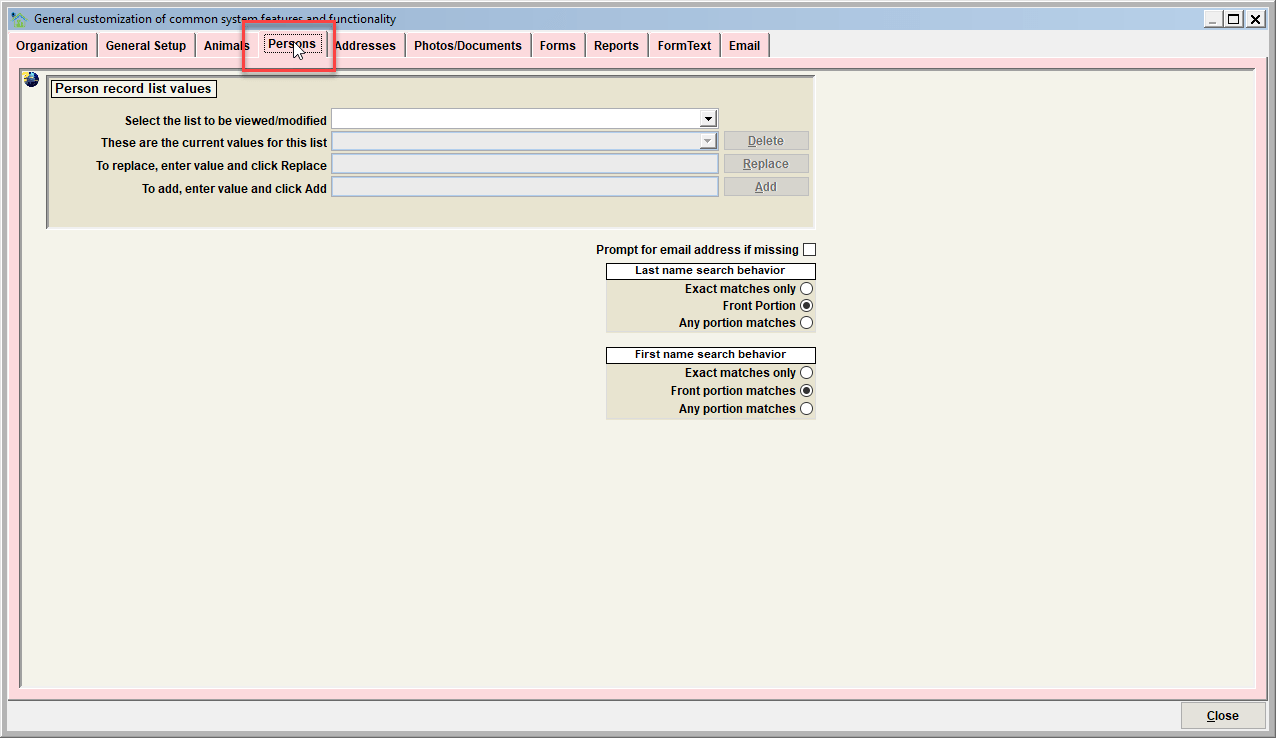
Person Record List Values
Use this feature to modify person descriptor values. Values can be added, deleted, and/or replaced. Follow the instructions on the screen to complete each of these functions.
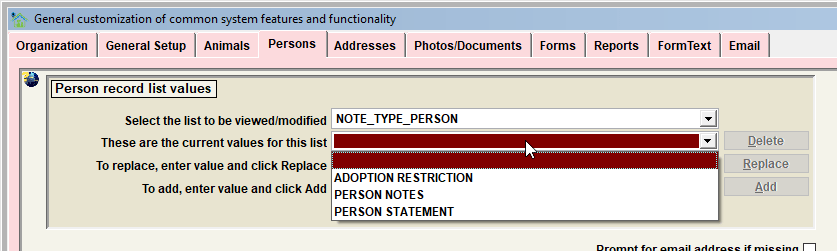
The specific lists which can be modified include:
| List to be modified | Description |
|---|---|
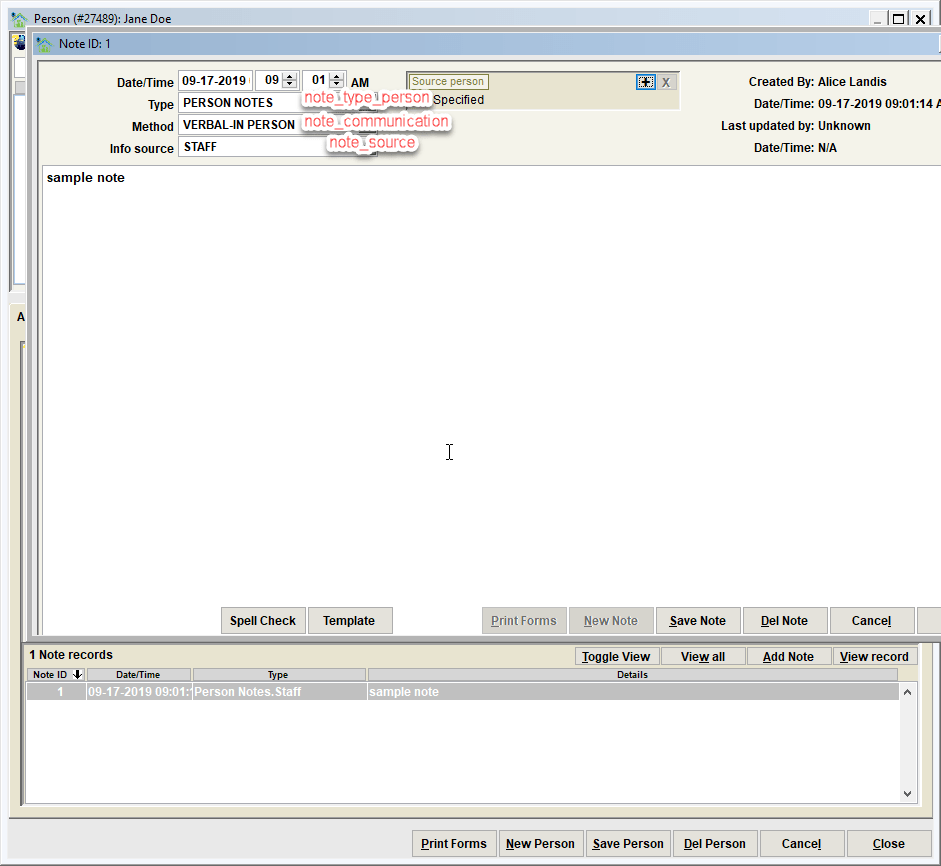
| NOTE_TYPE_PERSON | Note type selections when a note is added to a person record |
| NOTE_SOURCE | Note source selections when a note is added to a record. Note that these are used system wide and are not specific to any given record type. |
| NOTE_COMMUNICATION | Note communication selections when a note is added to a record. Note that these are used system wide and are not specific to any given record type. |
Tip - Some list values in Shelter Pro cannot be altered in any way. Protecting certain values is necessary because if they were to be altered, basic functionality within Shelter Pro would be jeopardized. A simple example of this is the species value of DOG. If you attempt to change the protected value, you will see a message stating:
Important: this value is reserved, it cannot be deleted or replaced.
Visualizing the various lists on the corresponding record.
Prompt for email address is missing
With this switch enabled, when a person record is saved and the person record does not have an email address, a prompt for an email address will be shown. Note that the user will have the option to specify 'none' to indicate that there is not a known email address for the particular person, and complete the update of the record. This feature is intended to help customers with regularly attempting to collect email addresses for person the organization is interacting with.
Last name search behavior
This switch determines how last name searches are completed when searching the person database. The options are:
- Exact matches only - searches will return results which are exact matches to the specified search item. For example, when looking for persons with a last name of SMITH, the search will only return persons whose last name is exactly SMITH. A person with a last name of SMITHSON would not be returned.
- Front portion - searches will return results which are exact and near matches on the data entered. For example, when looking for persons with a last name of SMITH, the search will return persons whose last name starts with SMITH. Any persons with a last name of SMITH or SMITHSON would be returned. Persons with last names of IMASMITH or HERESMITHIS would not be returned.
- Any portion matches - searches will return results which are exact, near, and approximate matches on the data entered. For example, when looking for persons with a last name of SMITH, the search will return persons whose last name contains SMITH at any position in the name. Any persons with a last name of SMITH or SMITHSON or IMASMITH or HERESMITHIS would be returned.
First name search behavior
This switch determines how first name searches are completed when searching the person database. The options are:
- Exact matches only - searches will return results which are exact matches to the specified search item.
- Front portion - searches will return results which are exact and near matches on the data entered.
- Any portion matches - searches will return results which are exact, near, and approximate matches on the data entered.
If further explanation is needed on these options, see the Last name search behavior examples above as the concepts are identical, except applied to first name searches.
Next Topic
Comment or report problem with topic