
 Customize Medical
Customize Medical Tab
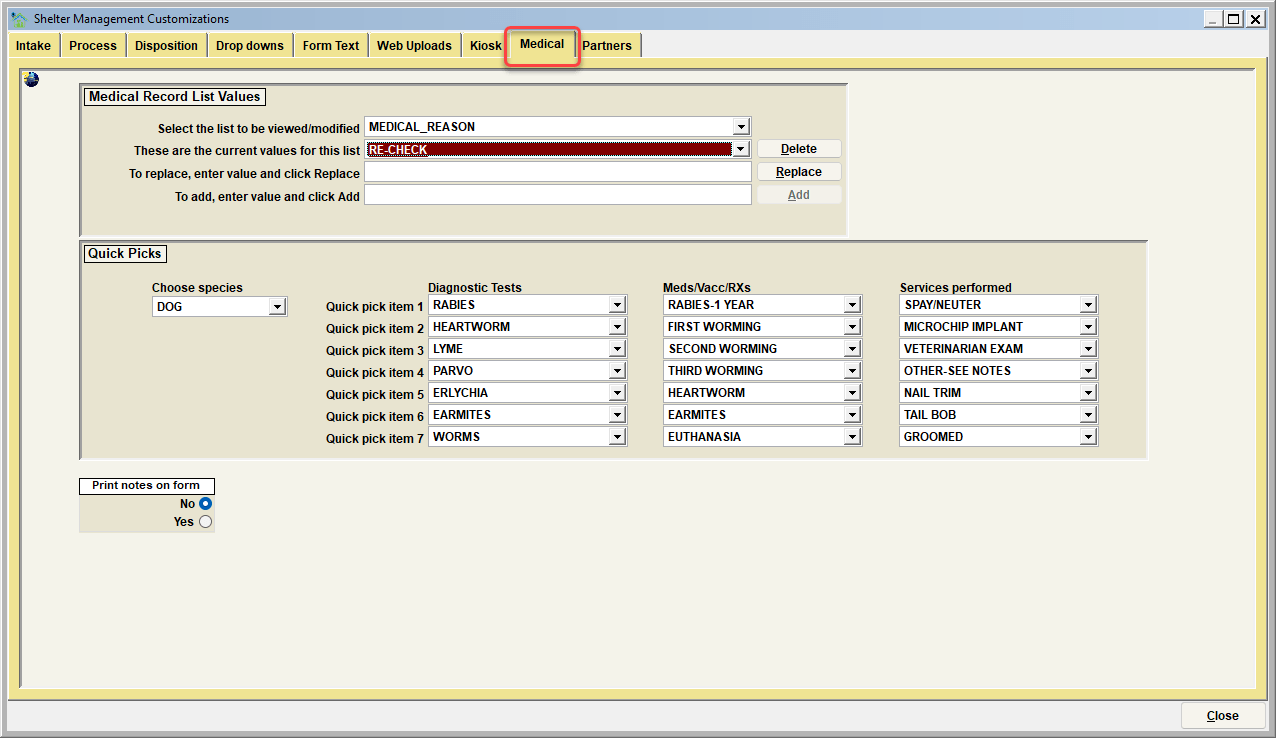
Medical Record List Values
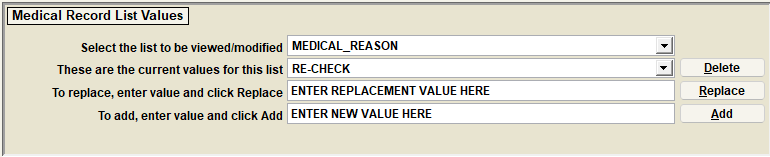
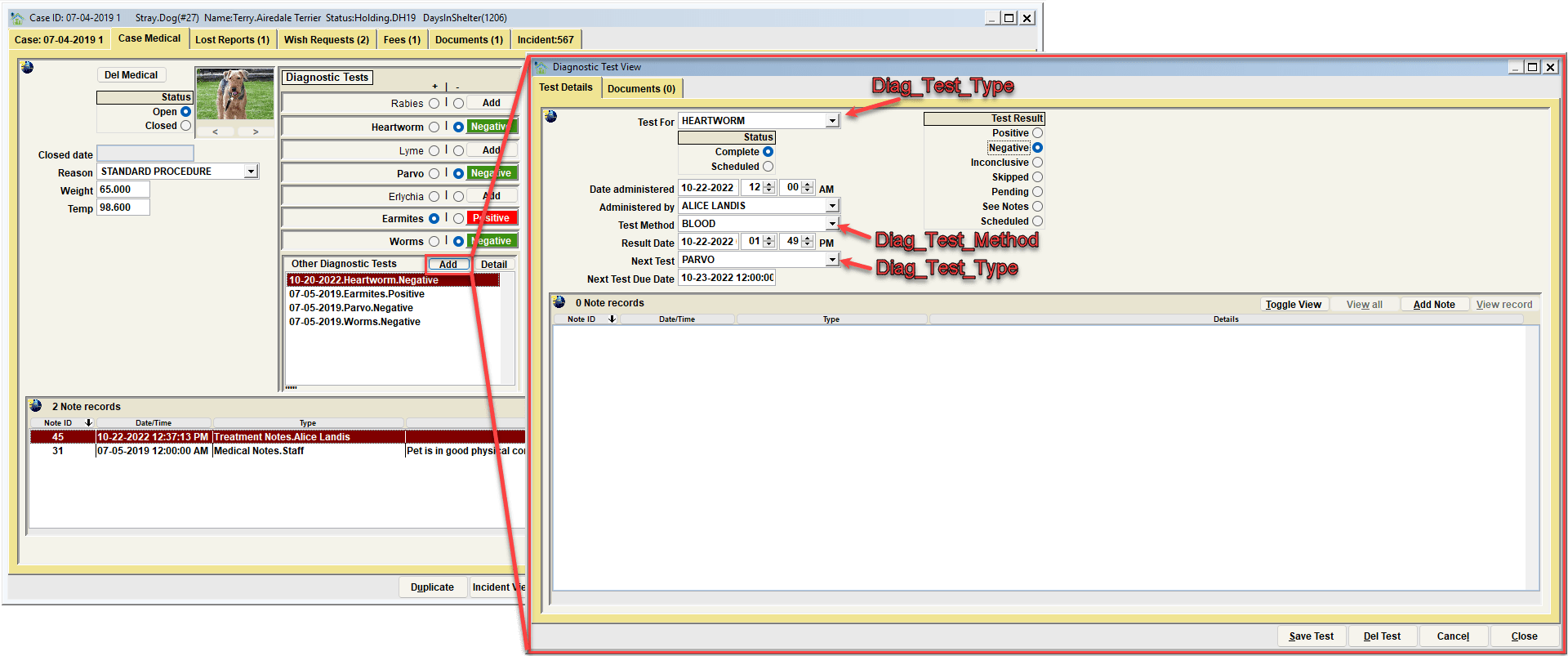
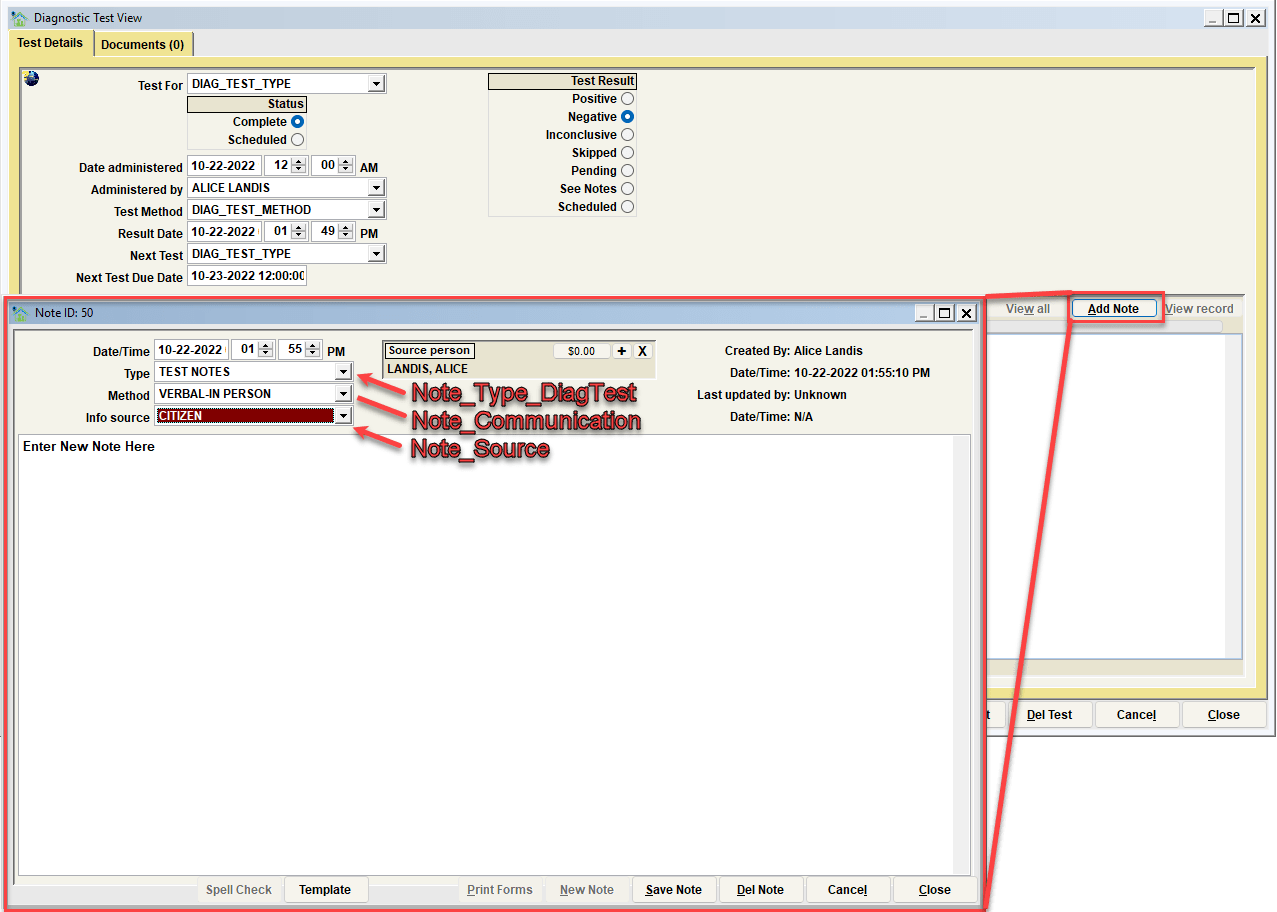
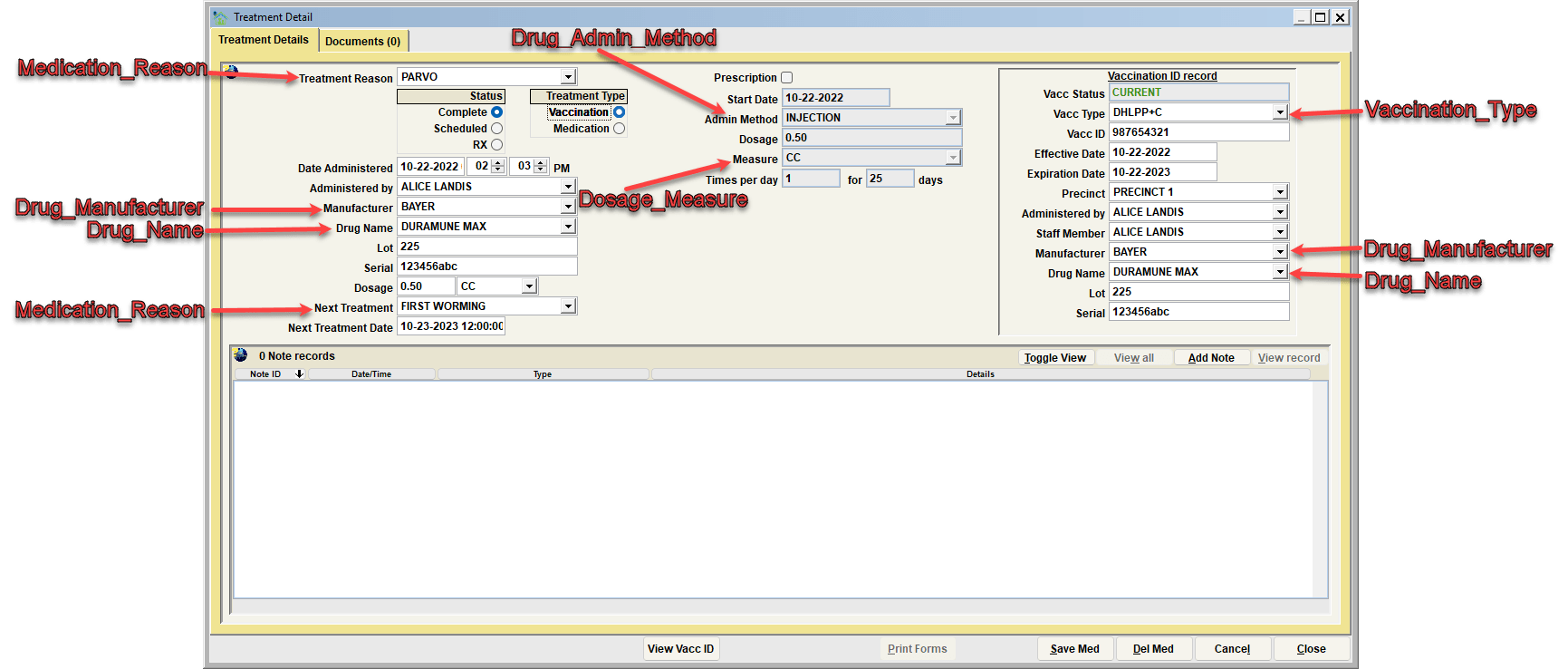
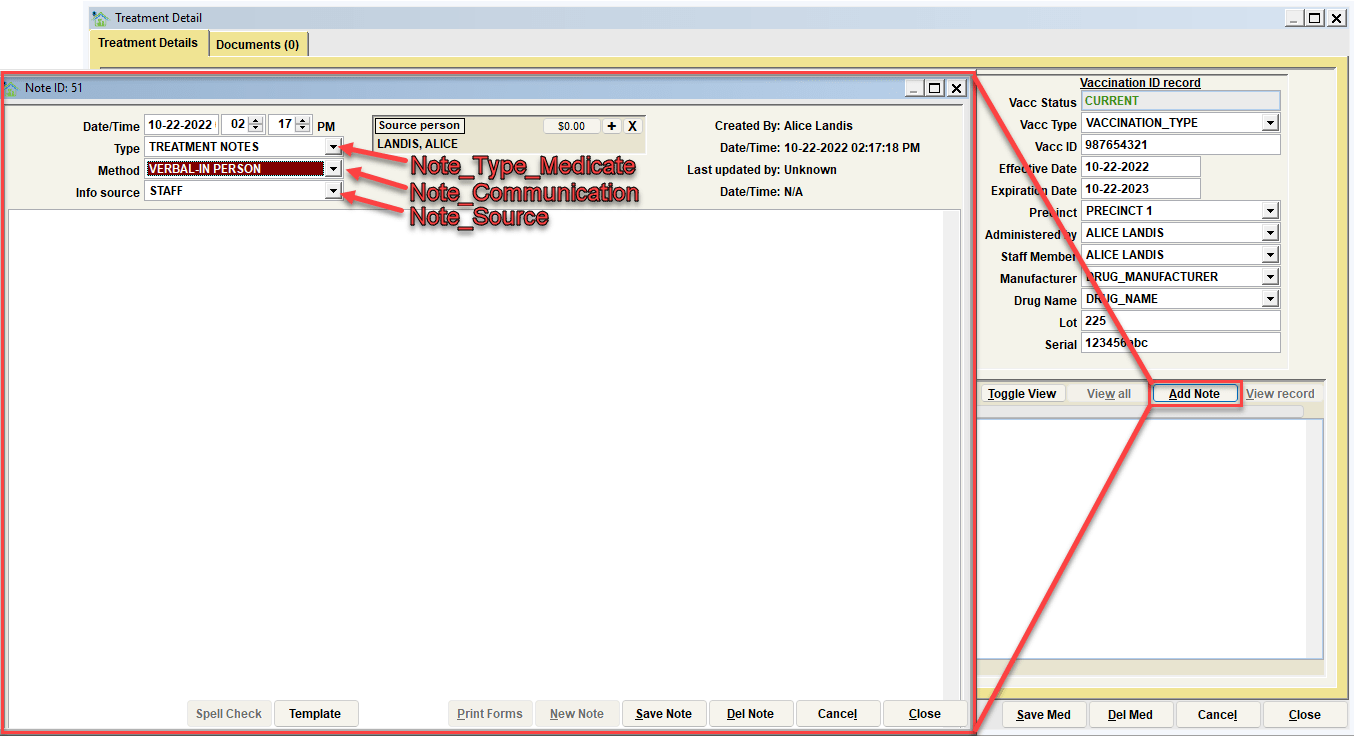
The Medical tab list values is where the dropdown lists associated with medical record processing can be modified. You can delete, replace, or add values. Follow the instructions on the screen to do each of these functions. The specific lists which can be modified include:
| Form | Description |
|---|---|
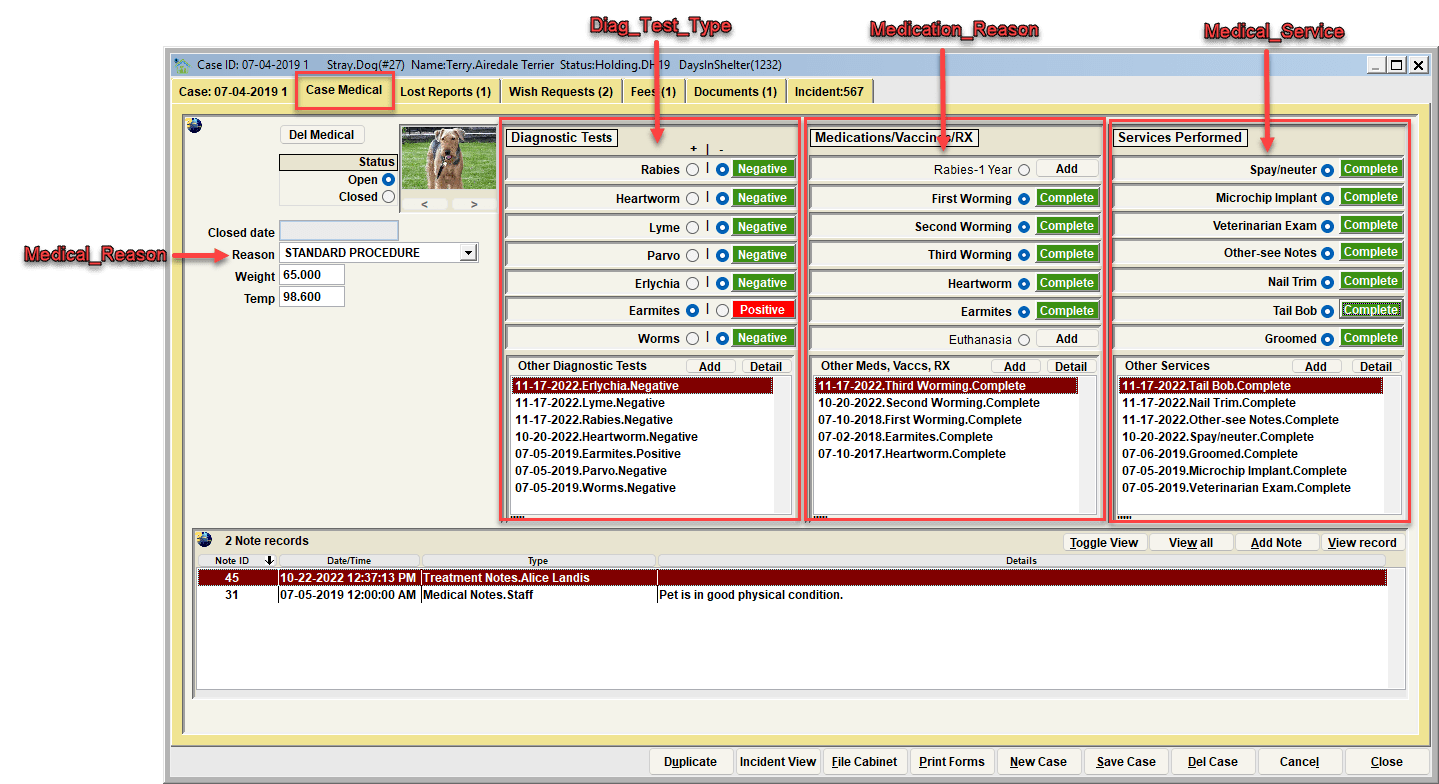
| MEDICAL_REASON | The categories for opening a medical record for an animal |
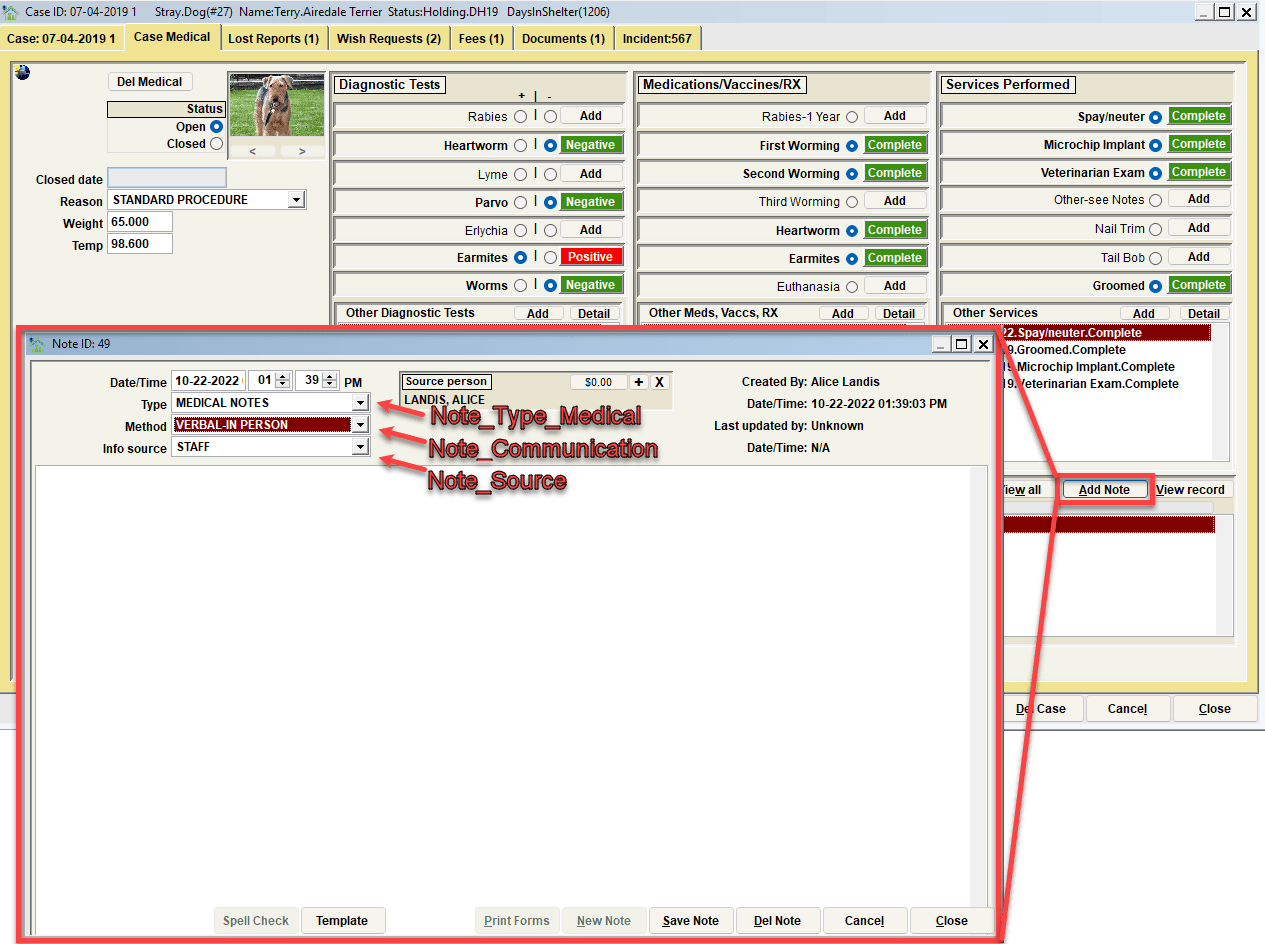
| NOTE_TYPE_MEDICAL | The list of medical note categories |
| DIAG_TEST_TYPE | The list of recognized types of diagnostic tests |
| DIAG_TEST_METHOD | The methods for performing a test (Blood, Skin Scrape, etc) |
| NOTE_TYPE_DIAGTEST | The list of note categories for diagnostic tests. |
| MEDICATION_REASON | The list of recognized reasons for a medical service / vaccination / medication |
| VACCINATION_TYPE | The list of recognized vaccination types |
| NOTE_TYPE_MEDICATE | The list of note categories for a medical service / vaccination / medication |
| DOSAGE_MEASURE | Dosage Measures (CC, ML, Etc.) |
| DRUG_ADMIN_METHOD | How a drug can be administered (Oral, Injection, Topical, Etc.) |
| DRUG_MANUFACTURER | The list of recognized drug manufactures |
| DRUG_NAME | The list of recognized drug names |
| DRUG_NAME_RABIES | The list of recognized drug names for rabies vaccines. |
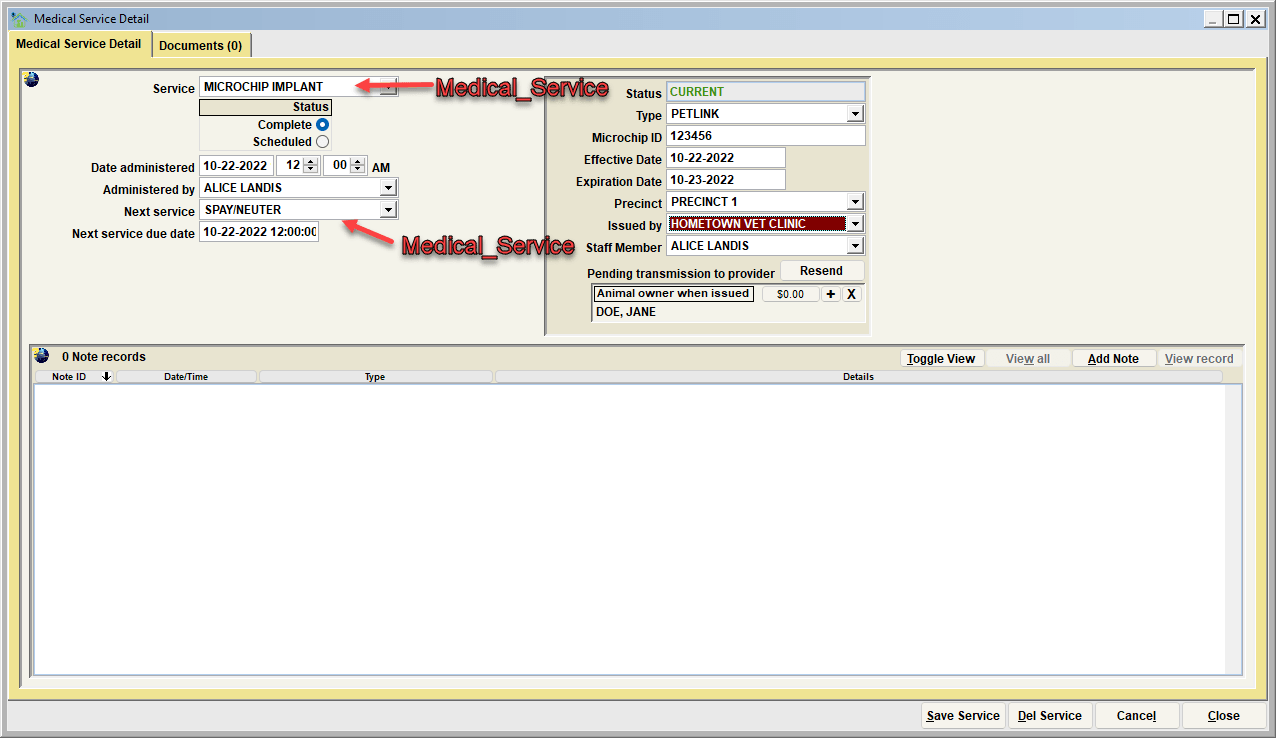
| MEDICAL_SERVICE | The list of recognized medical services |
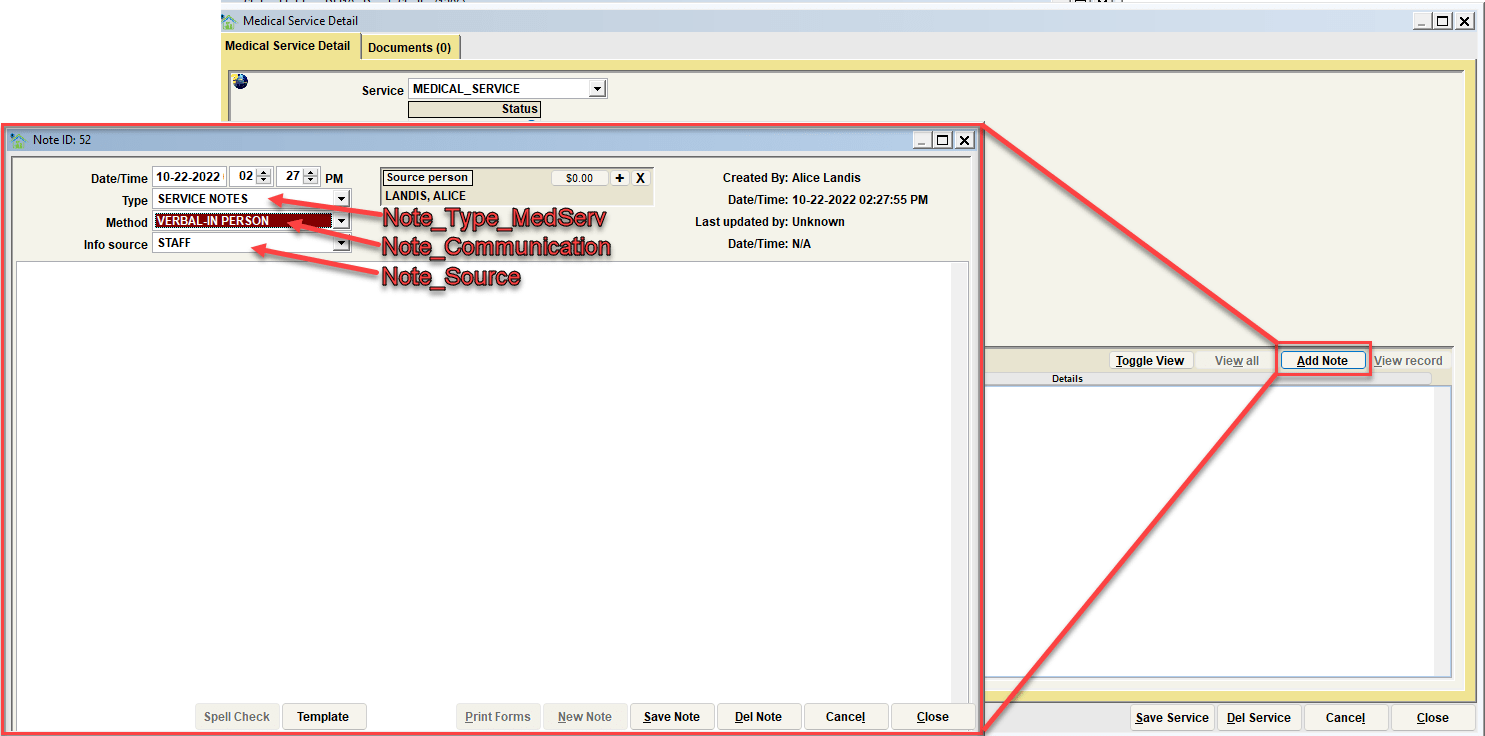
| NOTE_TYPE_MEDSERV | The list of note categories for medical services |
| NOTE_SOURCE | The source of the information obtained that is entered in the note area |
| NOTE_COMMUNICATION | The way the note source was communicated (Verbal-In Person / Verbal-Telephone / Written-Email / Written-Letter / Written-Text Message / etc.) |
Visualizing the various lists changes
Quick Picks
The Medical tab "quick pick maintenance" is where the values associated with medical quick-pick items can be modified.
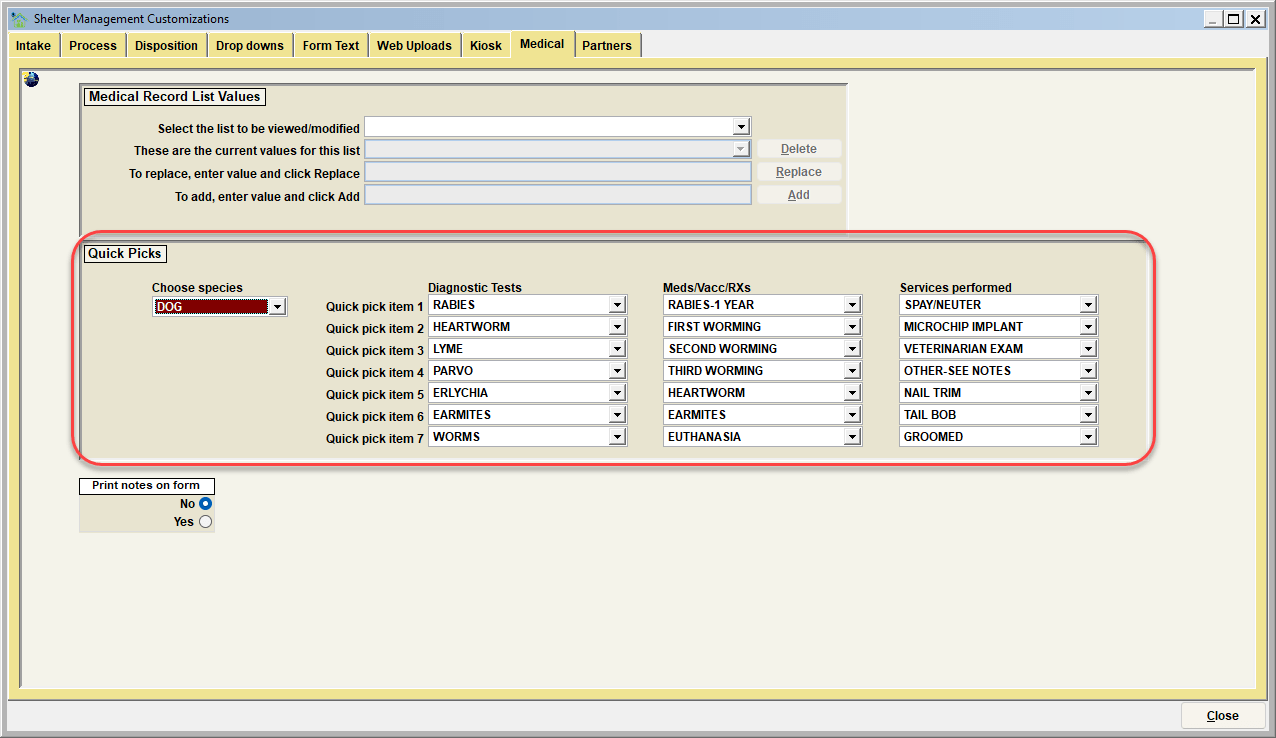
The quick pick lists are defined by SPECIES, so the quick will be different for Dogs versus Cats versus Horses, etc. Pick a species in the "Quick pick maintenance," and you will then see the defined quick pick values for that species. Each item can then be modified. The available values will be determined by the list values defined for each medical category (DIAG_TEST_TYPE, MEDICATION_REASON, MEDICAL_SERVICE).
Note: These list values are modified in the top section of the screen
Print notes on form
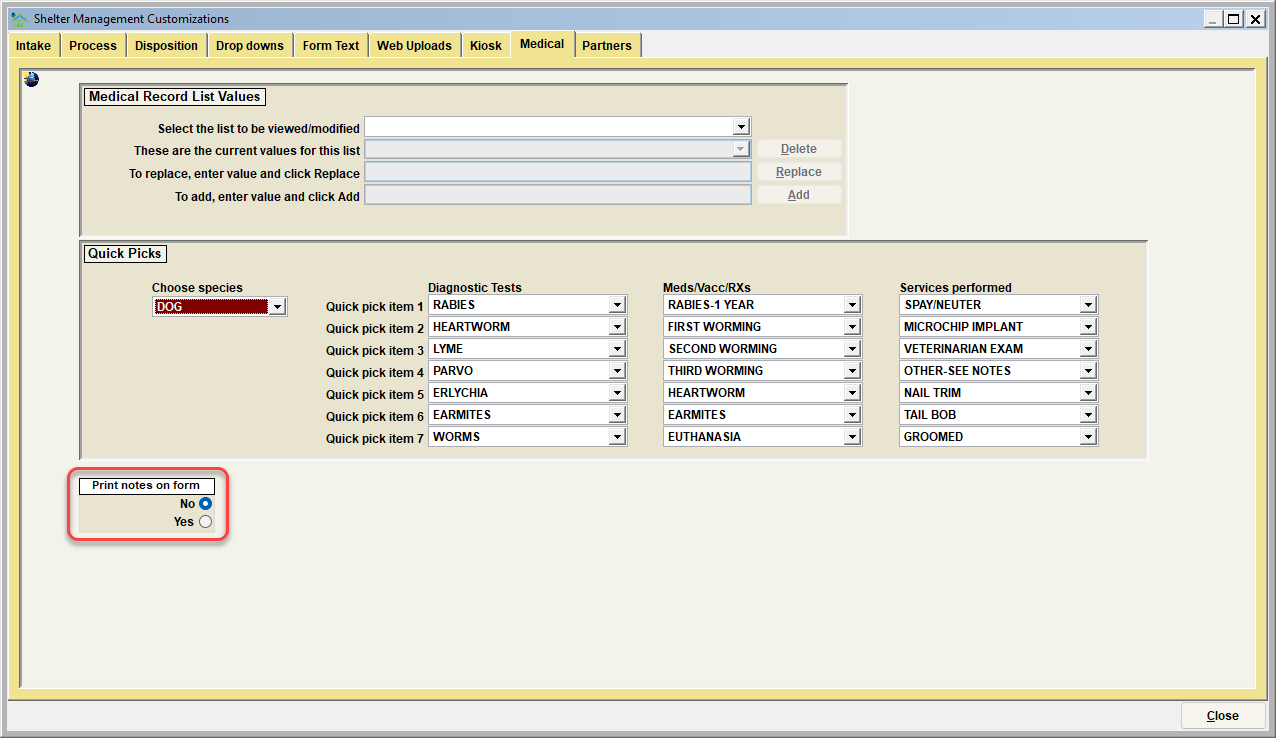
This switch determines if the notes entered for each medical item will be printed on the Medical History forms which are printed from the Shelter Management "Case View". The notes can be used to provide a more detailed write-up of each medical item administered, and your organization may choose to share those notes with a pet's owner by printing them on the form.
Next Topic
Customize Partners
Comment or report problem with topic