
 Customize ID Options
Customize ID Options
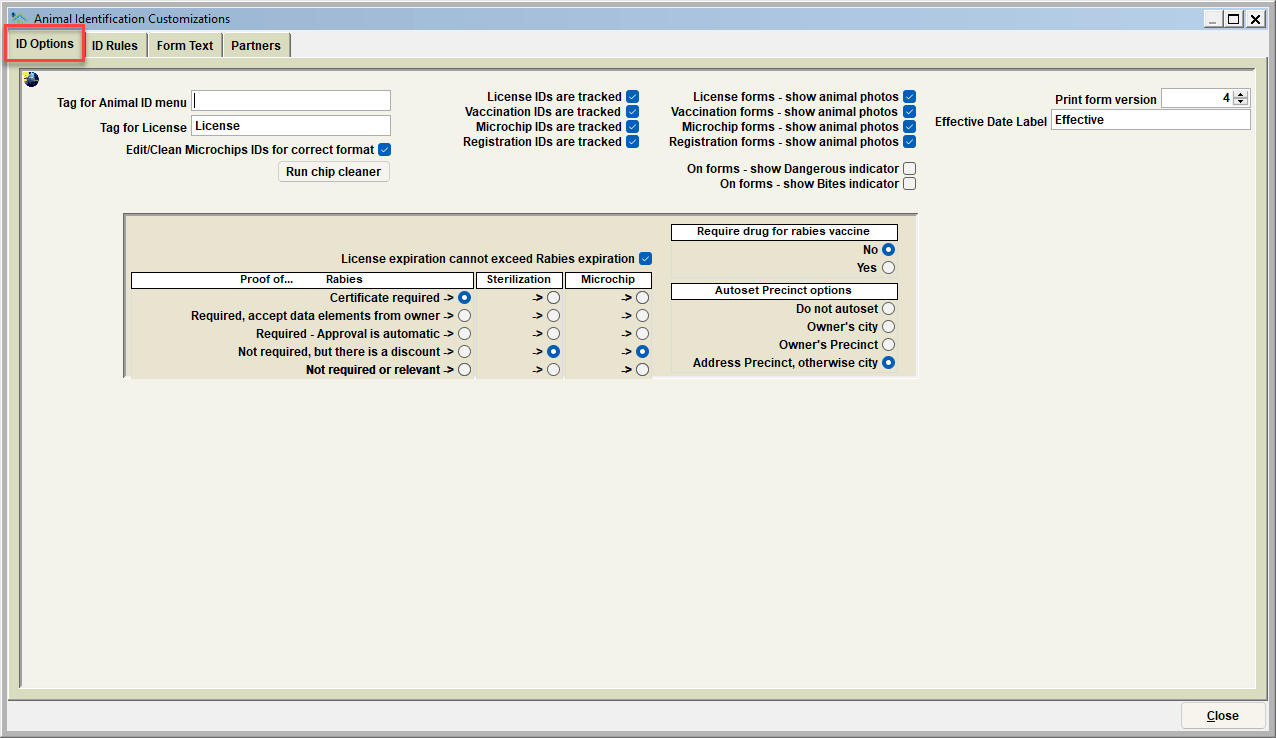
This window allows you to enter optional processing parameters according to your facility's needs. These features can make Shelter Pro easier to use.
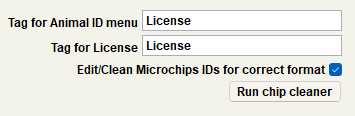
Tag for Animal ID menu
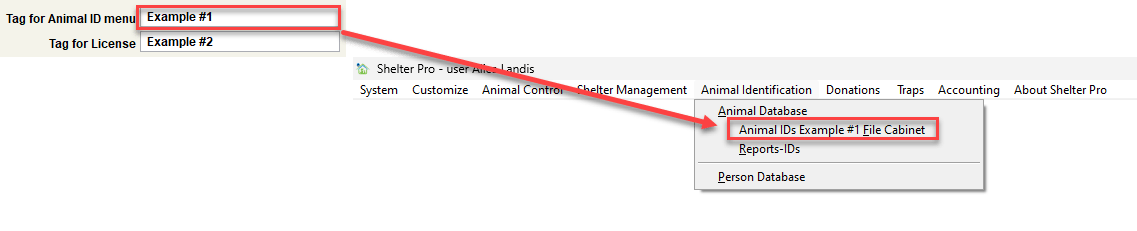
This field should be set to the terminology you would prefer on the Shelter Pro main menu for Animal IDs. Notice in the above example that the custom text matches the text shown on the Shelter Pro main menu. Special note - you won't see the main menu change immediately when this is modified. It will only show a change after you have exited Shelter Pro and then logged back in. The below image shows the tag for the animal ID as "Example #1" and where the animal ID tag is displayed on Shelter Pro.
Tag for Licenses
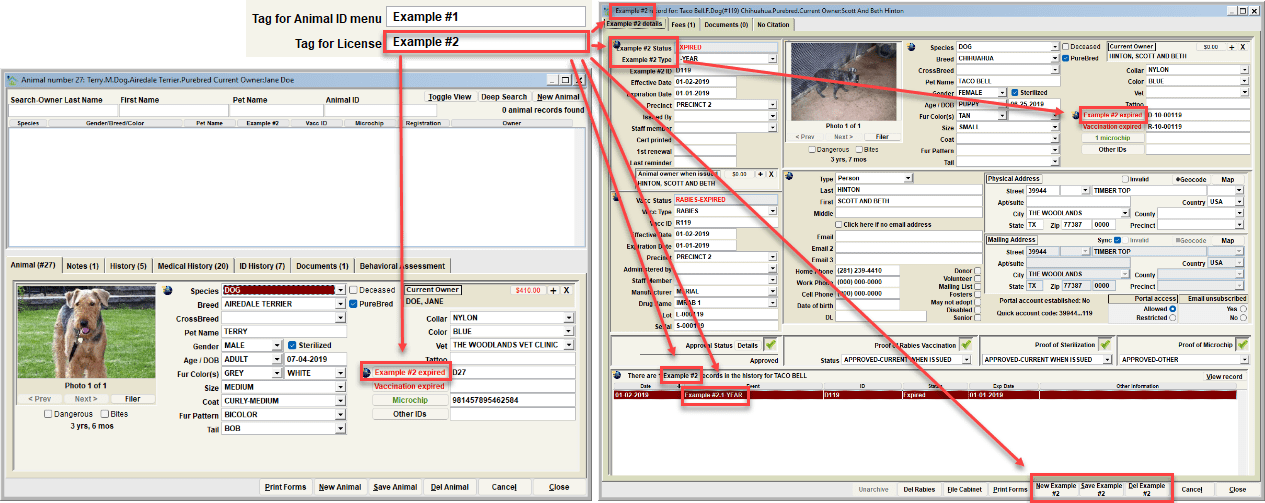
This field should be set to the terminology your facility uses to describe a License (Tag, City Tag, etc.). By changing this field, the same terminology will be used throughout the Shelter Pro system (including windows, reports, and forms). The below image shows the tag for the Licenses as "Example #2" and where the License tag is displayed on Shelter Pro.
Edit/Clean microchip IDs for Correct Format
This switch determines if microchip id entry is valid per ISO microchip rules for the various microchip types commonly available on the market (HomeAgain, SmartTag, Avid, etc.).
Run Chip Cleaner
By running the Chip Cleaner, Shelter Pro will search through the facilities microchip ID database to ensure that all the microchip ID's are correctly formatted and contain 15 numerics. Additionally, the chip cleaner will check the microchip ID codes to ensure the corresponding microchip partner ID is correct. Typically, you should only need to run the chip cleaner once, after importing a microchip ID database into Shelter Pro.
Tracking ID Buttons
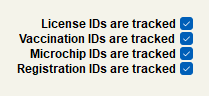
License IDs are Tracked
This switch will cause the License ID button on the animal view to be present or hidden. It should be turned off if your organization is not using the specified License ID functionality provided by Shelter Pro. If turned off, the button will be hidden from the screen and users will not be able to enter the License ID category.
Vaccination IDs are Tracked
This switch will cause the Vaccination ID button on the animal view to be present or hidden. It should be turned off if your organization is not using the specified Vaccination ID functionality provided by Shelter Pro. If turned off, the button will be hidden from the screen and users will not be able to enter the Vaccination ID category.
Microchip IDs are Tracked
This switch will cause the Microchip ID button on the animal view to be present or hidden. It should be turned off if your organization is not using the specified Microchip ID functionality provided by Shelter Pro. If turned off, the button will be hidden from the screen and users will not be able to enter the Microchip ID category.
Registration IDs are Tracked
This switch will cause the Registration ID button on the animal view to be present or hidden. It should be turned off if your organization is not using the specified Registration ID functionality provided by Shelter Pro. If turned off, the button will be hidden from the screen and users will not be able to enter the Registration ID category.
Show Animal Photo Options
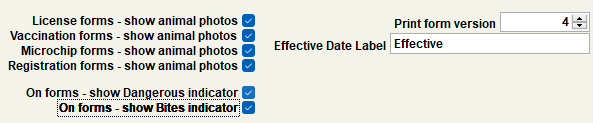
License Forms - Show Animal Photos
- This switch will cause animal photos to print/not print on generated license forms.
Vaccination Forms - Show Animal Photos
- This switch will cause animal photos to print/not print on generated vaccination forms.
Microchip Forms - Show Animal Photos
- This switch will cause animal photos to print/not print on generated microchip forms.
Registration Forms - Show Animal Photos
- This switch will cause animal photos to print/not print on generated registration forms.
On Forms - Show Dangerous Indicator
- This switch determines if the 'dangerous' indicator will print on forms.
On Forms - Show Bites Indicator
- This switch determines if the 'bites' indicator will print on forms.
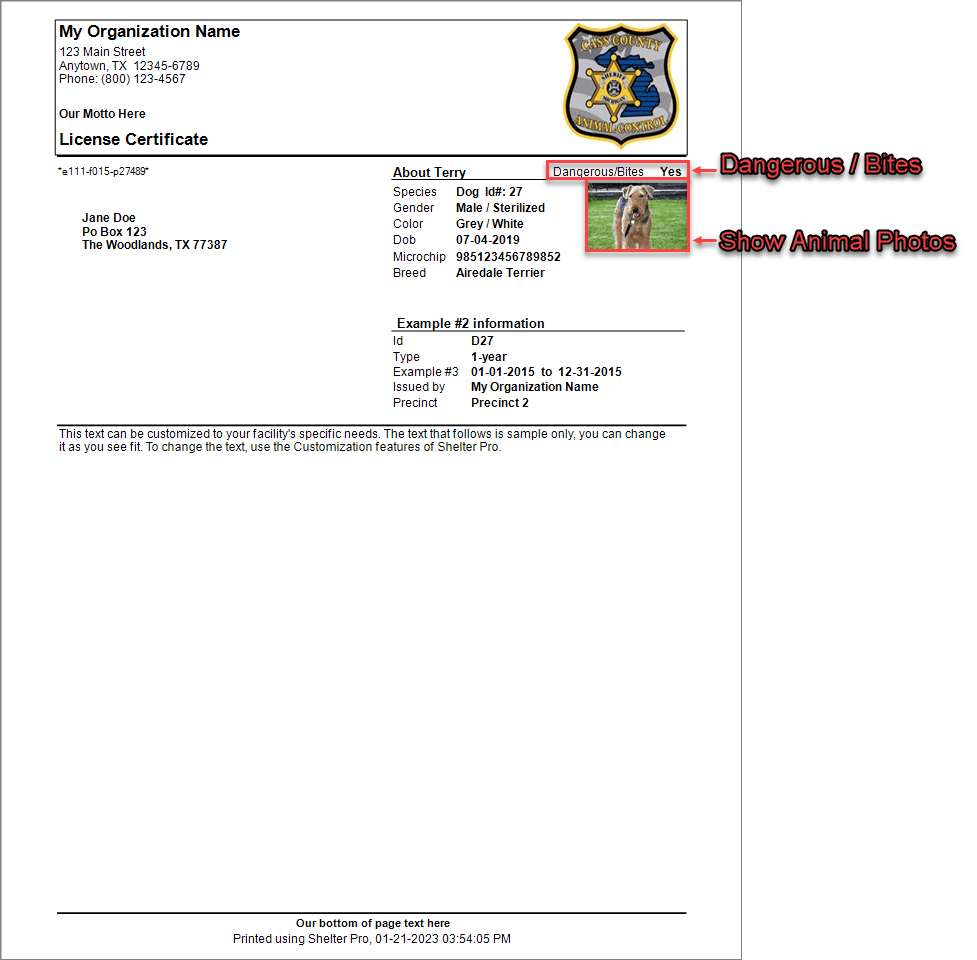
The above is a visual example of what having both the "Show Animal Photos" check box and the "Show Bites/Dangerous Indicator" check box selected. This example uses a sample License Form and Format #4, but the "Show Animal Photos" and the "Bites/Dangerous Indicator" translates to Vaccination Forms, Microchip Forms, and Registration Forms, and all form format types.
Form Formatting Options
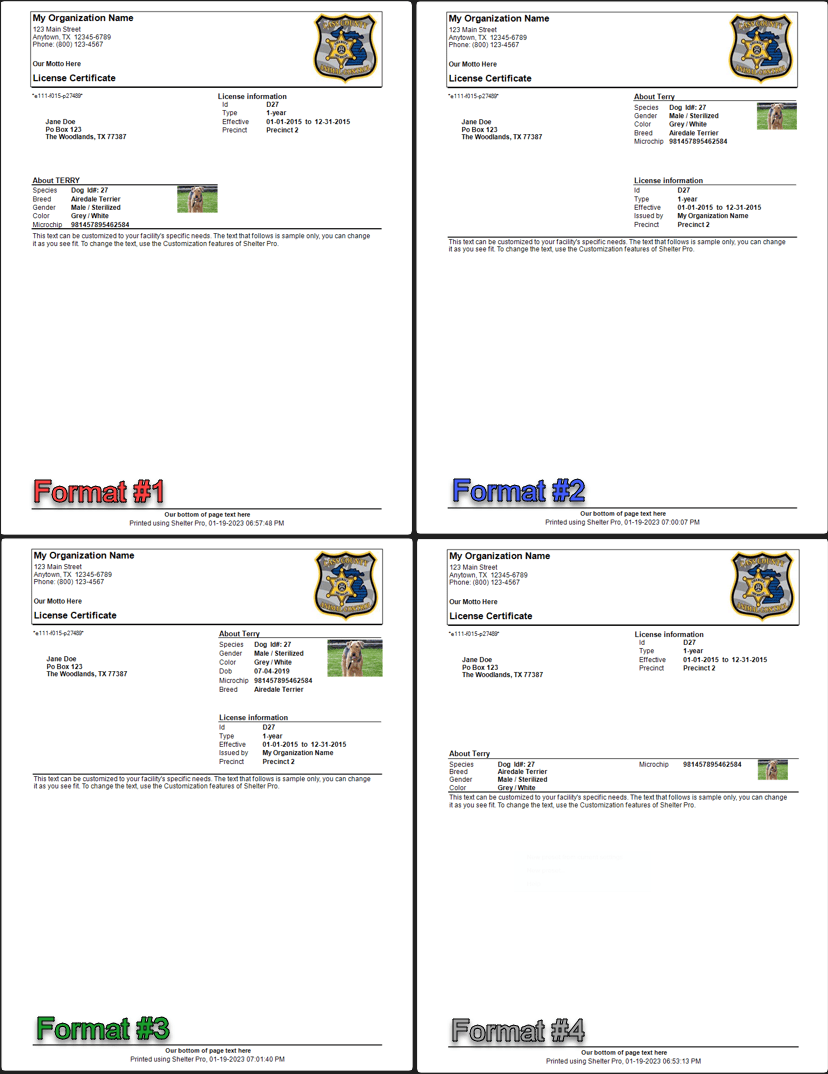
Shelter Pro provides four document formatting options to select from based on the preferences of the Organization. These formating options are for the License, Vaccination, Microchip, and Registeration Forms. The following information highlights the customizable features between Format #1, Format #2, Format #3, and Format #4. You can specify your preferred form format by selecting either "1", "2", "3", or "4" in the form selection area.
Effective Date Label
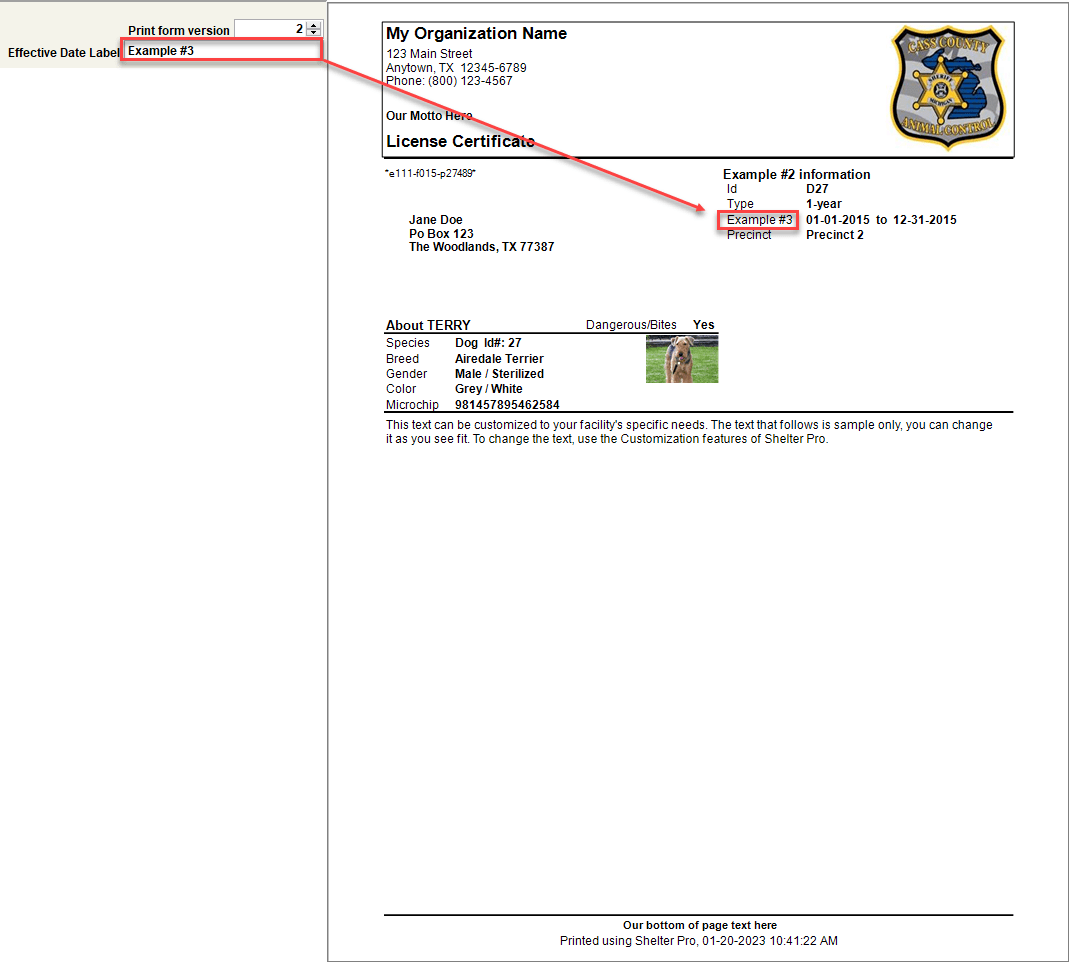
This field should be set to the terminology you would prefer on the Shelter Pro forms for . Notice in the above example that the custom text matches the text shown on the Shelter Pro main menu. Special note - you won't see the main menu change immediately when this is modified. It will only show a change after you have exited Shelter Pro and then logged back in. The below image shows the tag for the animal ID as "Example #1" and where the animal ID tag is displayed on Shelter Pro.
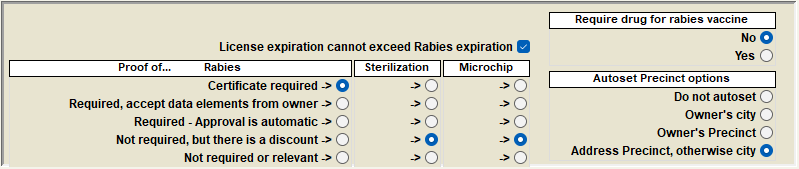
License Experation Can Not Exceed Rabies Expiration
This switch is only available when the License/Rabies combination options are set to "Rabies certificate is required to issue a License".
This will cause an edit to occur when a license is issued or modified, and a Rabies vaccination record is connected to the license. If the license expiration date is later than the rabies expiration date, when the SAVE button is clicked an edit message will be issued and the license record will not be allowed to post. Users will be required to adjust the license expiration date to not exceed the rabies expiration date.
Proof Of...
Rabies
| List to be modified | Description |
|---|---|
| Certificate Required | This option will require proof of a physical rabies certificate prior to the issuance of a pet license. |
| Required, accept data elements from owner | Selecting this option requires proof of a rabies vaccine prior to the issuance of a pet license. However, this option allows for the pet owner to verbally provide the data elements for the rabies vaccine if the physical certificate is not available. |
| Required - Approval is automatic | This option will require proof of a rabies vaccine prior to the issuance of a pet license However, rather than being placed in the pending status, the approval will automatically be verified. |
| Not Required, but there is a discount | By selecting this option, proof of a rabies vaccine will not be required, though if proof of the rabies vaccine is provided, a discount will be offered for the purchase of the pet license. |
| Not Required or relevant | This option will not require proof of a rabies vaccine, nor is it relevant for the purchase of the pet license. |
Sterilization
| List to be modified | Description |
|---|---|
| Certificate Required | This option will require physical proof of sterilization prior to the issuance of a pet license. |
| Required, accept data elements from owner | Selecting this option requires proof of sterilization vaccine prior to the issuance of a pet license. However, this option allows for the pet owner to verbally provide the data elements of the sterilization if the physical certificate is not available. |
| Required - Approval is automatic | This option will require proof of sterilization prior to the issuance of a pet license However, rather than being placed in the pending status, the approval will automatically be verified. |
| Not Required, but there is a discount | By selecting this option, proof of sterilization will not be required, though if proof of sterilization is provided, a discount will be offered for the purchase of the pet license. |
| Not Required or relevant | This option will not require proof of sterilization, nor is it relevant for the purchase of the pet license. |
Microchip
| List to be modified | Description |
|---|---|
| Certificate Required | This option will require proof of a physical microchip certificate prior to the issuance of a pet license. |
| Required, accept data elements from owner | Selecting this option requires proof of a microchip implant prior to the issuance of a pet license. However, this option allows for the pet owner to verbally provide the data elements of the microchip if the physical certificate is not available. |
| Required - Approval is automatic | This option will require proof of a microchip implant prior to the issuance of a pet license However, rather than being placed in the pending status, the approval will automatically be verified. |
| Not Required, but there is a discount | By selecting this option, proof of a microchip implant will not be required, though if proof of sterilization is provided, a discount will be offered for the purchase of the pet license. |
| Not Required or relevant | This option will not require proof of a microchip, nor is it relevant for the purchase of the pet license. |
Require Drug for Rabies Vaccine
Selecting "Yes" to this option will require the "Manufacturer" and the "Drug Name" to be entered prior to the issuance of a pet license.
Autoset Precinct Options
| List to be modified | Description |
|---|---|
| Do Not Autoset | By selecting this option, the Precinct option will no be autoset when generating a new pet license. |
| Owner's City | This option will autoset the Precinct option to the owner's city when generating a new pet license. |
| Owner's Precinct | Selecting this option will autoset the Precinct option to the owner's previously listed precinct when generating a new pet license. |
| Address Precinct, Otherwise City | This option will autoset the Precinct option to the owner's listed address precinct. If an address precinct is not avialable, the owner's previously listed city will be autoset in the precinct option. |
Next Topic
Customize ID Rules
Comment or report problem with topic