
 Customize Trap Options
Customize Trap Options Tab
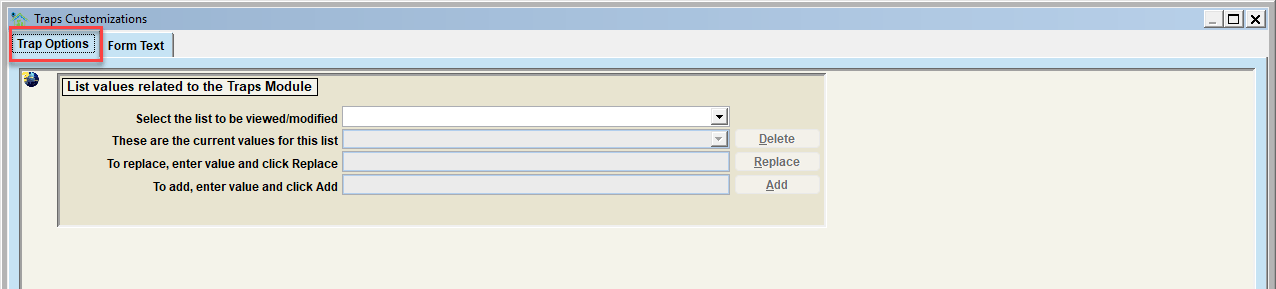
The Trap Options tab is where the dropdown lists associated with traps can be modified. You can delete, replace, or add values. Follow the instructions on the screen to complete each of these functions. The specific lists which can be modified include:
| Form | Description |
|---|---|
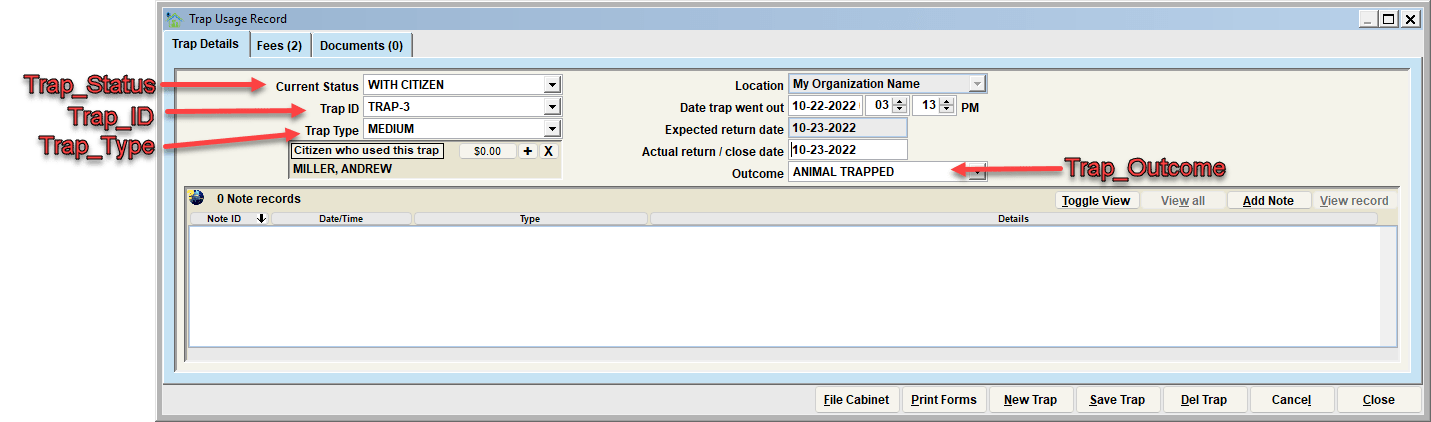
| Trap_ID | Use this to identify trap ids. These should match your trap inventory. This is also useful if you vary trap rental rates based on a specific trap. |
| Trap_Status | These are the values for a trap record's status |
| Trap_Outcome | These are outcome of a trap's usage |
| Trap_Type | These identify trap types. Useful for charging different rental rates based on type of trap being rented. |
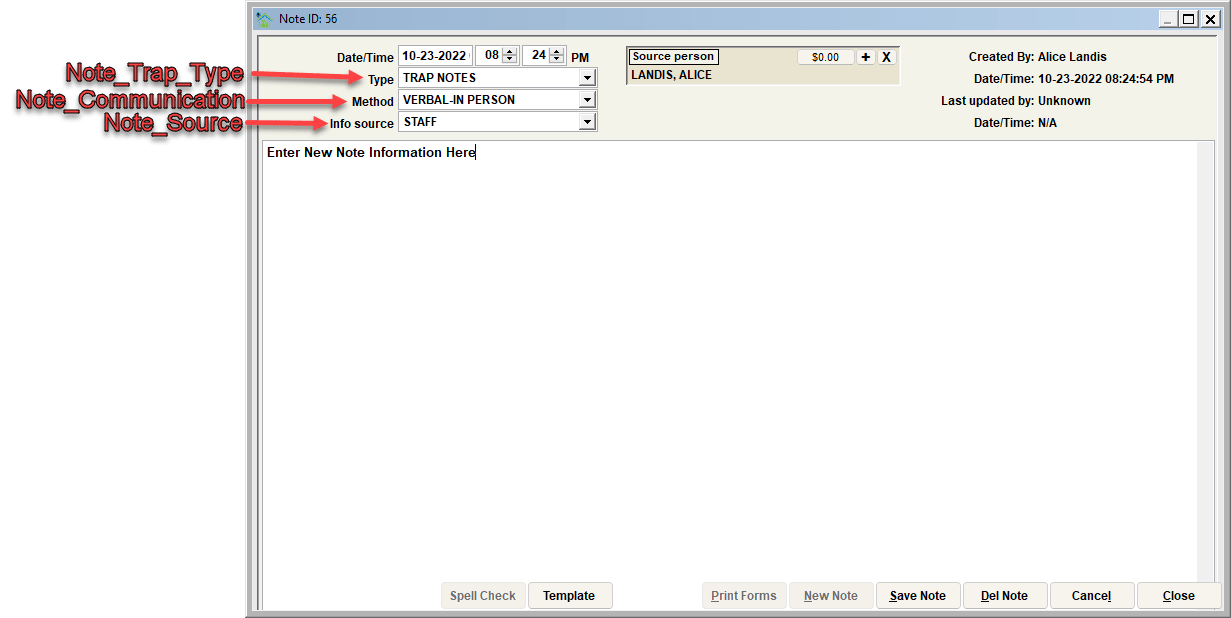
| Note_Trap_Type | Note type selections when a note is added to a Trap record |
| Note_Source | Note source selections when a note is added to a record. Note that these are used system-wide and are not specific to any given record type. |
| Note_Communication | Note communication selections when a note is added to a record. Note that these are used system-wide and are not specific to any given record type. |
Visualizing the various lists in the Trap Details View
Visualizing the various lists in the Charge View
Next Topic:
Customize Form Text (Traps)
Comment or report problem with topic