
 Donation View
Donation View
The functionality for tracking donations is available with the Shelter Pro Donations module.
To access the Donations View, select Donations from the Main Menu. Then select Donation View.
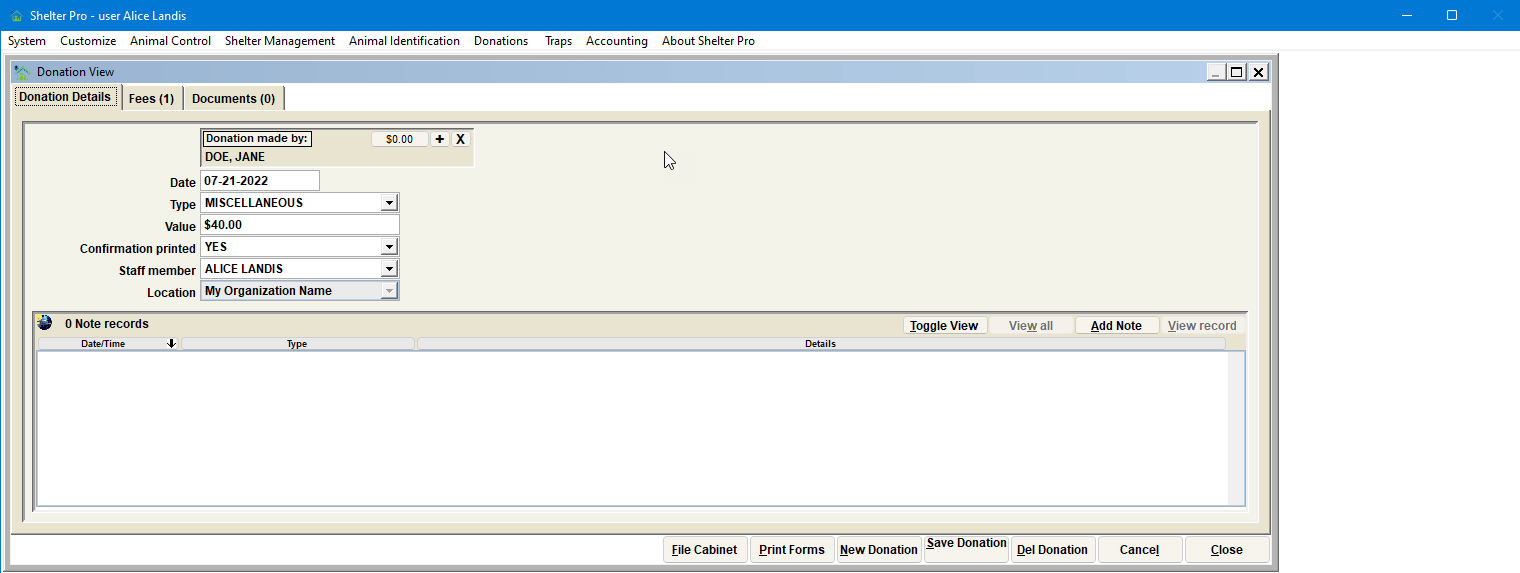
The Donation View displays detailed information about a specific donation. The activity buttons are:
.png)
- File Cabinet - Retrieve/view previously entered donations.
- Print Forms - Print the forms applicable to donations.
- New Donation - Creates a new donation record.
- Save Donation - Save the current record to the database.
- Del Donation - Remove the record from the database.
- Cancel - Undo the changes made since the donation record was last saved.
- Close - Exit the Donation View.
Next Topic
Comment or report problem with topic