
 Animal ID - The Unarchive button
Animal ID - The Unarchive button
For each of the Animal Identification module's record types (Licenses, Vaccinations, Microchips, Other IDs/Registrations), the module is tracking 'the most recent' record for the type, and keeping 'historical' records as well. From time to time, usually due to a posting error or other unusual circumstance, it may be desirable to revert a 'historical' posting to become 'the most recent' posting. This is what the 'Unarchive' button does.
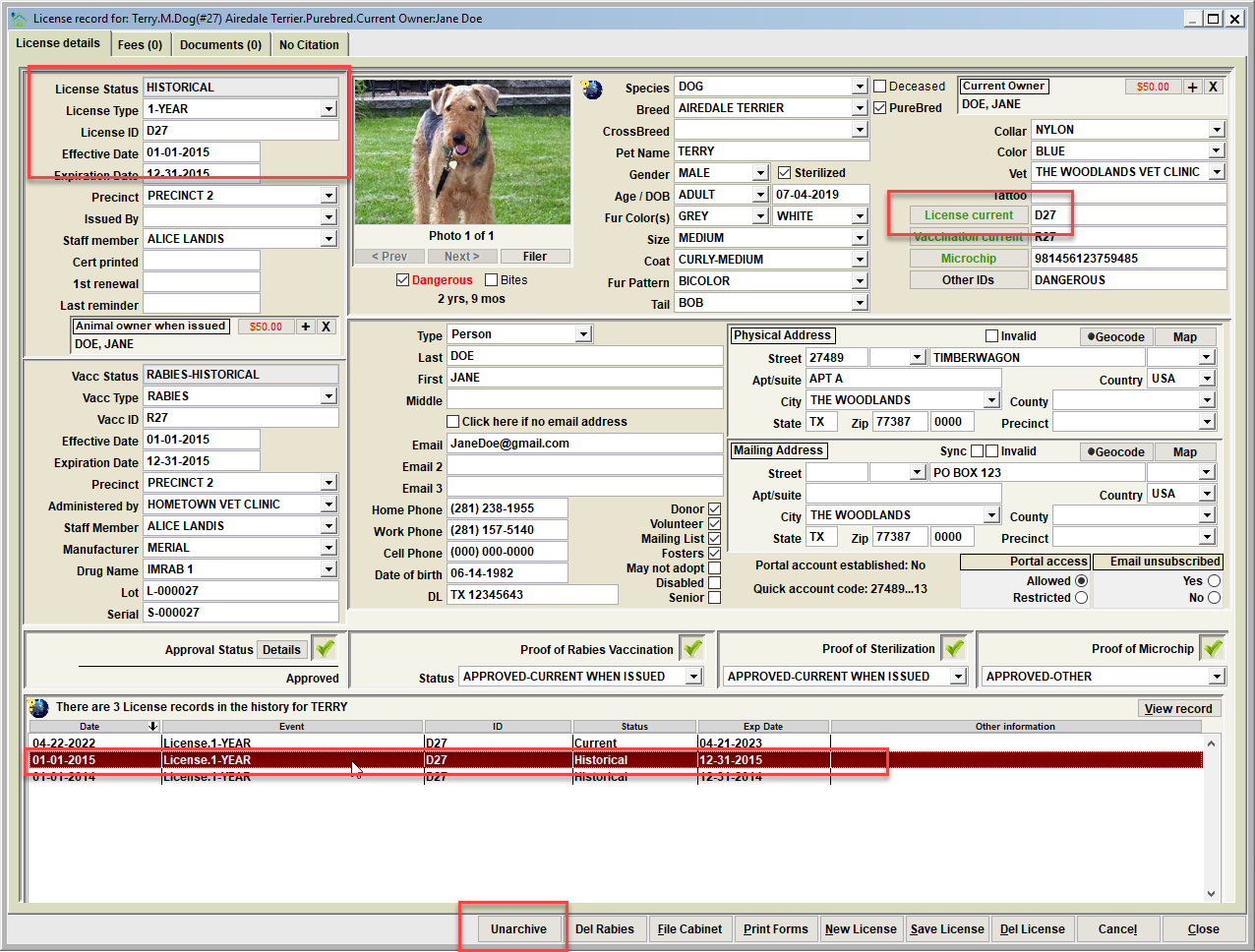
Note in this example, a historical license was loaded to the view by double-clicking the license record within the historical postings. Note that the 'Unarchive' button is black (as opposed to grey), which is indicating that the historical license is not the 'most recent'.
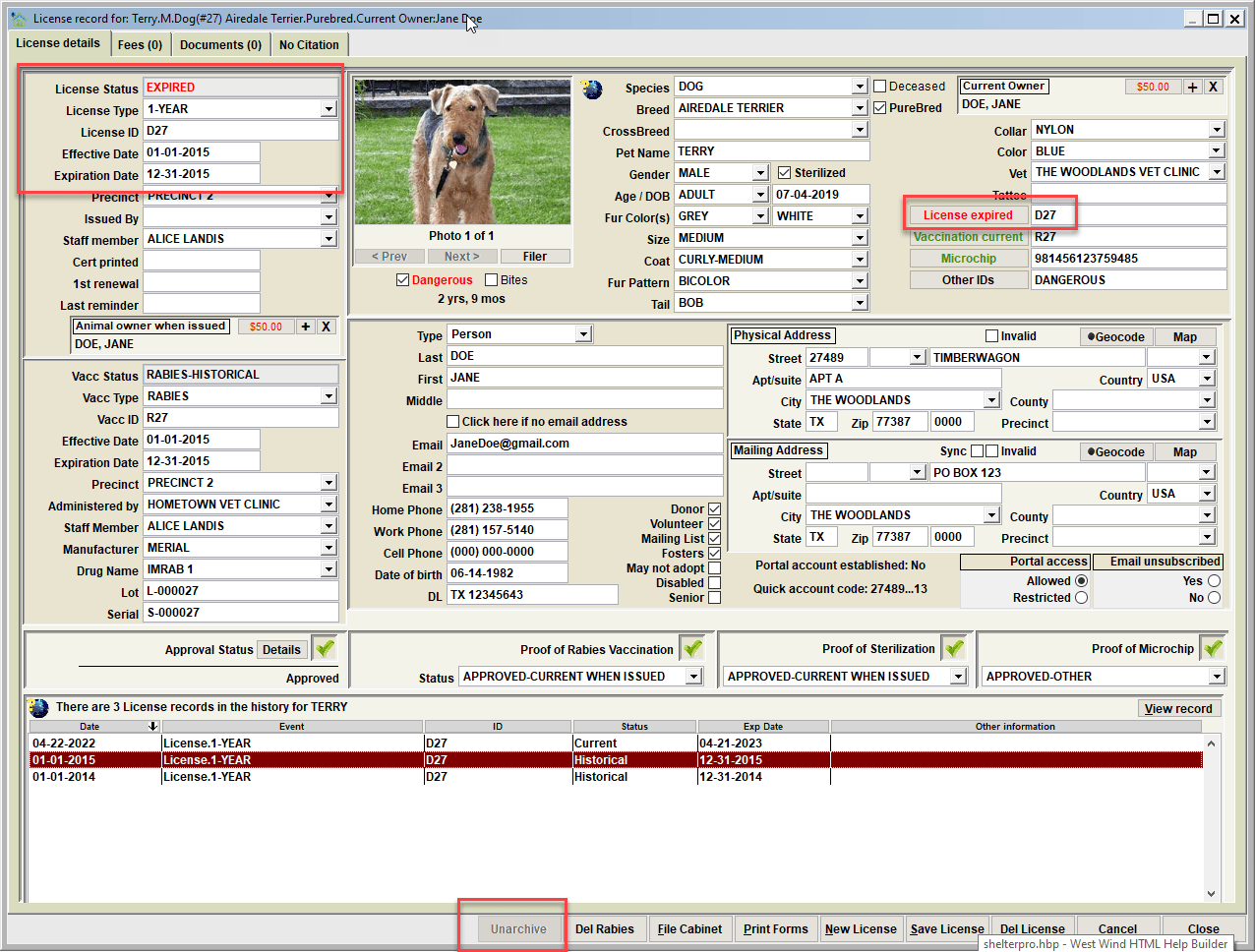
After clicking the Unarchive button, the historical license is now the pet's 'most recent' license (notice that it's expired due the expiration date, and the pet's license status is now 'expired'). Also note that Unarchive button is greyed out as the reverted license is now the 'most recent'. Also note that the license that was 'most recent' is not deleted (it's still in the animal's history) even though is no longer the 'most recent'.
Next Topic
Comment or report problem with topic