
 IMPORTANT - understanding publishing customizations to the site
About 'Publishing' customizations
It's important to understand that any 'customizations' which are done within Shelter Pro are not immediately applied to the site until the "PUBLISH PENDING - click here to publish" check box is checked, and the site is refreshed. This is true for ANY customization, including any CUSTOMIZE items that are modified under ANY of the items found under the customize main menu. To publish customizations, note the "PUBLISH PENDING - click here to publish" check box in this screen sample.
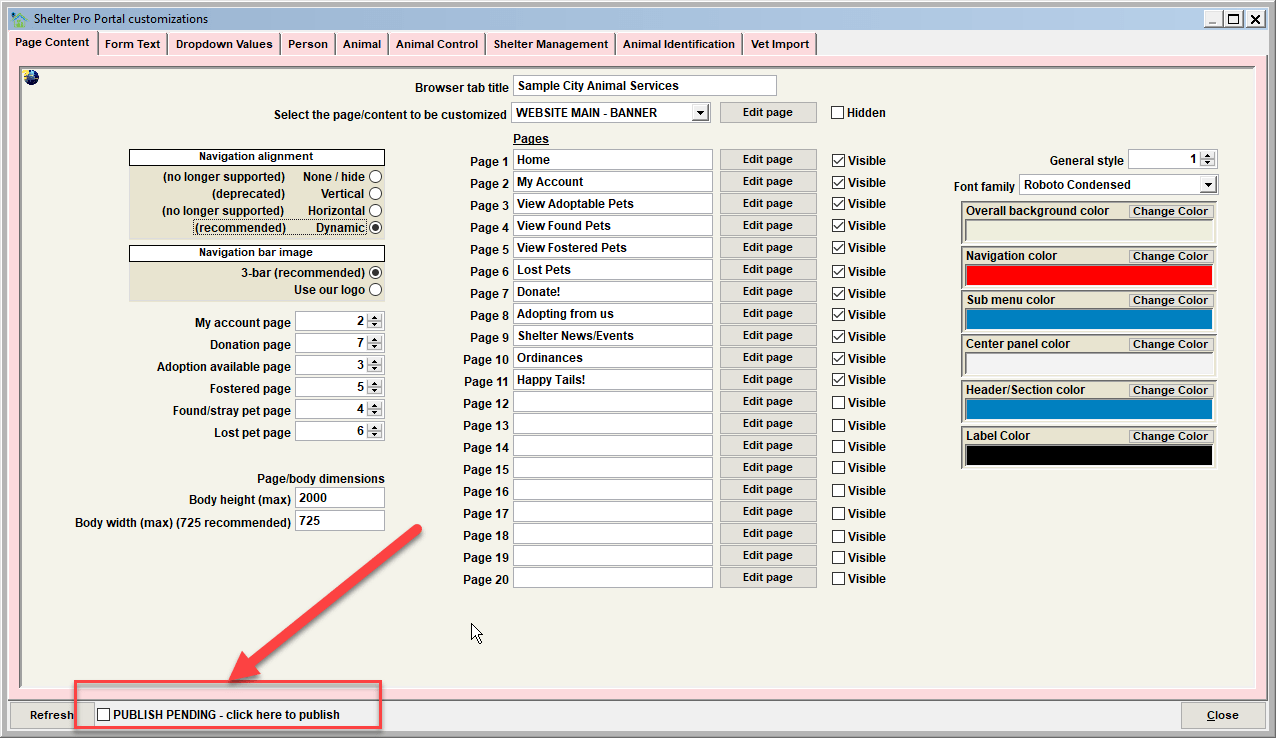
The steps to publish are:
- Apply the desired customization(s) under the CUSTOMIZE main menu within Shelter Pro;
- Under CUSTOMIZE/SHELTER PRO PORTAL, click the "PUBLISH PENDING - click here to publish" check box;
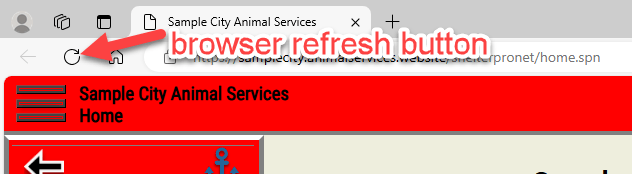
- While viewing the site in a web browser, click the browser's "refresh" button. This will cause the site to be rebuilt with the applied customization(s). Then review the site content to visualize the customization which was applied.
Next Topic
Comment or report problem with topic