
 Case View - Case Notes
Case View - Case Notes
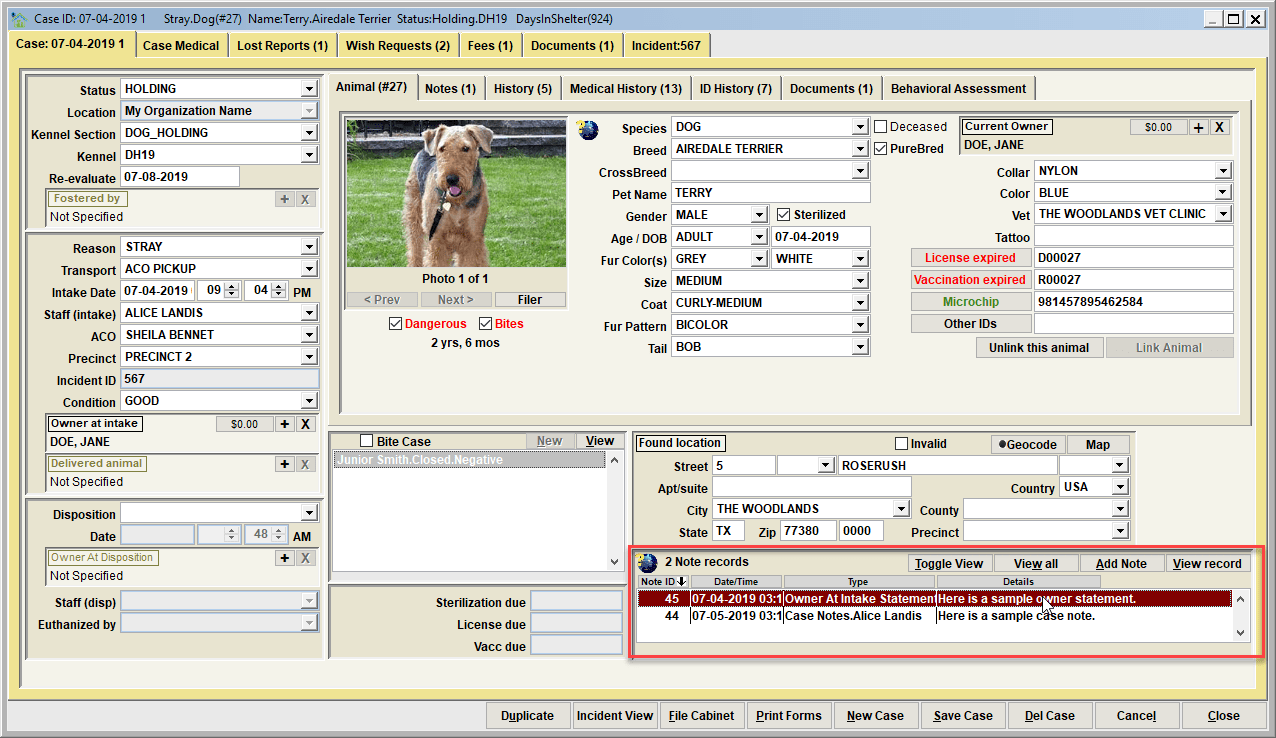
Notes are optional. The are used to provide deeper details about the particular record entered on the database. With notes you'll find there are varying note types which are specific to any particular event type.
For a case some common note types would include 'Owner at Intake Statement', 'Owner at Disposistion Statement', 'Case Notes', 'Follow-up Notes'.There may be additional note types defined on your Shelter Pro as note types can be extended using Shelter Pro's Customize features. This list can be modified via the customizable dropdown list NOTE_TYPE_CASE.
Click on the Add Note button to add a new note, or View Note to open, review, edit an existing note. The View All will present all notes combined in chronological order for ease reading the full narrative on one screen. The Toggle View button will cause the content in the list to be changed to a different display setting.
For an overview of notes in Shelter Pro, click Notes and Narratives
Next Topic:
Comment or report problem with topic