
 Trap - Details
Traps Usage Record - Trap Details
The Trap Details show specific information regarding the issuance of an animal trap.
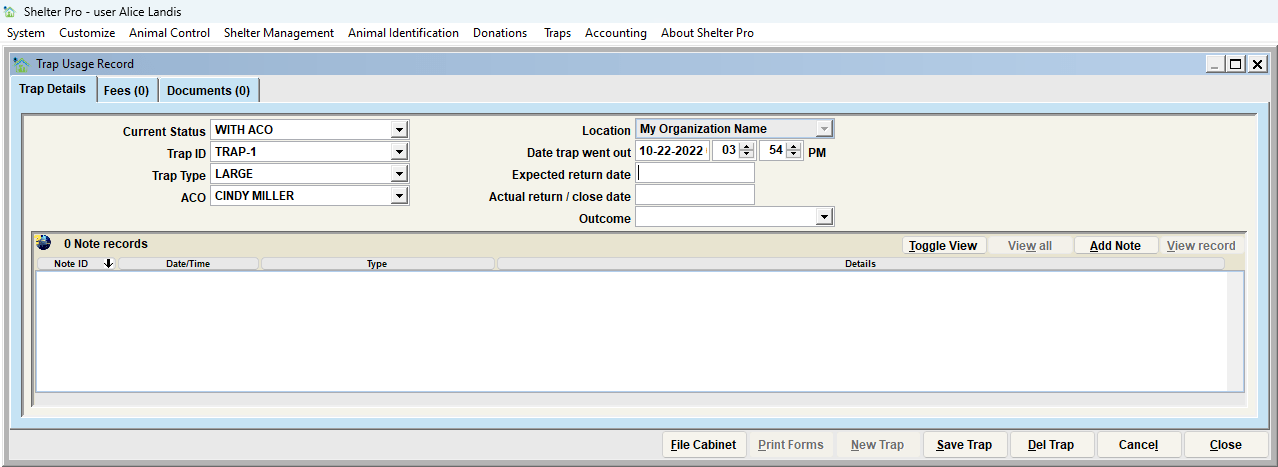
The Trap IDs should be customized to match the facilities inventory of traps. For additional information on how to do this, go to Customize Trap Options
A trap usage is considered pending until the actual return/close date is filled in. When a trap is returned, set the Current Status to Returned and the date will fill in automatically. Or, simply fill in the actual return date. Click Save when complete.
The Trap Usage Record
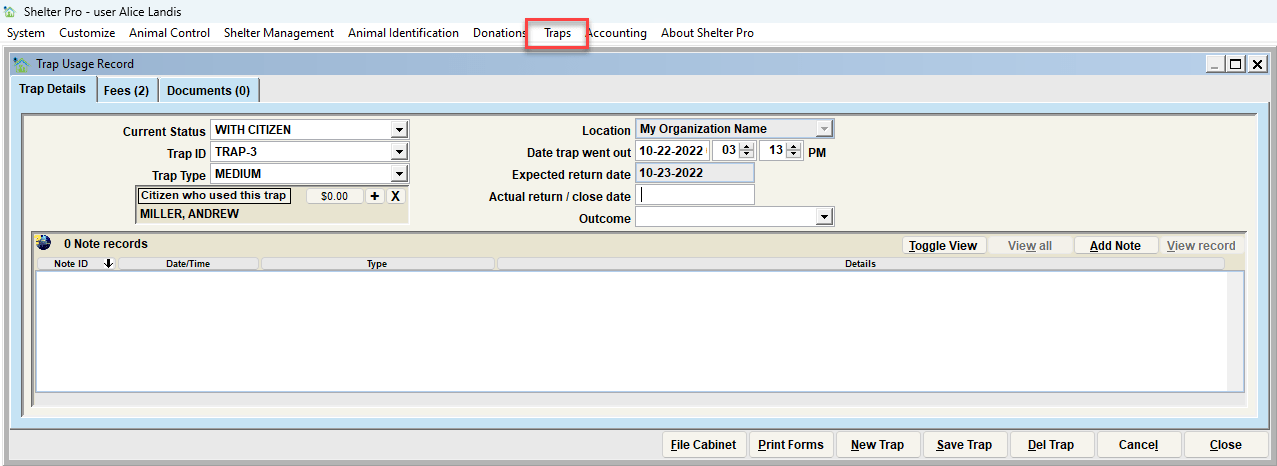
The data elements of the Trap Issue view include the following:
- Current Status - This is the current status of the trap(Lost, Returned, Sent for Repair, With ACO, With Citizen, etc.)
- Trap ID - This is the designator that the Organization uses for their traps. Example: Trap-1, Trap-2, etc.
- Trap Type - This is the type of trap (Large, Medium, Small, etc.)
- Citizen who used this trap - This links the citizen to the trap rental
- Location - This indicates the location the trap is associated with.
- Date Trap Went Out - This indicates the date the trap was checked out.
- Expected Return Date - This indicates the expected return date of the trap
- Actual Return Date - This indicates the actual return date
- Outcome - This is the disposition of the trap that was checked out (Trap was too small, Trap was Too big, Trap Malfunction, Animal was trapped, Animal was not trapped, etc.)
Note Records
The list at the bottom of the Traps Issue View will show any previous/historical notes specific to the selected Trap Usage Record.
NEXT TOPIC
Trap - Fees
Comment or report problem with topic